Skip to content
MB
MemBuild
MemBuild Community · free plugin

A community for your membership.
Free, and it lives in your WordPress.

Feed, stories, reels, courses that unlock by level, a leaderboard. The parts of Skool your members like, on a site you own. The community is free; premium add-ons are paid.
free, no account, no trial clock. premium add-ons come later, and you will see them coming.
demo-community.membuild.com
Tour · 0:45Feed, classroom, levels, chats · plays on its own, no sound
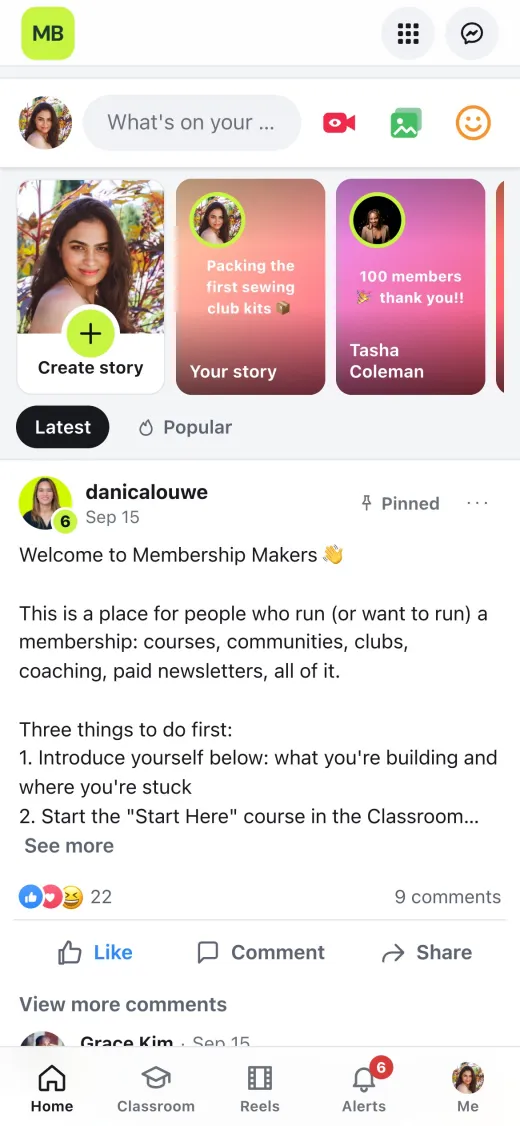
The community feed on a phone
What is in it

Four things members come back for.

Nothing you have to configure for a week. Install it, invite three people, and it already looks like the screenshots.

1
A feed with stories

Posts, reactions, comments, pinned welcome, and stories that expire. The front page members open every morning, with no algorithm deciding what they see. Reels sit one tab over: short video from YouTube or your own uploads.
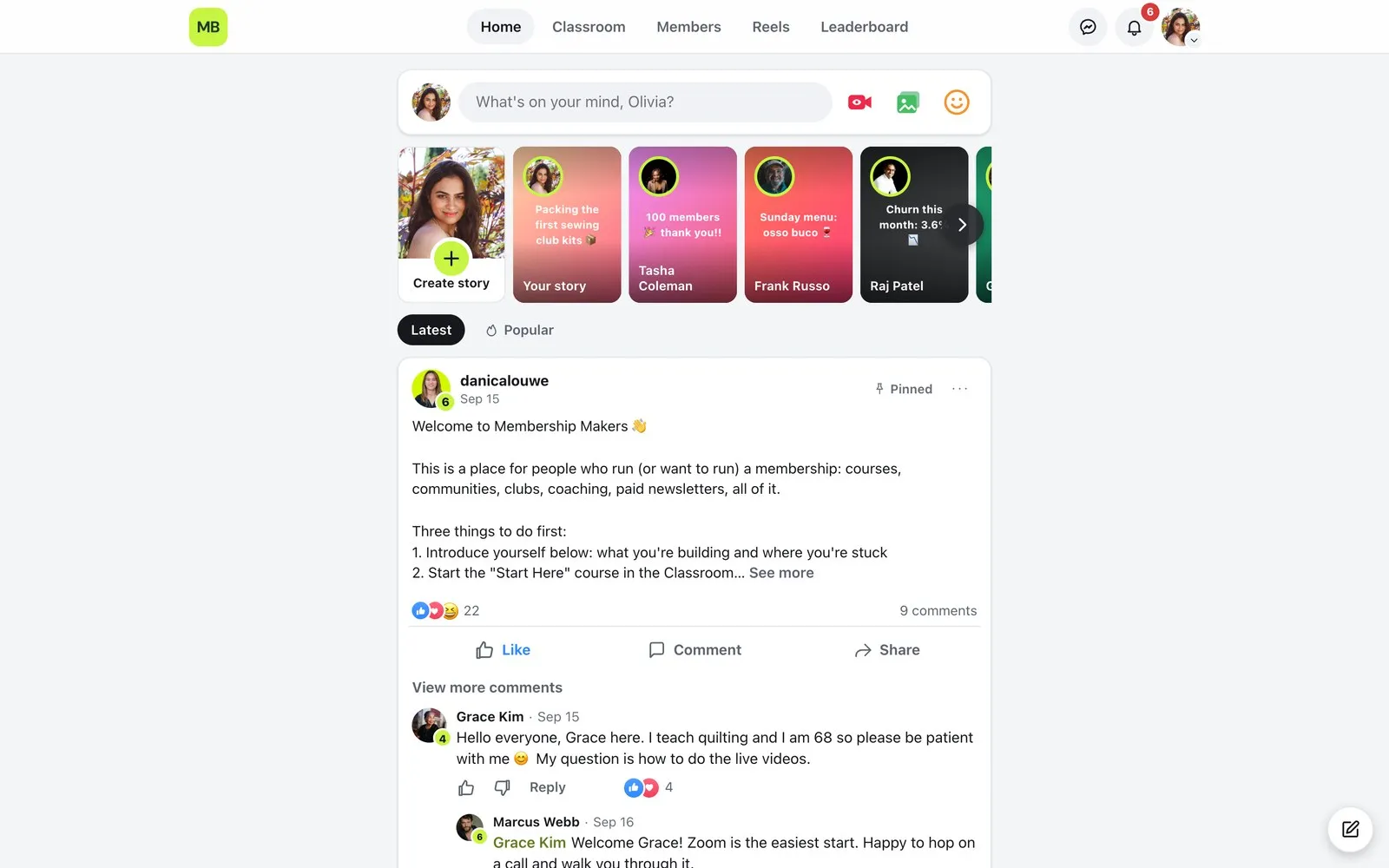
/community
The community feed with a pinned welcome post, stories and comments
2
Courses that unlock by level

Modules, lessons, videos and files, with progress per member. Lock a course behind a level or a membership tier, so members earn the next thing instead of scrolling past it.
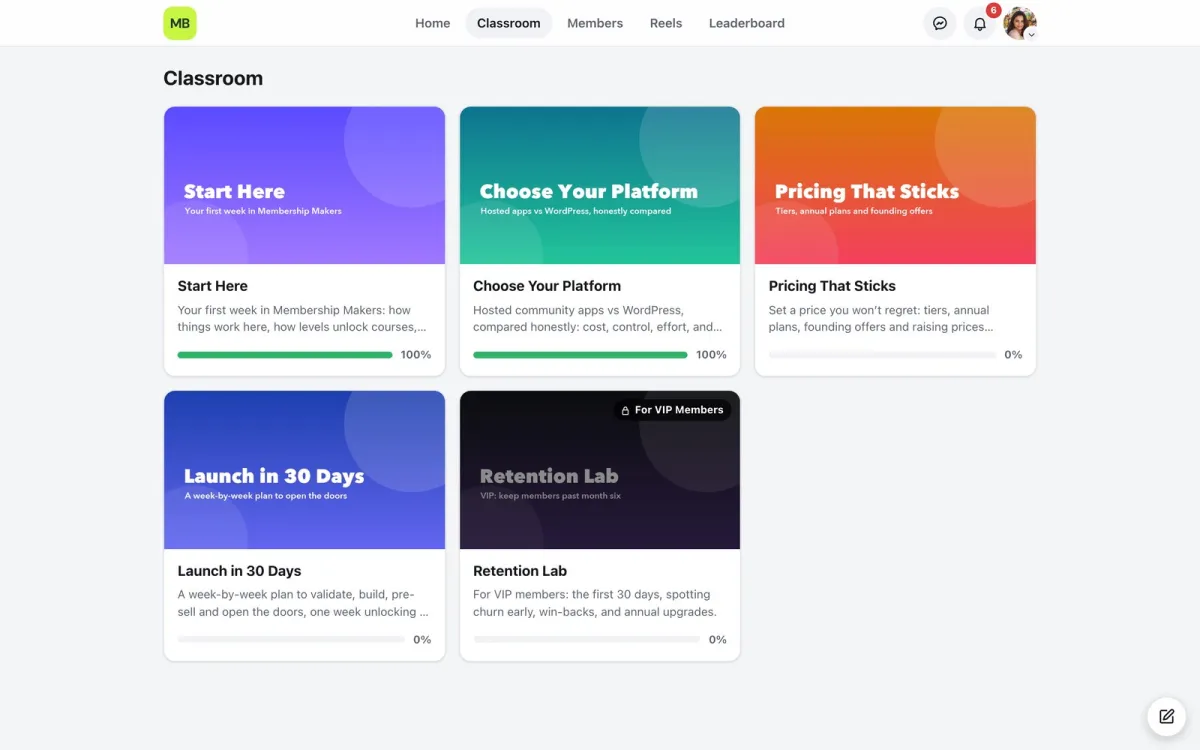
/community/classroom
The classroom with course cards, progress bars and a locked course
3
Levels and a leaderboard

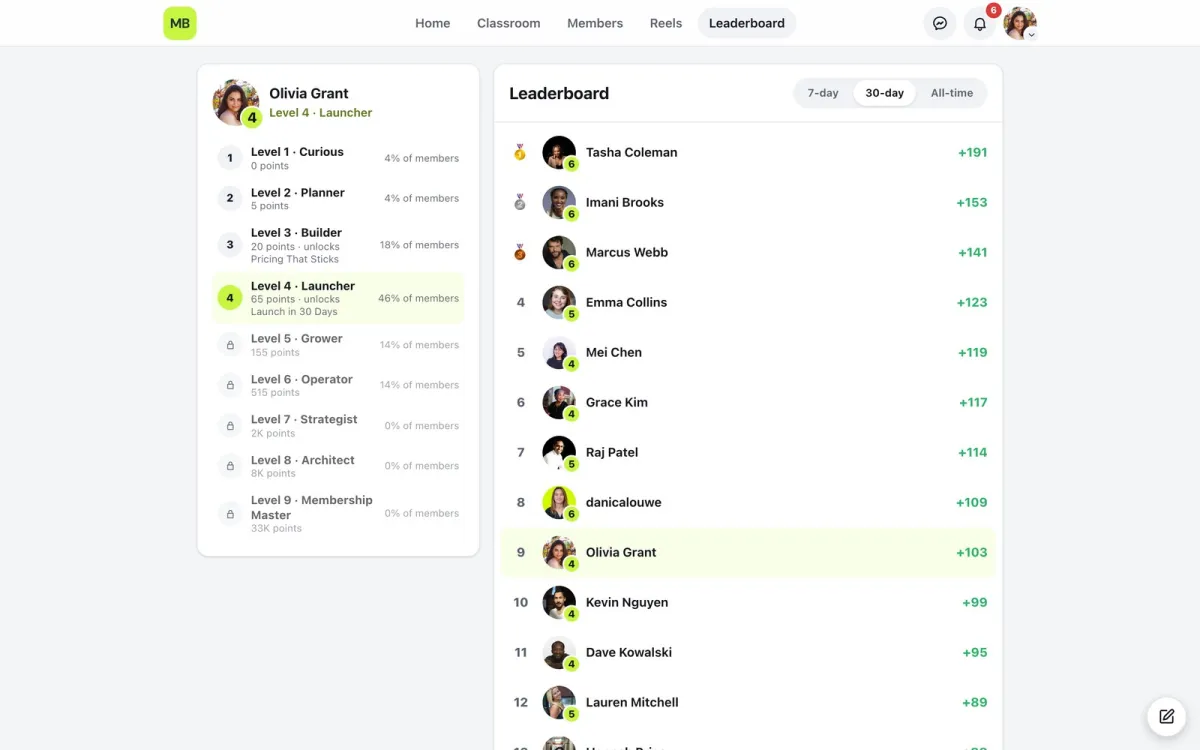
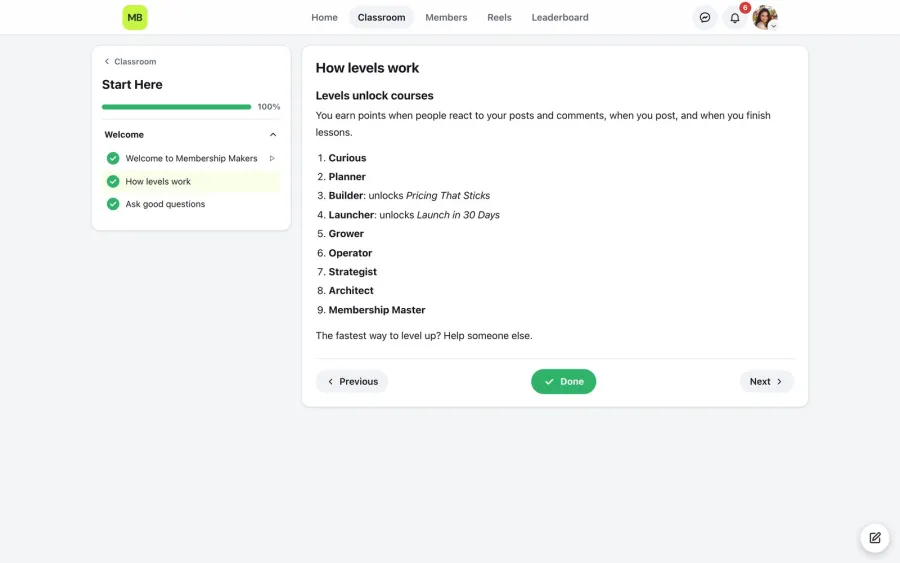
Nine levels, named by you, earned by posting, helping and finishing. The leaderboard shows the week, the month and all time, and every level says what it unlocks.
/community/leaderboard
The leaderboard with 7-day, 30-day and all-time tabs
4
Chats that stay private

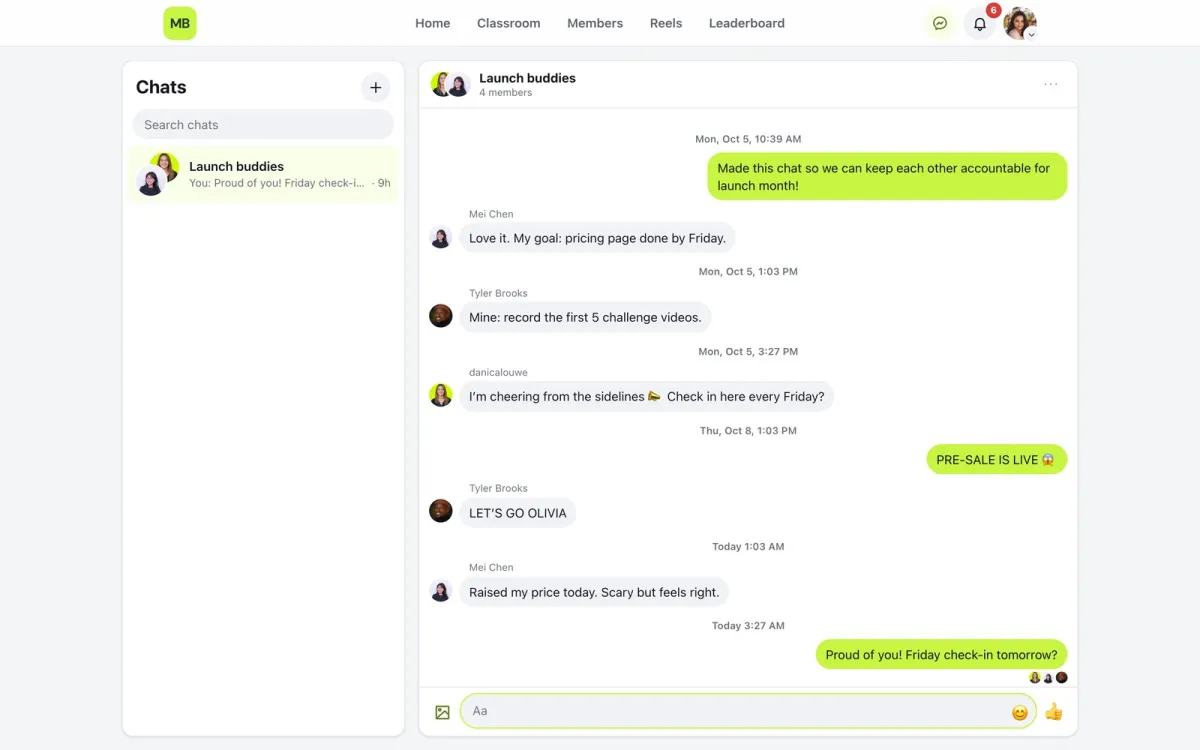
Direct messages and small groups, like a launch-buddies chat for four people. Encrypted with a key kept on your server, so nobody outside the site can read them, including us.
/community/messages
A private group chat between four members
Why it is free

Rented platforms keep your members. This one gives them back.

Skool and Circle charge every month and hold the list. A community that lives in your WordPress costs nothing to run and leaves with you. We make it free because the memberships that grow on it are the ones that later need the rest of what we build.
Your members, your data
Every member is a WordPress user on your domain. Export, email, move: nothing to ask permission for.
Free, and it stays free
No per-member pricing, no plan ceiling. Everything on this page is in the free plugin. Premium add-ons are paid, and they are extras, not the parts you rely on.
Grows into the rest
When the community is the easy part and retention is the hard part, Pathway and HQ pick up where it stops. Same family, same tile.
the community is free. the extras are paid, and they are extras.
yourmembership.com/community · dark
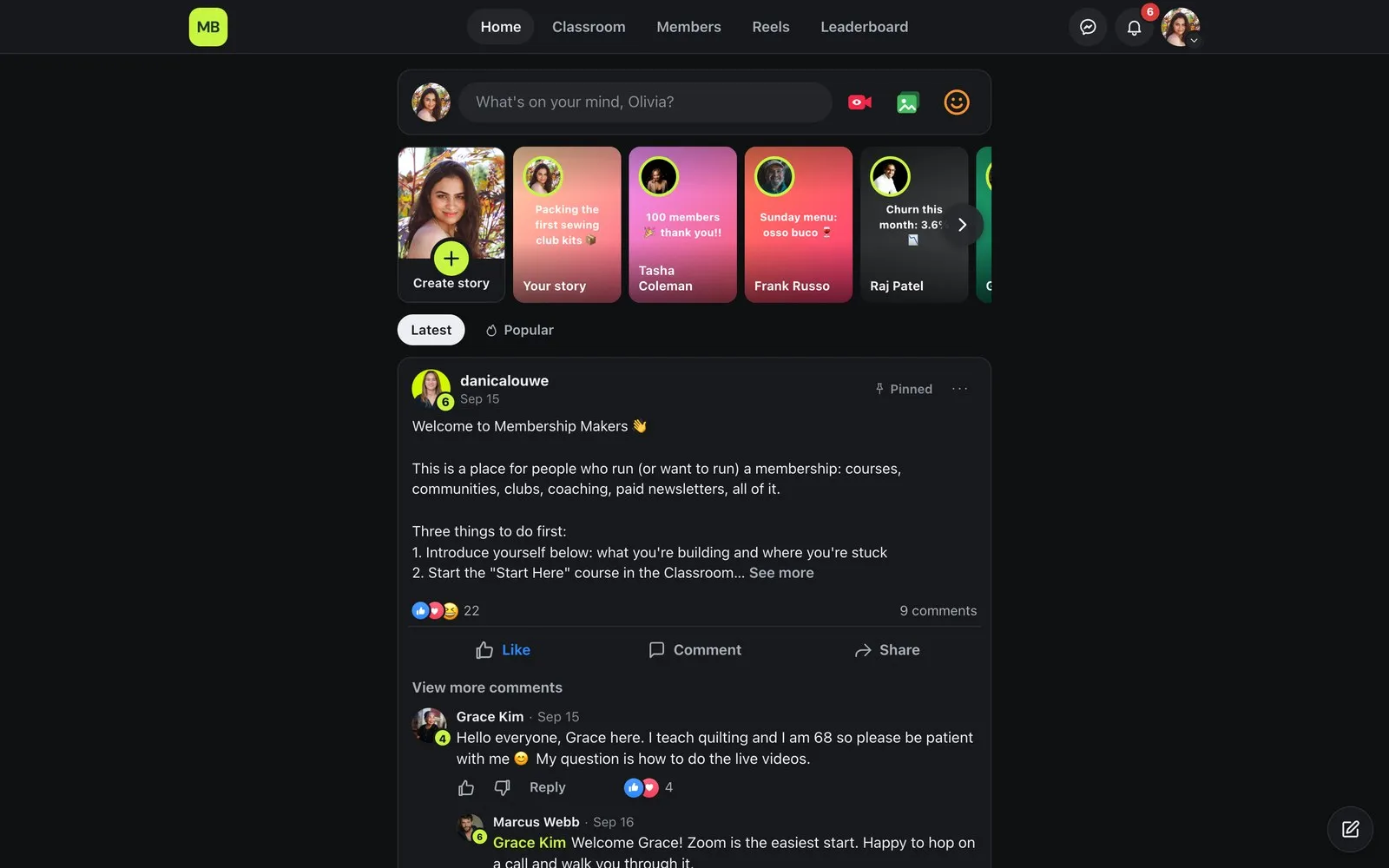
The community feed in dark mode on desktop
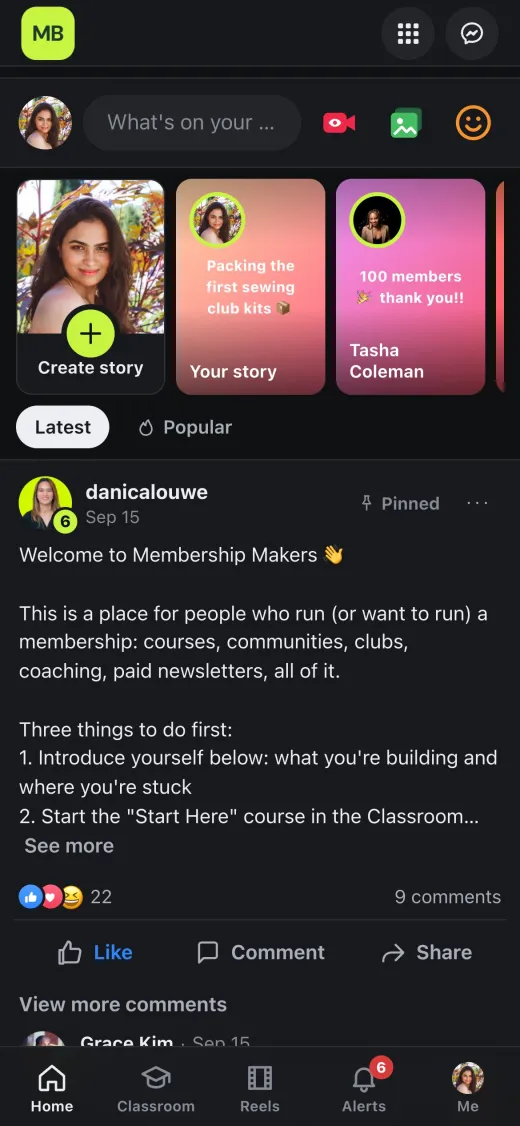
The community feed in dark mode on a phone
Light or dark · members pick
Dark mode is built in, on desktop and phone, and it follows the member’s setting. One toggle, no theme to buy.
How to install

Install it in five minutes.

It is not on the WordPress plugin directory yet. The zip on GitHub is the install, and updates arrive the same way.

  1. 1
    Download the zip. The button at the top of this page goes straight to the latest release on GitHub: membuild-community.zip. The repository has the source and the issues.
  2. 2
    Upload it to WordPress. Plugins › Add New › Upload Plugin, choose the zip, Install, Activate.
  3. 3
    Visit /community/. It’s ready straight away, no page to create. Post the welcome message and invite three people.
  4. 4
    Updates. The plugin checks GitHub for a new release and shows the usual WordPress update notice. One click, same as any plugin.
Needs
WordPress
6.4 or newer
PHP
8.1 or newer
Theme
Any. The community has its own layout; your theme keeps the rest of the site.
Members
WordPress users. Works beside membership and shop plugins like WooCommerce; needs none of them.
Licence
GPL. Free to use, free to change.
private messages are encrypted with a key kept on your server. save a copy; we cannot recover it.
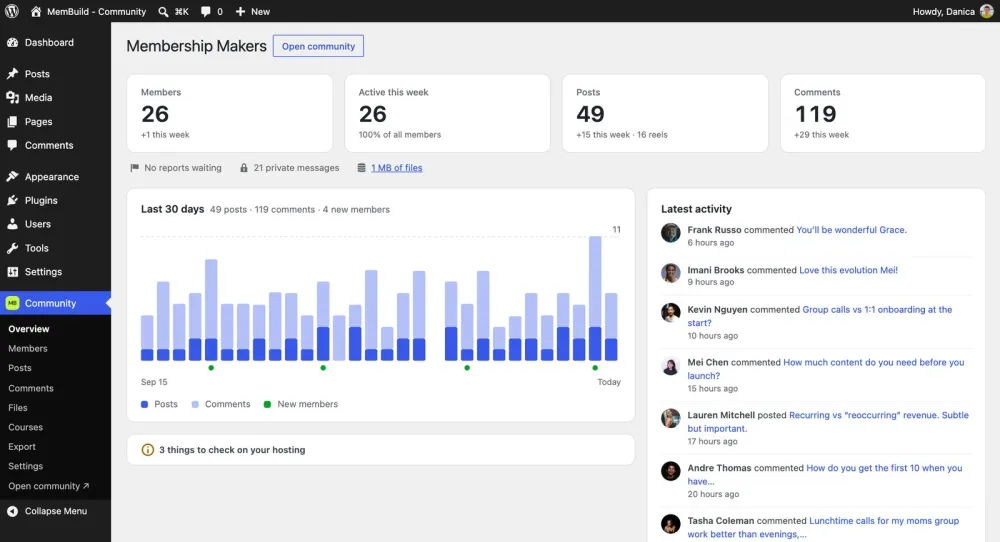
yourmembership.com/wp-admin · Community › Overview
The Community overview page in wp-admin
wp-admin gets one Community menu: overview, members, posts, comments, files, courses, export. nothing to tune.
See it running
Try it before you install it.

A live demo community on this plugin and nothing else: Membership Makers, a place for people who run a membership. Open it, click around, post if you like. If it works for a community about memberships, it will work for yours.
Open the demono password, just your first name and email
demo-community.membuild.com/community/classroom
The Membership Makers demo classroom
Questions

The ones people ask first.

Is it really free, or free until it works?
The community is free: feed, stories, reels, courses, levels, leaderboard, chats. Premium add-ons are paid, and they are extras on top, not pieces taken out. The free plugin stays complete on its own.
Why GitHub and not the WordPress directory?
The directory review takes weeks and we ship every week right now. GitHub lets you have today’s version today. It will go on the directory once the pace settles.
Will it fight my theme or my other plugins?
The community pages carry their own layout, so your theme stays in charge of the rest of the site. Members are plain WordPress users, so membership and shop plugins see them like any other user.
Can I move from Skool or Circle?
Members, yes: they’re WordPress users, so any user-import plugin brings them over from a CSV. Posts and courses are rebuilt by hand, or by us on an Audit.
What about support?
Email [email protected]. Bugs can also go on GitHub issues, where the fix helps the next person too.
Running a bigger membership already?

The community is the easy part. The Audit looks at the rest: payments, onboarding, who is going quiet, what to fix first.

Book the Strategy Audit
MB
MemBuild
Embedded ops team for membership operators.
© 2026 MemBuild · membuild.com · YouTube · Refund policy