Skip to content
MemBuild
All concepts Concept, not a client project
Member app

A training app for outdoor fitness programs

A members area where people follow a training program week by week, log their sets, and coaches see who has gone quiet.

  • Drawn 10 November 2026
  • 17 screens
  • Placeholder names, logos and content
The brief, in one line

Outdoor fitness programs that run for several weeks, followed mostly on a phone, with a way for coaches to see who has stopped training.

Who the members are

People training for a hike, a climb or a ski season. They follow a plan of several weeks, often on a phone at the gym or at home.

They want to open the app and see today’s workout, not search for it.

The question that changes the plan

Video or timer?

Some members like to follow a coach on video. Others know the moves and only want a timer. Both are on the same workout day as two tabs, and the set log is there under both, so the plan works either way.

What I decided, and why

  1. Open on today’s workout

    The first screen is the next workout, with one Start button. Nobody has to search for it.

  2. Video and timer on the same day

    Follow along and Timer are two tabs on one workout, with the set log under both.

  3. Logging a set takes one tap

    Sets are filled in from last time. A member changes a number or taps the tick.

  4. Coaches see who has gone quiet

    The coach view sorts members by when they last logged, with the longest ago first.

The screens

17 screens in 2 parts, each with a note on why it is laid out that way. Open any screen to see it full size.

Part 1 of 2 · 11 screens

Stage 1

What members and coaches use from the first day.
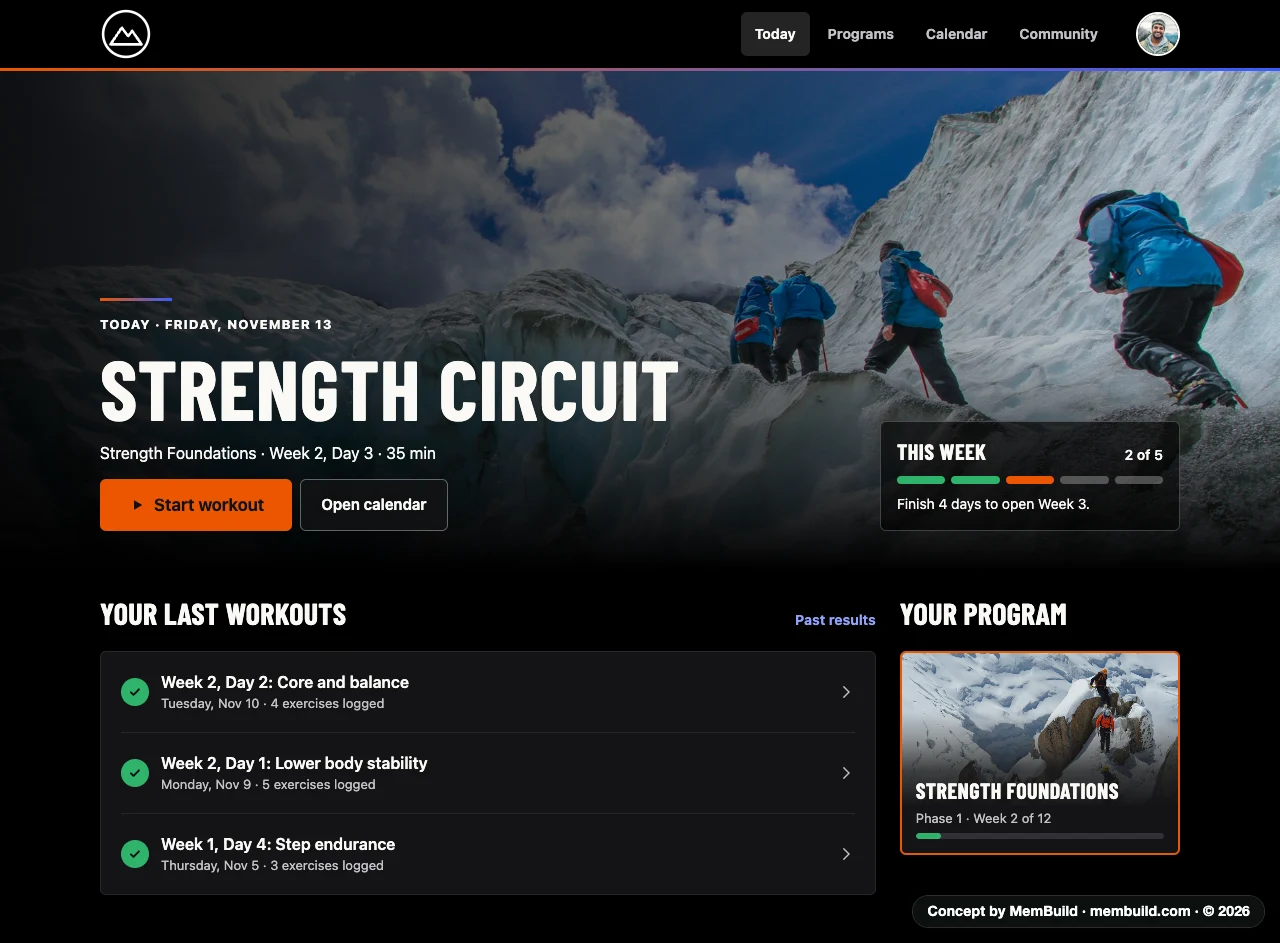
1 of 17TodayThe next workout, one tap away.Why it is laid out this wayThe workout name is the biggest thing on the page, with Start workout right under it. The week’s progress sits beside it and says how many days open the next week.
Concept · Today
Today screen with the next workout, a Start workout button, this week’s progress, the last three workouts and the current program
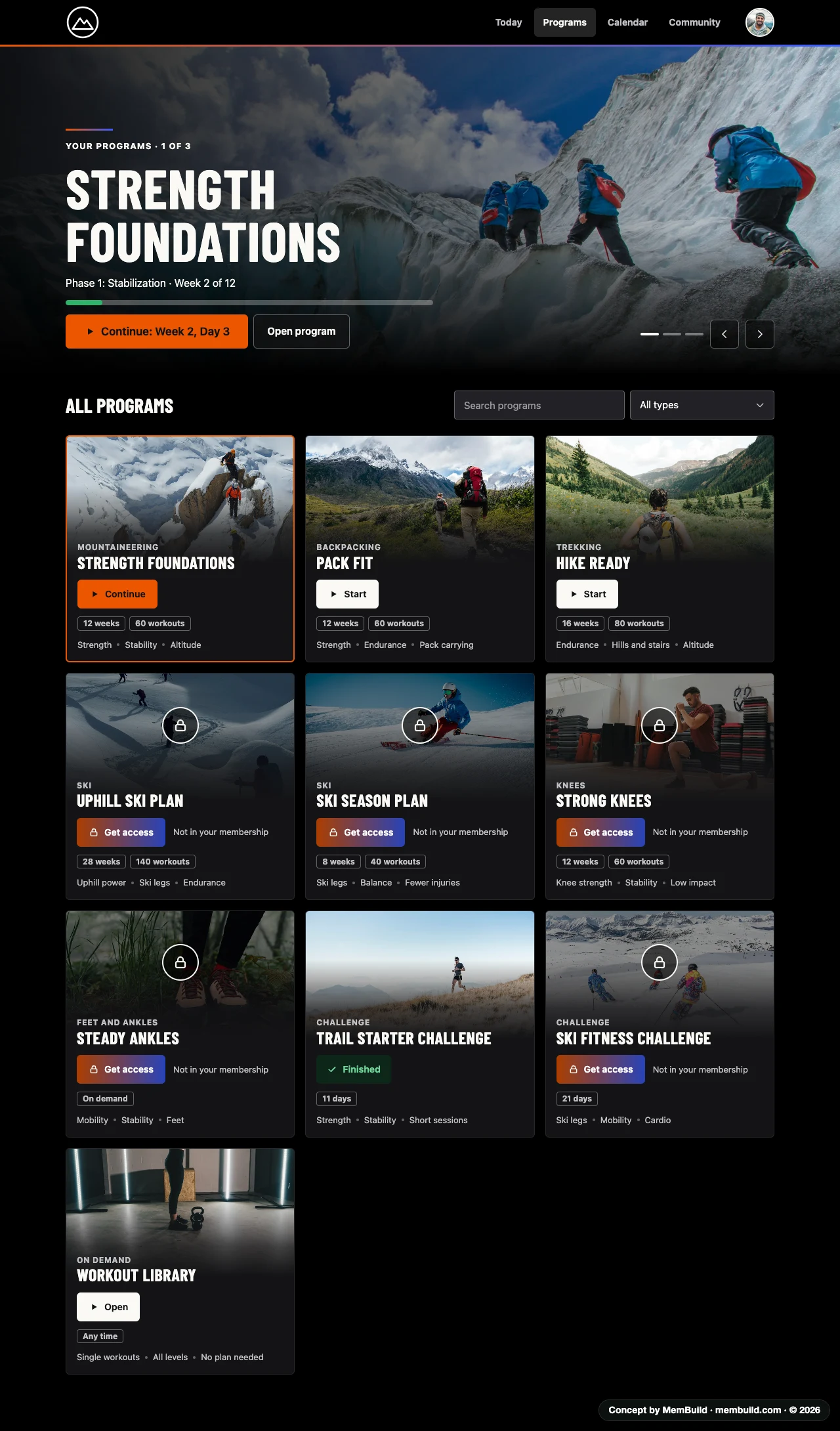
2 of 17All programsYours, and the ones you can add.Why it is laid out this wayThe program in progress stays on top with a Continue button. Locked programs are still shown, marked as not in your membership, so members see what they could add.
Concept · All programs
All programs in a grid, with the current program on top and locked programs marked not in your membership

A long page. Scroll inside the frame to see the rest.A long page. Tap it to see the rest.
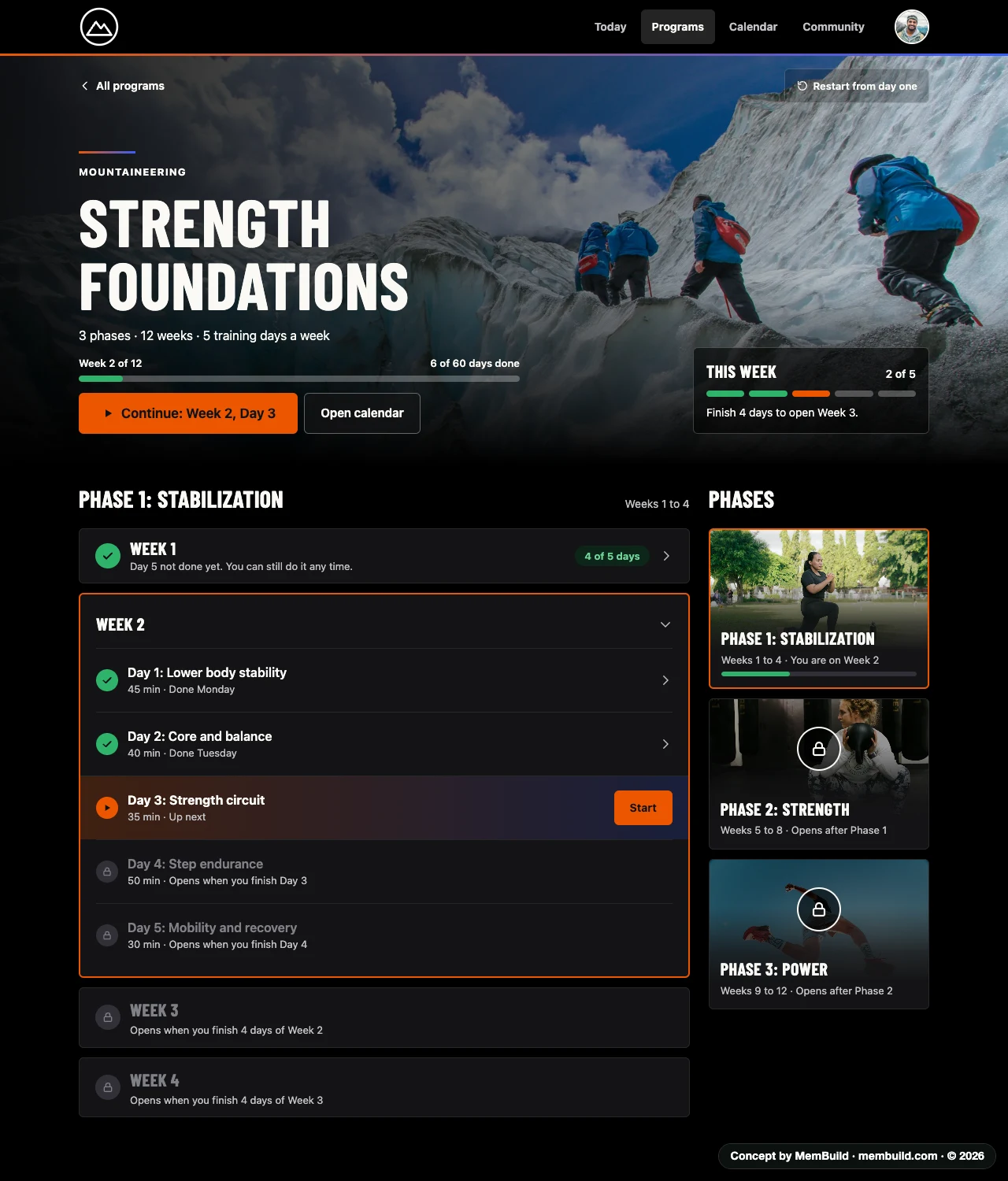
3 of 17ProgramEach phase and week, and what opens next.Why it is laid out this wayOnly the current week is open, so the page stays short. Every locked day and week says what opens it.
Concept · Program
Program page with three phases, the current week opened to five days, done days ticked and later days locked

A long page. Scroll inside the frame to see the rest.A long page. Tap it to see the rest.
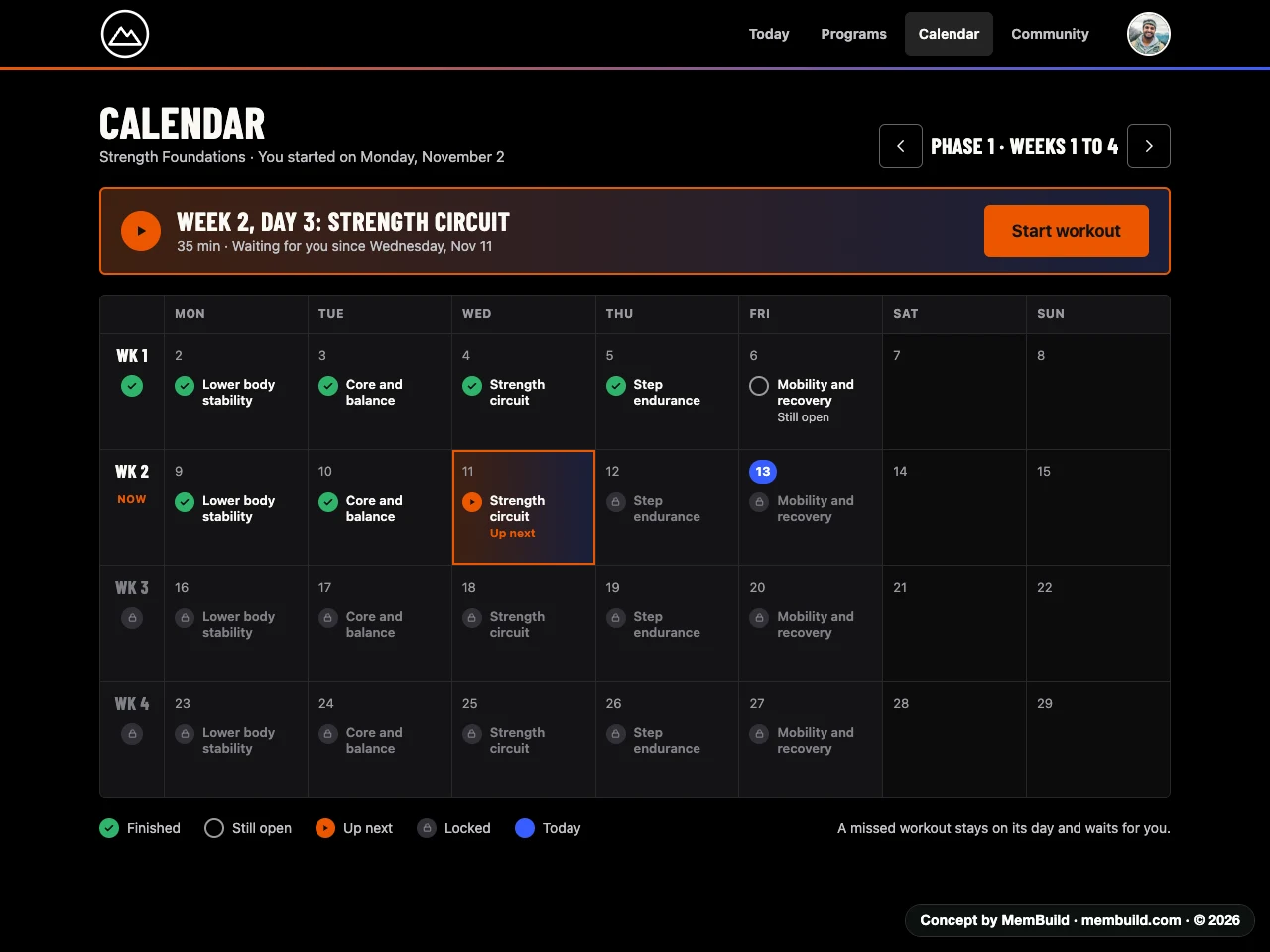
4 of 17CalendarEvery workout on its day. A missed one waits for you.Why it is laid out this wayA missed workout stays on its day, marked still open. The one to do next sits in a bar at the top with its own Start button.
Concept · Calendar
Calendar of four weeks with each workout on its day, marked finished, still open, up next or locked
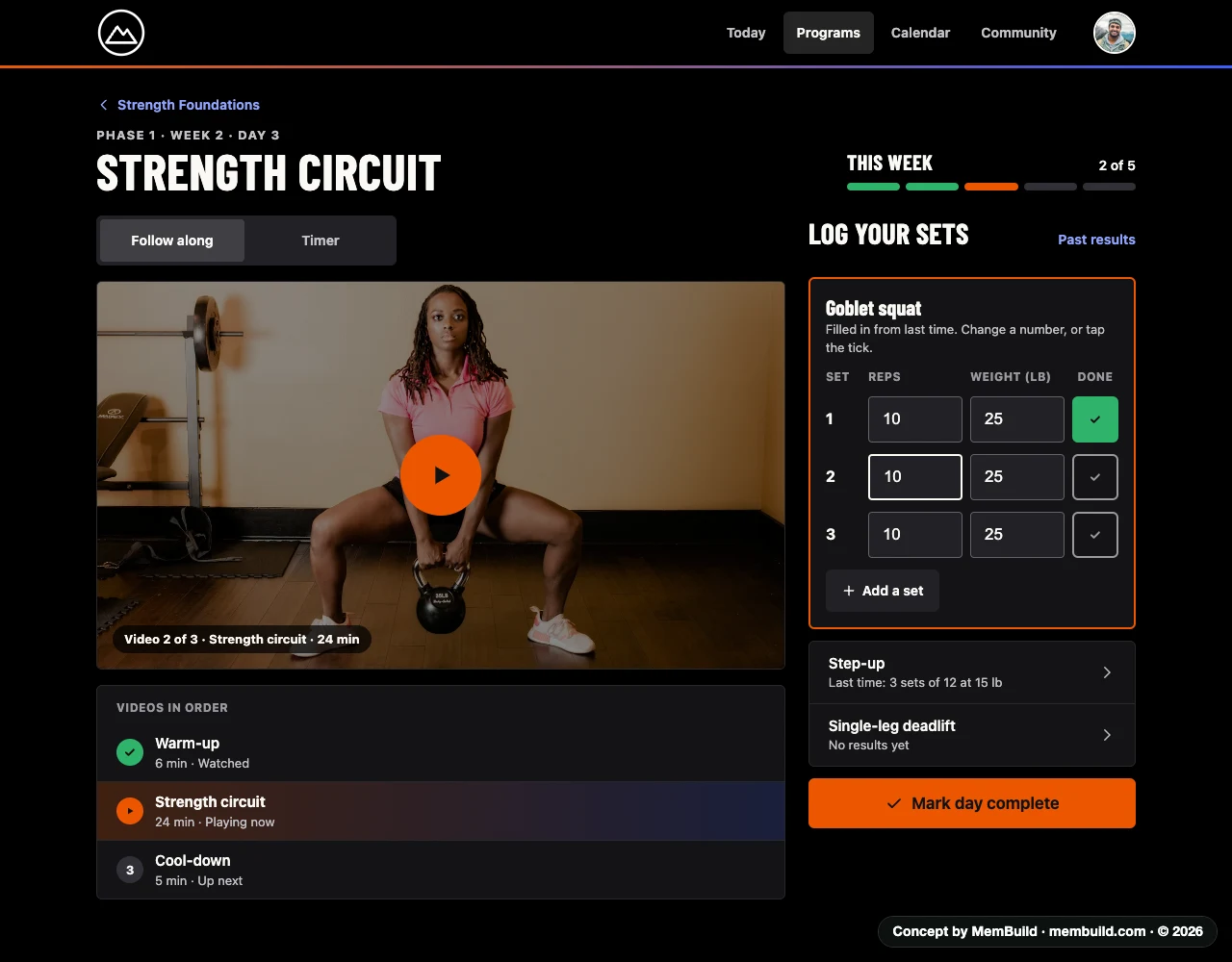
5 of 17Workout dayFollow the video and log your sets on the same page.Why it is laid out this wayVideo on the left, set log on the right, so nothing has to be opened or closed in the middle of a workout. The videos are listed in order under the player.
Concept · Workout day
Workout day on a computer with the video, the videos in order, and the set log beside it
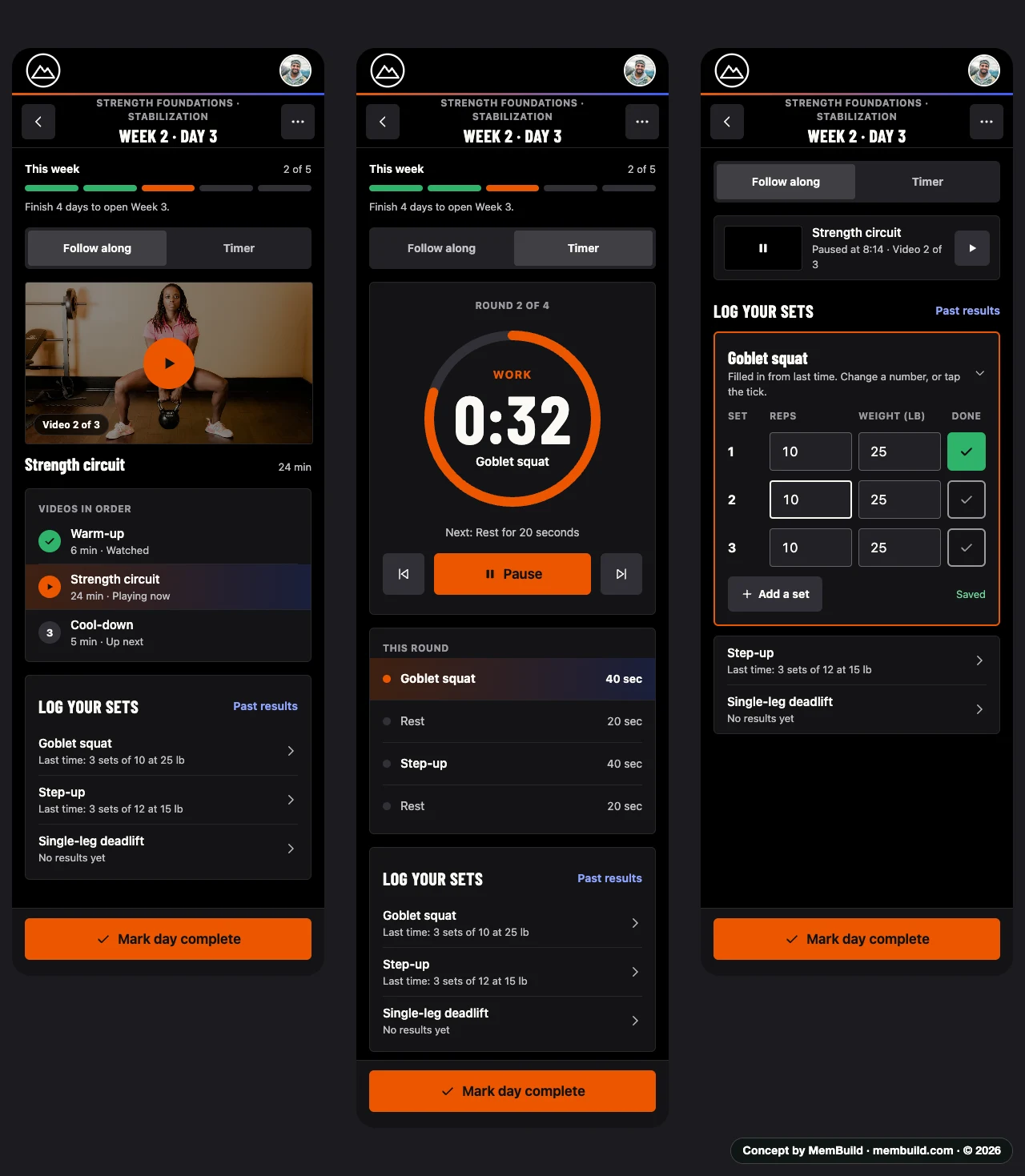
6 of 17Workout day on a phoneVideo, timer, and logging a set.Why it is laid out this wayOn a phone the same parts stack in one column, and Mark day complete stays at the bottom of the screen. While a set is being logged, the video shrinks to a small bar.
Concept · Workout day on a phone
Three phone screens of one workout day: follow along with video, the interval timer, and logging a set
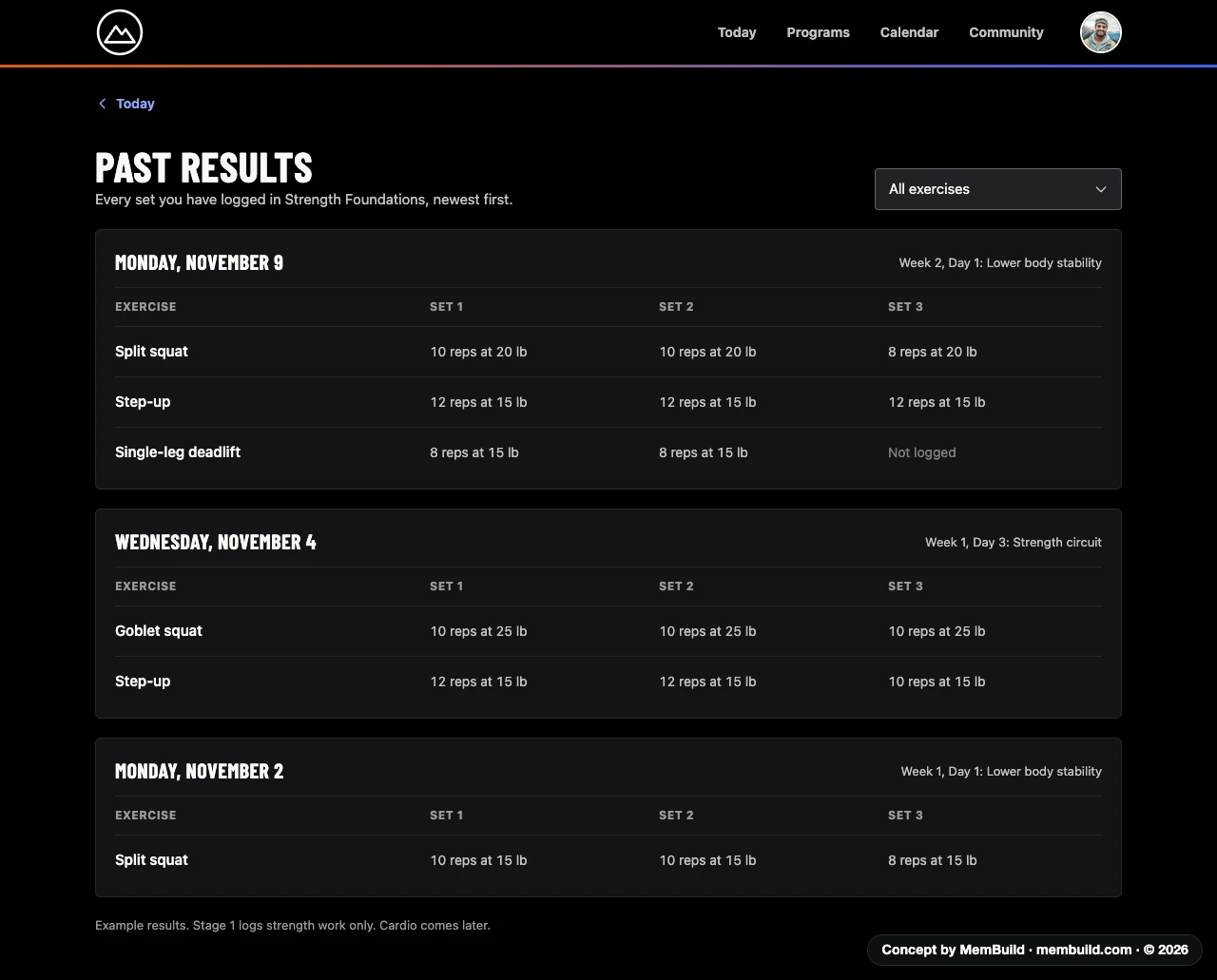
7 of 17Past resultsEvery set you have logged, newest first.Why it is laid out this wayGrouped by day, with one row for each exercise and one column for each set. A set that was skipped says Not logged.
Concept · Past results
Past results listing every set logged, by date, with reps and weight for each set
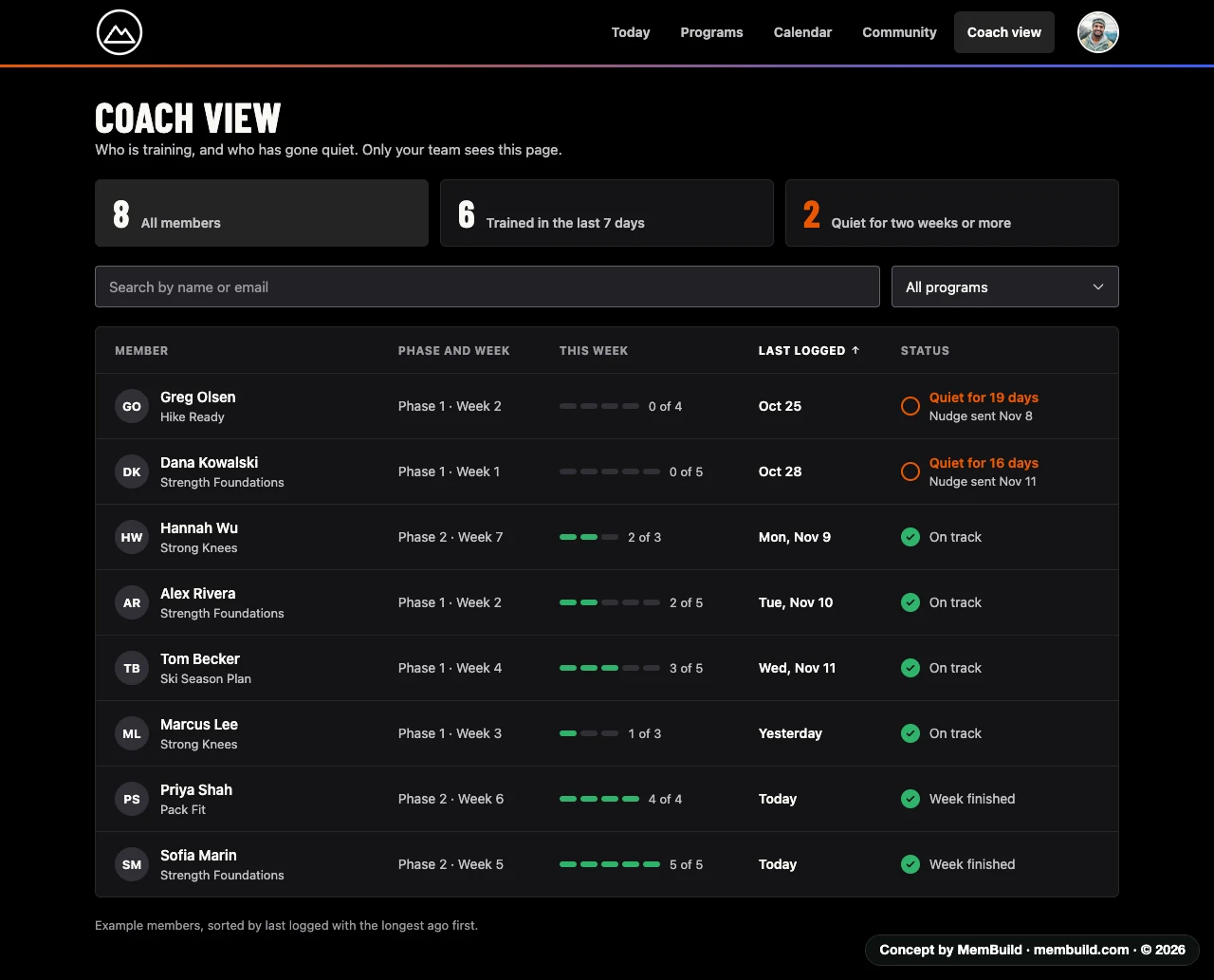
8 of 17Coach viewWho is training, and who has gone quiet.Why it is laid out this waySorted by last logged, with the longest ago first, so quiet members are at the top. Three totals above the table give the picture before reading any rows.
Concept · Coach view
Coach view table of members with program, week, days done this week, last logged date and status
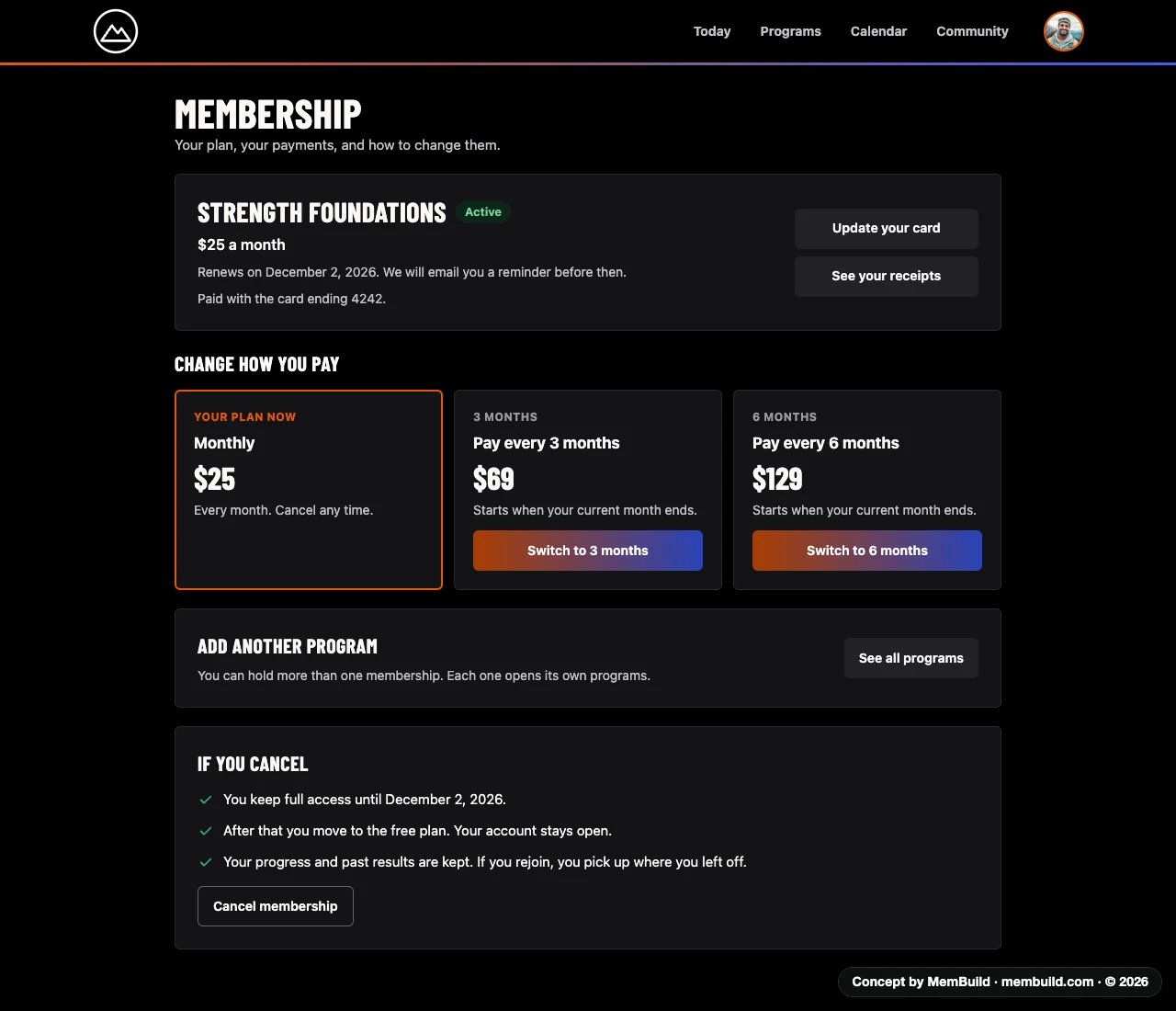
9 of 17MembershipYour plan, how you pay, and what cancelling means.Why it is laid out this wayWhat happens if you cancel is written out above the Cancel button, so there are no surprises. Paying every 3 or 6 months sits beside the current plan.
Concept · Membership
Membership page with the current plan, ways to pay every 3 or 6 months, adding a program and what happens if you cancel

A long page. Scroll inside the frame to see the rest.A long page. Tap it to see the rest.
10 of 17Log inA short form beside a large picture.Why it is laid out this wayOne form and nothing else to do. People who are not members yet get a link to see the programs.
Concept · Log in
Log in page with a large mountain picture on the left and the login form on the right
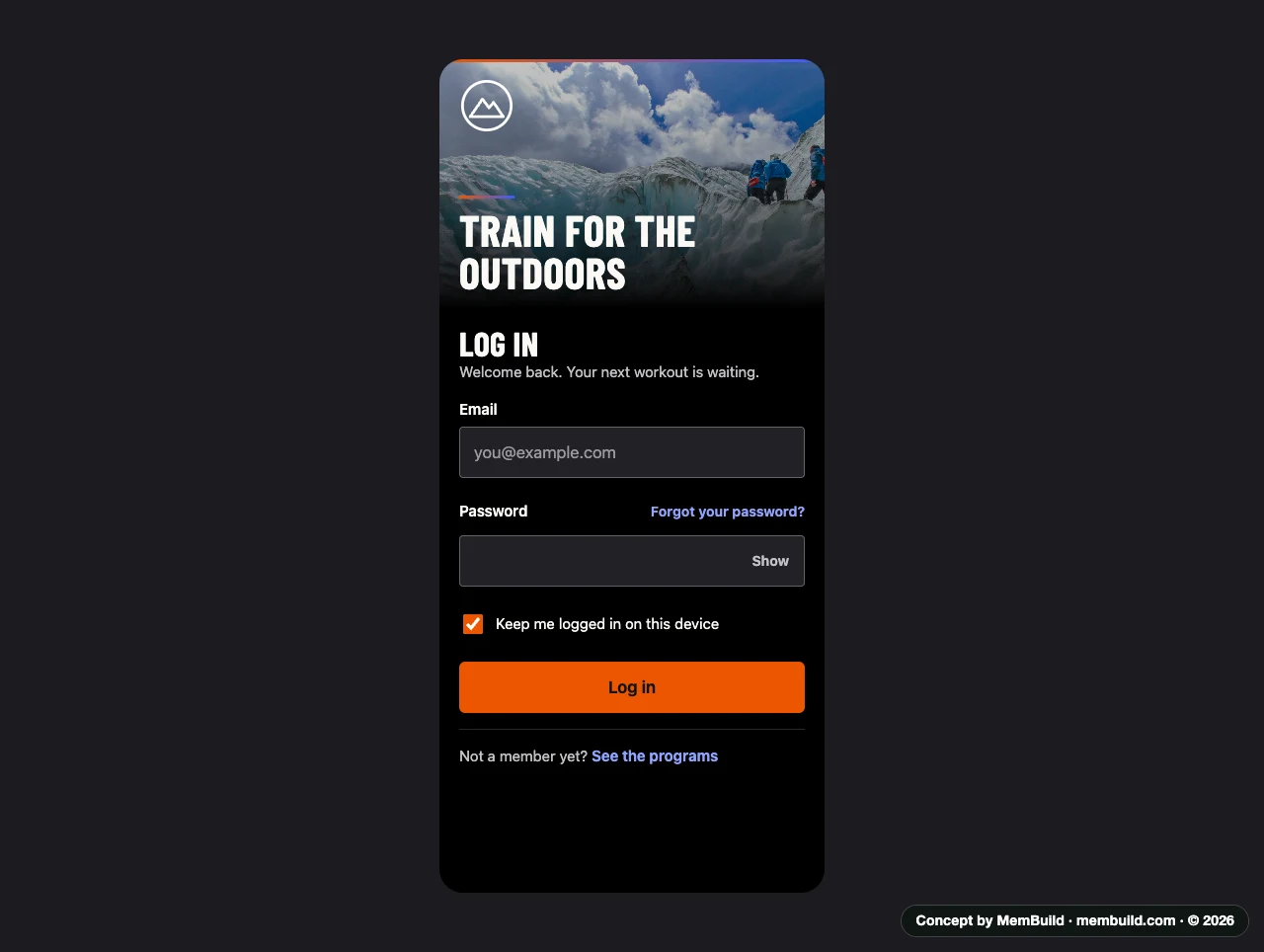
11 of 17Log in on a phoneThe same form on a small screen.Why it is laid out this wayThe form is in one column, and the picture is kept short so the form sits high on the screen.
Concept · Log in on a phone
Log in screen on a phone
Part 2 of 2 · 6 screens

Later ideas

Drawn as a second step: streaks and badges, a fuller coach view, cardio days and a timer that plays each move’s video.

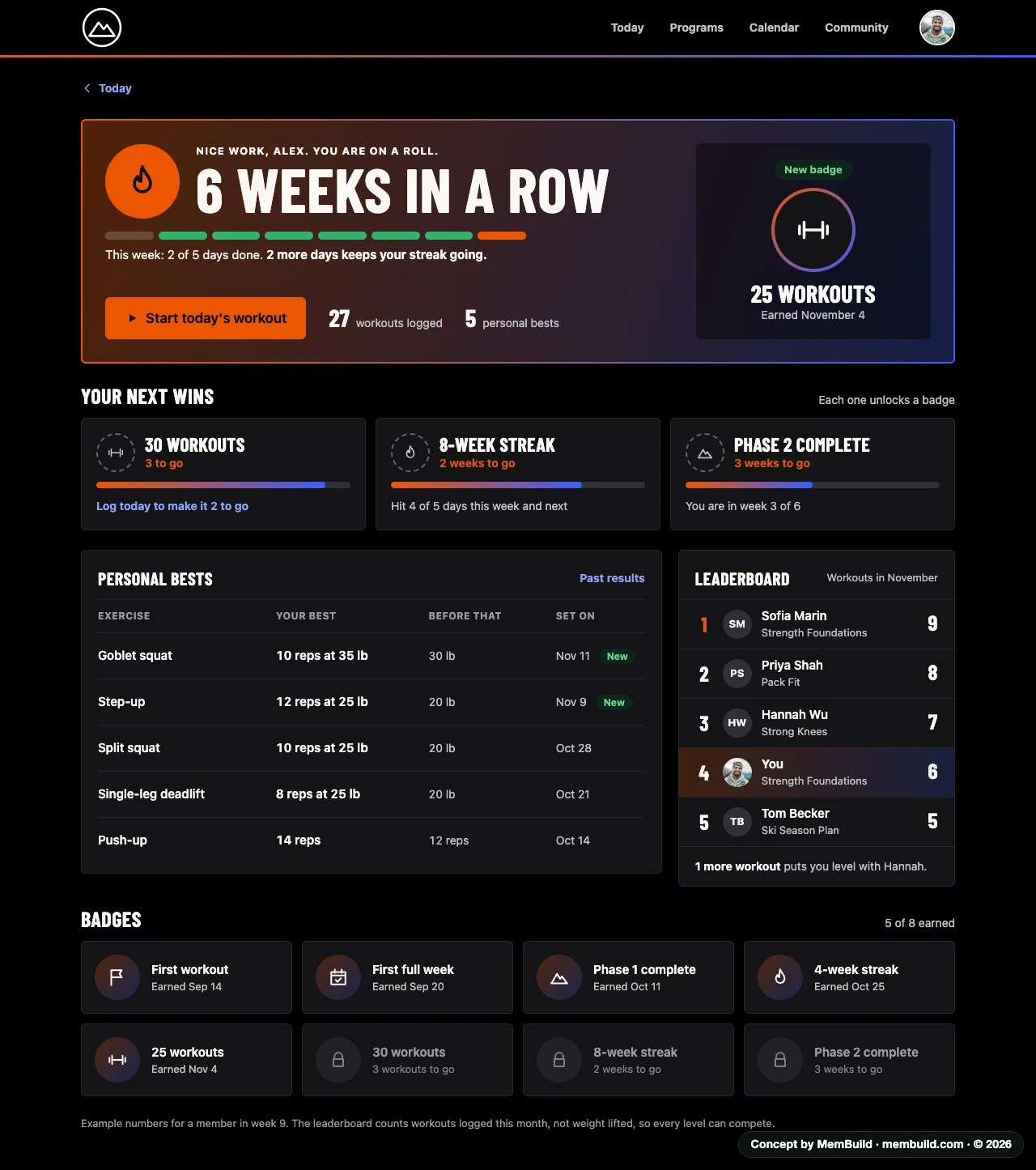
12 of 17AchievementsStreaks, personal bests and badges.Why it is laid out this wayThe streak counts weeks, and the page says how many more days keep it going. The leaderboard counts workouts logged, not weight lifted, so every level can compete.
Concept · Achievements
Achievements page with a weekly streak, the next badges to earn, personal bests, a monthly leaderboard and all badges

A long page. Scroll inside the frame to see the rest.A long page. Tap it to see the rest.
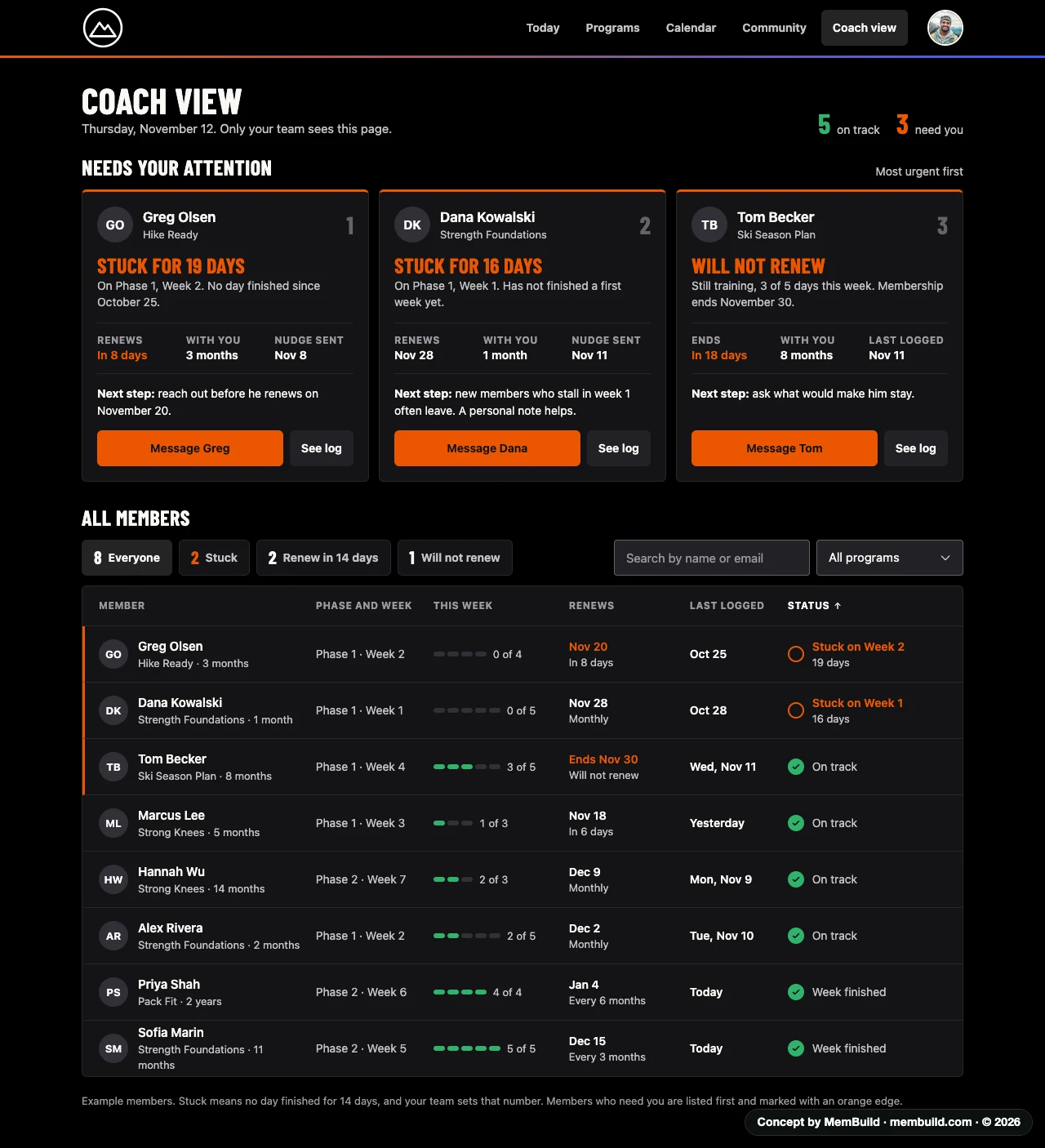
13 of 17Full coach viewWho needs you, and what to do next.Why it is laid out this wayEach member who needs attention gets a card with the reason and a next step. The full list sits below, with the same members marked by an orange edge.
Concept · Full coach view
Full coach view with three members who need attention, why, and a next step for each, above the full member list

A long page. Scroll inside the frame to see the rest.A long page. Tap it to see the rest.
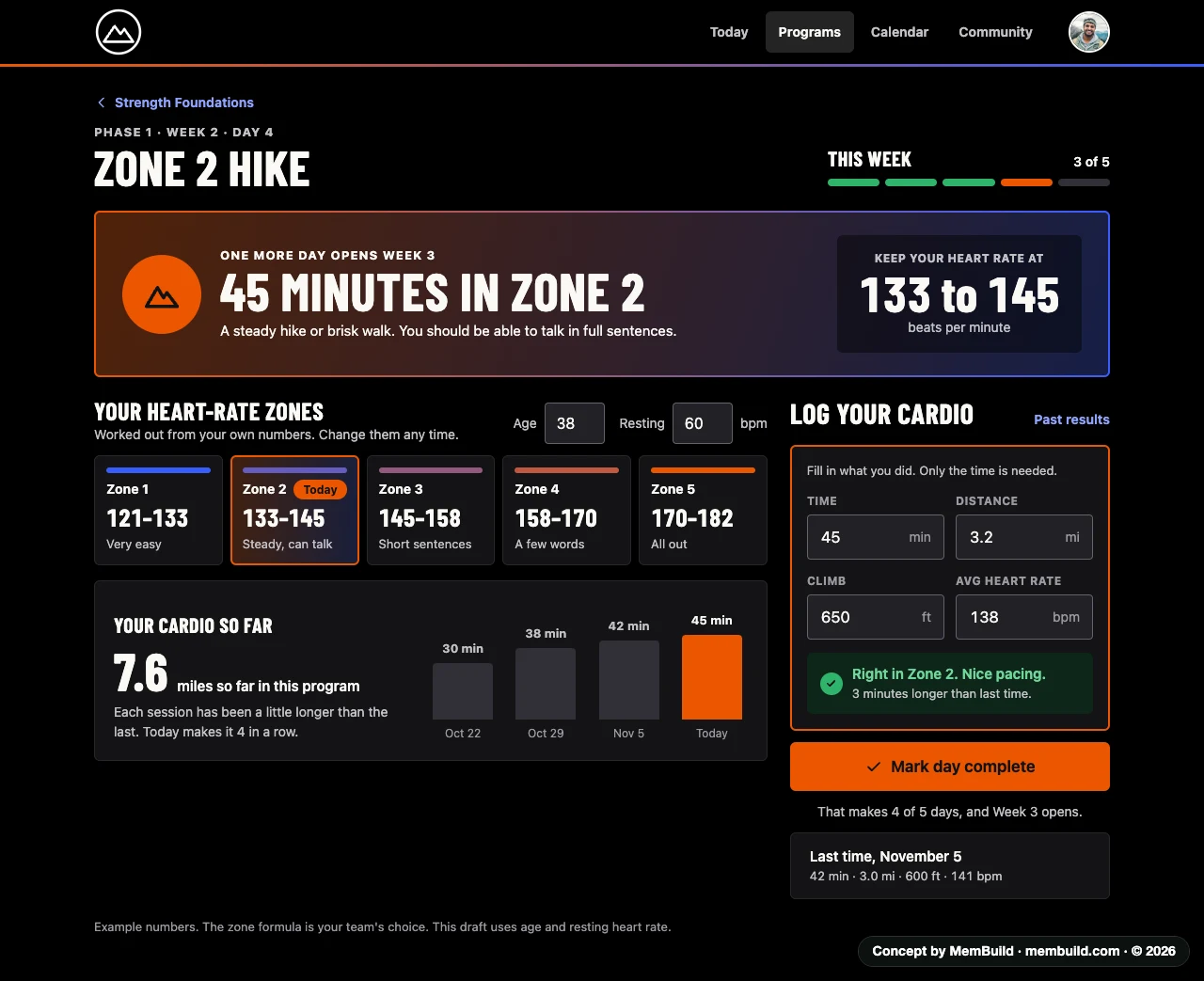
14 of 17Cardio dayHeart-rate zones worked out from your own numbers.Why it is laid out this wayThe target for the day is the biggest thing on the page. Only the time has to be filled in, so logging stays quick.
Concept · Cardio day
Cardio day with the target heart-rate zone, the member’s own zones, a cardio log and progress over recent sessions
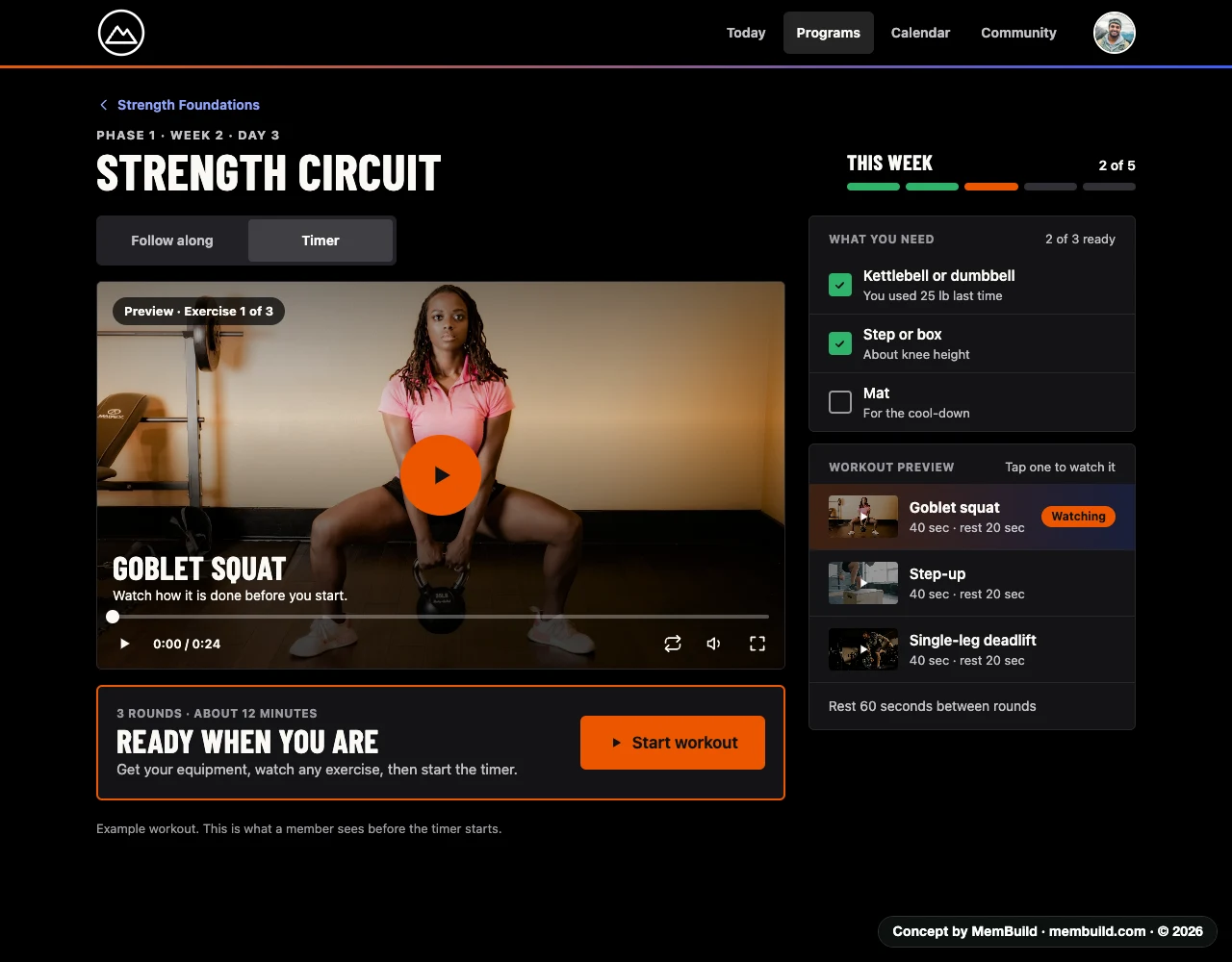
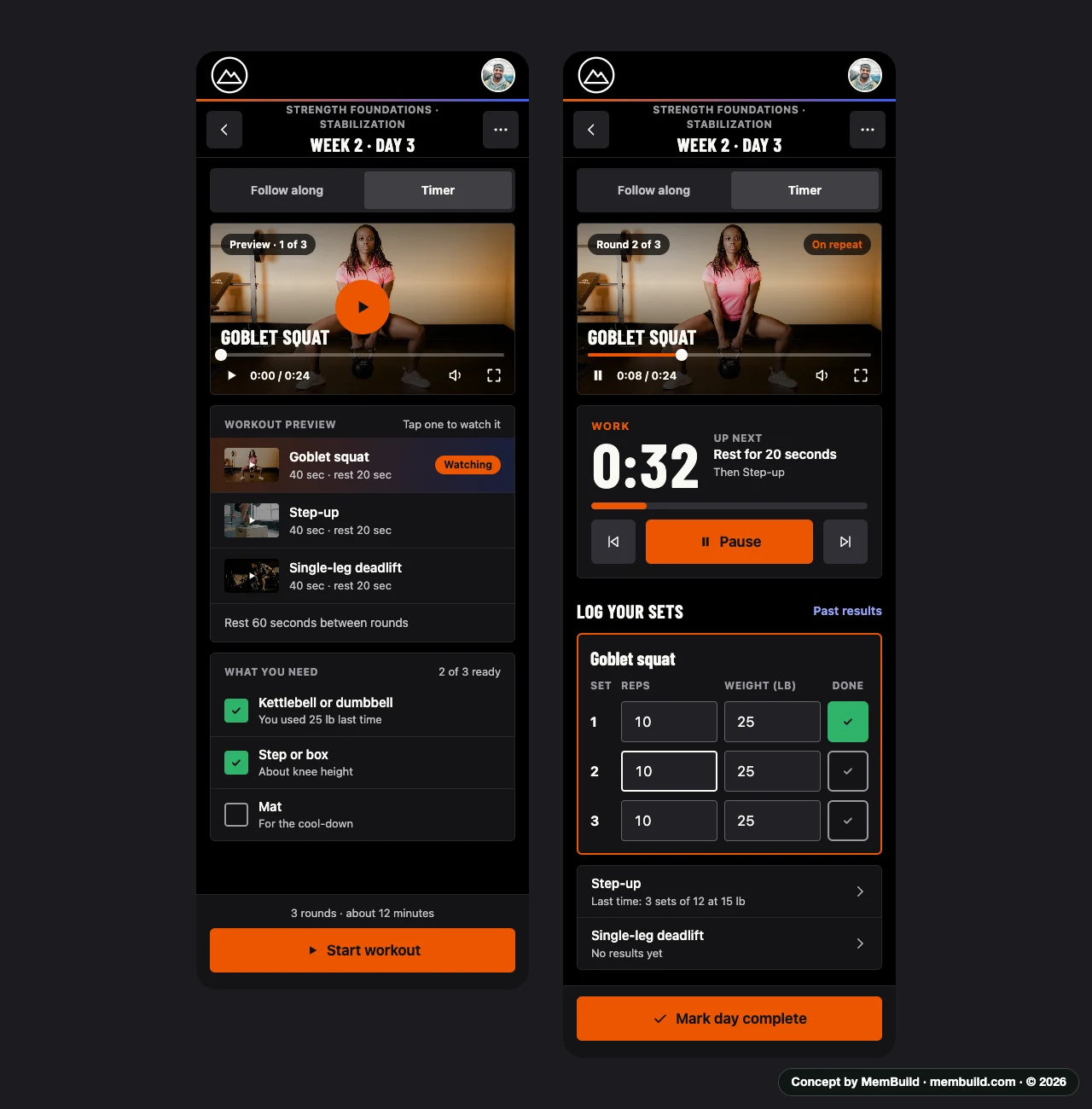
15 of 17Timer, before you startWatch each move and get your equipment first.Why it is laid out this wayA member can watch each exercise and tick off what they need. Start workout is its own step, so the clock does not run before they are ready.
Concept · Timer, before you start
Timer tab before starting, with an exercise preview video, the equipment list and a Start workout button
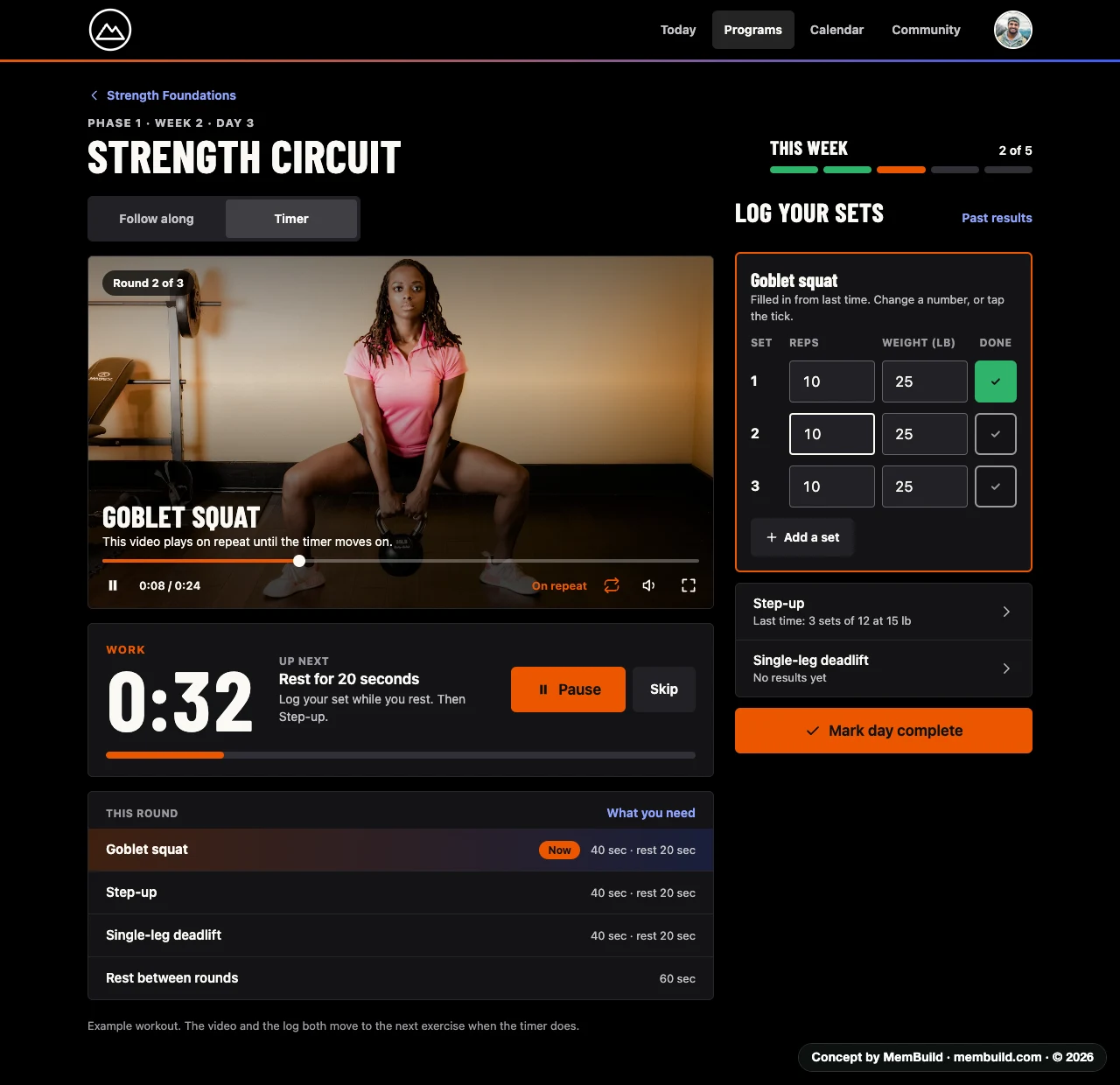
16 of 17Timer, runningThe video, the countdown and the log move on together.Why it is laid out this wayThe exercise video plays on repeat while the timer counts down. When the timer moves on, the video and the set log move with it.
Concept · Timer, running
Timer running with the exercise video on repeat, the countdown, the round list and the set log

A long page. Scroll inside the frame to see the rest.A long page. Tap it to see the rest.
17 of 17Timer on a phoneBoth timer screens in one column.Why it is laid out this wayThe countdown and the Pause button sit above the set log, so the timer is the first thing on the screen.
Concept · Timer on a phone
Two phone screens of the timer: before you start, and with the timer running

Planning something like this?

Tell me where you are, and I will tell you how I would build it.