Want custom listings and surveys? See how they’re built.
Walkthroughs from real membership builds, for you or your developer.
 Danica LouweUpdated
Pick the section closest to what you want. These tools let you build layouts your course or membership plugin doesn’t offer, but they take time to learn and someone has to look after them. Most of these are from 2021 to 2023, so screens may look different today.
Build a course grid that isn’t the default.
A full build first, then progress bars, status and tracking.
How to Customize Your LearnDash Course Grid with Elementor & JetEngine
Build a custom LearnDash course grid, from a question in a Facebook group.

How to Add a LearnDash Course Progress Bar and Status to Custom Grids
Add a progress bar and course status to that grid.

How to Create a Custom LearnDash Listing for Logged-In Members (Using JetEngine)
Show logged-in members a listing with labels for where they’re up to.

JetEngine vs LearnDash: Mimic Progress Tracking & Automate Webinars in WordPress
The front end of a rebuilt tutorial site, with its own progress tracking.

JetEngine + LearnDash Integration Guide | Track Progress & Automate Webinars
The back end of that same site, using JetEngine with LearnDash.

Using JetEngine to Track and Report Membership Course Progress
A table of where each member is up to, so you can follow up with them.
Build a course as a learning path.
Each part of the layout, in order.

How to Set Up Custom Post Types in WordPress with Jet Engine
Set up the custom post types.

Setting Up Relations for User and Lesson Completion in WordPress with Jet Engine
Connect users to the lessons they’ve completed with a relation.

How to Set Up Dynamic Lesson Count in WordPress Dashboard with Jet Engine
Show a live lesson count on the dashboard.

How to Set Up Circle Progress Bar in WordPress Dashboard with Jet Engine
Add a circle progress bar that fills as lessons are completed.

How to Set Up Achievement Points in WordPress with Jet Engine for Your Membership Site
Total points and achievement levels.

How to Set Up a Lesson List Archive Page with JetEngine | WordPress Tutorial
Build the page that lists the lessons.
Combine JetEngine and Memberium.
Show each member what they can open, without a pile of shortcodes.

Build a WordPress Membership Site with Memberium + Keap + JetEngine (NO Coding!)
How one site was built with Memberium, Keap and JetEngine, and why that way.

Show Members Exactly What They Can Access (Or Not) – Using JetEngine + Memberium
Show members a screen that reflects what they can and can’t access.

Stop Losing Members at the Gate: How to Redirect Unauthorized Access (JetEngine + Memberium Hack)
A custom way to protect pages and send people somewhere useful.

WordPress Download Listings Made Easy – JetEngine + Memberium Tutorial
A page of downloads and videos, listed by what a member can access.
Build a survey with scored results.
A series using JetForm Builder, for when a quiz plugin won’t do.

JetForm Builder Review: Create Custom Forms for WordPress Membership Sites
Our short review, and how it differs from other form builders.

Building Custom Surveys with JetForm Builder and JetEngine for WordPress (Complete Guide)
The finished survey and results page we’re going to build.

Creating Custom Surveys with JetForm Builder for WordPress (Step-by-Step Guide)
Why we used JetForm Builder for this project, and the steps ahead.

Creating a Survey with JetForm Builder for WordPress (Step-by-Step Guide)
Create the survey questions and answer options.

JetFormBuilder: The RIGHT Way to Set Up Field Names & Option Values (Avoid These Mistakes!)
Set up field names and values, so the calculations work.
Setting Up Calculated Fields for Survey Questions in JetForm Builder
Work out averages per category and overall.
How to Create and Filter Survey Results in WordPress | JetForm Builder & JetEngine
Show members their previous answers on the results page.
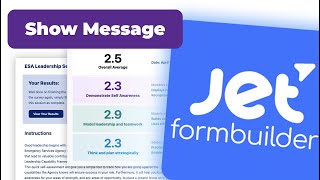
How to Add Custom Messages for Completed Surveys in WordPress | JetForm Builder
Show a message and results button once a survey is done.
Other things we’ve built with it.
Three projects that don’t fit anywhere else.

How to Build a Habit Tracker with JetEngine | Automatic Date Calculation & Tracking
A habit tracker where the end date is worked out from the start date.

Gamify Your WordPress Membership with Jet Engine, GamiPress & Dynamic Visibility
A quick client task using GamiPress with dynamic visibility.

Building a WordPress Membership Site with MemberPress, Elementor, and JetEngine
How a MemberPress site was rebuilt in Elementor with JetEngine.
Questions owners ask
Do I need to code?
Mostly no, but these aren’t beginner builds. You’ll work with post types, relations and queries, and some videos use shortcodes.
Do I need Elementor?
Most of the listing and dashboard videos use Elementor. Our JetForm Builder videos use the WordPress block editor.
What do these tools cost?
JetEngine and JetForm Builder come from Crocoblock. Check its site for current prices, because we don’t quote them here. Our code danicalouwe took 10% off the Lifetime plan when we tested it in November 2026.