Get startedAll docs
Add the community to a phone
Members open your community from their home screen, full screen, like any other app.
Find Add to your phone
On a phone, tap Menu in the bottom bar and scroll down to Add to your phone. It shows your community’s own icon, with “Open it like an app on your phone” under it. On a tablet, it’s in the avatar menu at the top.
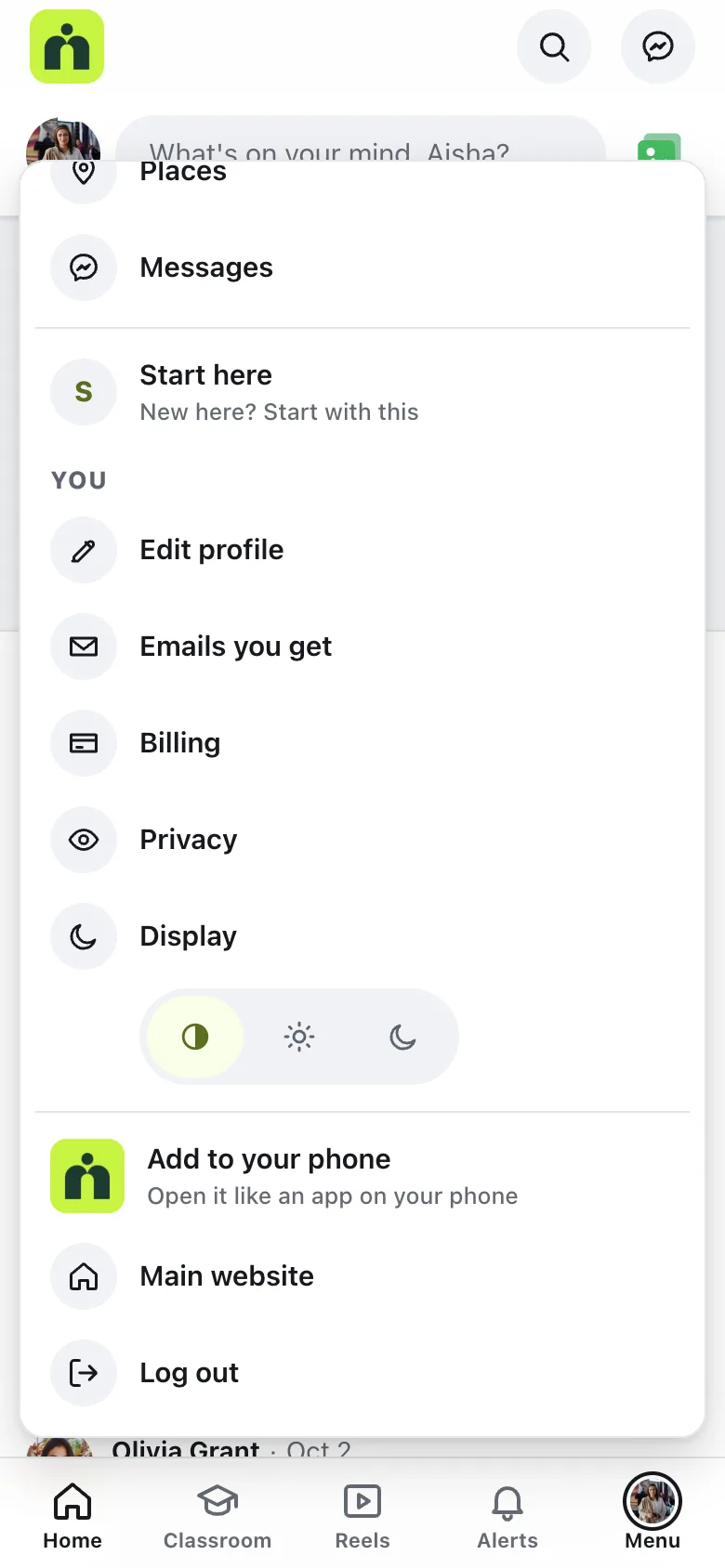
It only shows on phones and tablets. Members on a computer don’t see it.
On iPhone and Android
On Android, in Chrome or Edge, tapping Add to your phone opens the browser’s own install box. Tap to confirm, and the app opens in its own window.
Where the browser has no install box of its own, like Safari on an iPhone, the community shows Get the … app, with your community’s name and the steps:
- 1
Tap Share
In Safari, tap the Share button in the toolbar.
- 2
Add to Home Screen
Scroll down and tap Add to Home Screen.
- 3
Tap Add
The icon appears on the home screen. Tap it to open the community full screen.
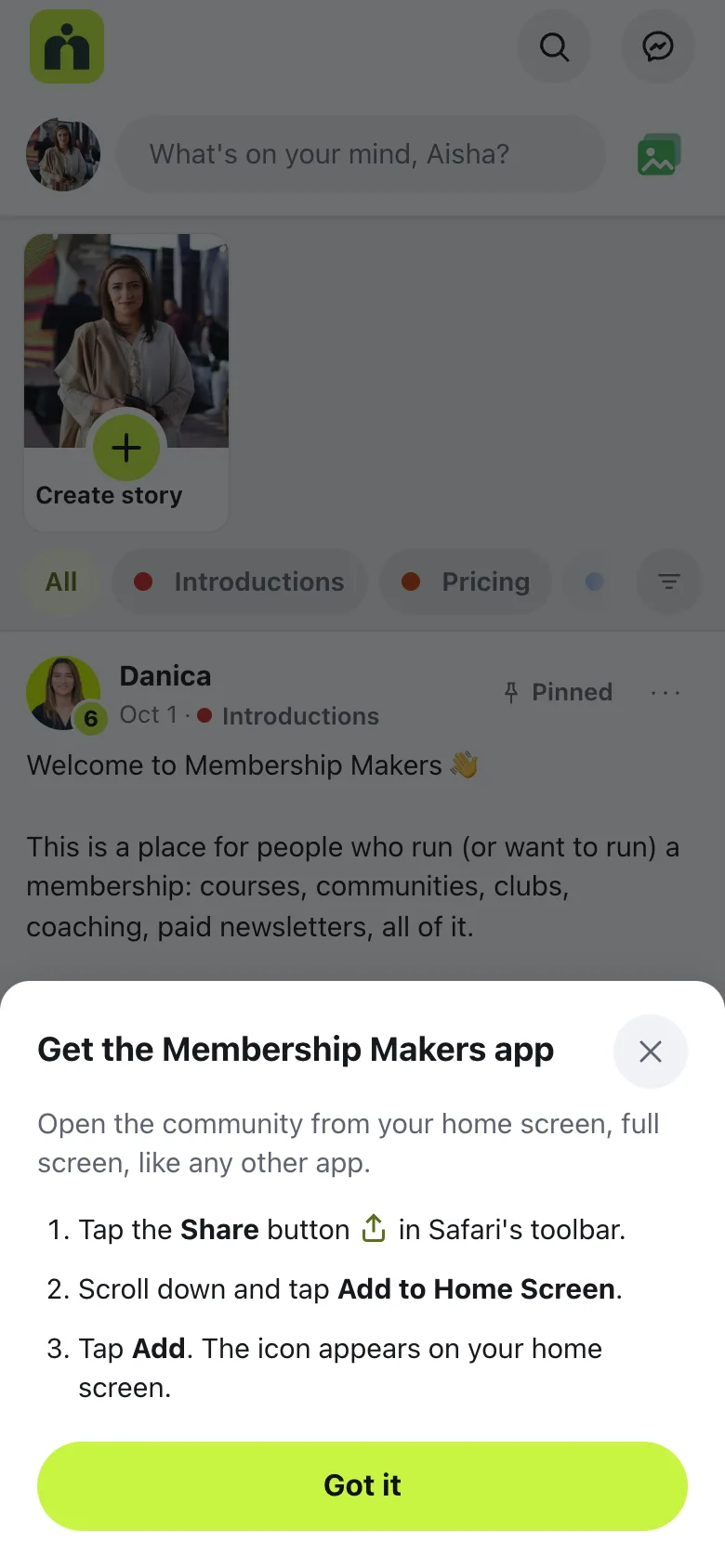
In other browsers, the steps say to open the browser’s menu (⋮) and choose Install app or Add to Home screen.
The icon on the home screen
The icon is your community’s logo, from Community settings, then Your community. A square logo works best. Without a logo, it’s your site’s WordPress Site Icon, and without that, your community’s initials on its main color.
Your site needs https://. Phones only let people add secure sites, and the plugin’s check in Tools › Site Health says so if yours isn’t.
Questions
Is it a real app from the App Store?
No. It’s the same community, added to the home screen. It opens full screen with its own icon, like other apps, and there’s nothing to download from a store.
Why don’t I see Add to your phone?
It only shows on phones and tablets, and not when the community is already open from the home screen. Your site also needs https://, because phones only let people add sites that are secure.
What icon do members get?
Your community’s logo. Without one, your WordPress Site Icon. Without that, your community’s initials on its main color.
I changed the community’s address. Does the app still work?
Old links keep working, but members who added the app to their phone may need to add it again.
Stuck, or something not right? See Troubleshooting, or email us and we’ll help.