ClassroomAll docs
Answer questions under lessons
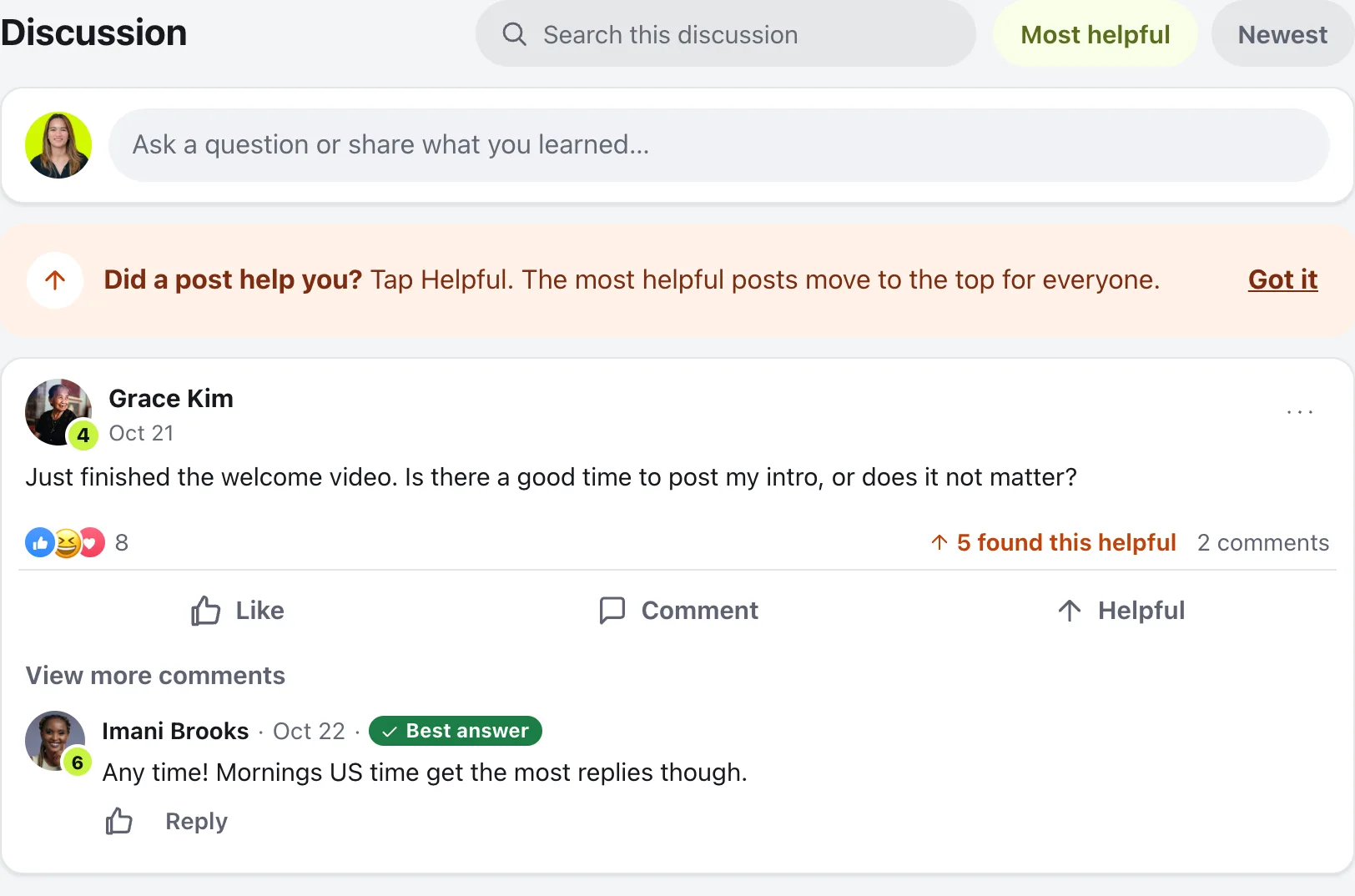
Members ask under each lesson, the most helpful posts rise to the top, and you pin the good ones and mark a Best answer.
How lesson discussions work
Every lesson has a Discussion under it. Questions stay with the lesson they’re about, so the next person finds the answer too.
Ask a question
Under each lesson, members type in Ask a question or share what you learned…, the same way they post on the feed, with photos, GIFs, reactions and replies.
Helpful
Members tap Helpful on a post that helped them. Sorted by Most helpful, those posts move to the top for everyone. Newest shows the latest first.
Search this discussion
Finds posts and replies in the lesson’s discussion.
All posts
A tab on the course with every post in the course, each tagged with its lesson, newest first, with its own search.
You and your moderators show as Instructor or Moderator beside your name, so members know whose answer it is.
Answer, pin and choose a Best answer
Reply to a question the way you reply to any post. Then:
- Best answer: press it under the reply that answers the question. It leads the replies and shows under the post. Press Unmark best to take it back.
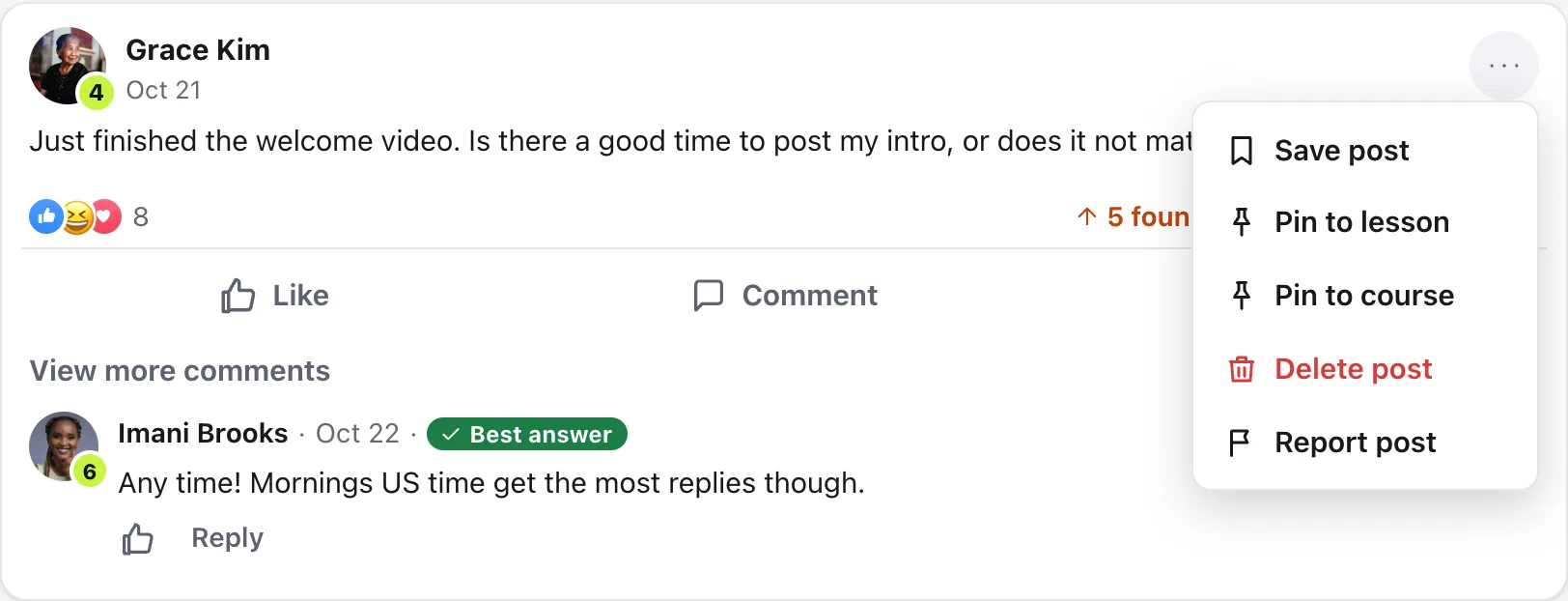
- Pin to lesson or Pin to course: open the post’s menu (the three dots). A post pinned to the lesson sits at the top of that lesson. A post pinned to the course also sits at the top of the course’s All posts tab. Unpin post takes it down.
Turn questions off
For one course: in the course builder, open Course settings, and under Can members ask questions under the lessons? choose No.
For every course: open Community settings, then Features. Under Courses, switch off Questions under lessons. You can also switch off just Helpful votes, or What people are saying, which shows recent questions on the course page. Press Save changes. Turning a feature off deletes nothing.
Questions
Who can see questions under a lesson?
Only members who can open the course. Course posts stay inside the course: they don’t show in the Home feed or on profiles.
Can members post under a lesson that hasn’t opened yet?
No. Members can post under a lesson once they can open it.
Who can choose the Best answer?
The person who asked, and admins and moderators.
How many posts can I pin?
Up to three pinned to each lesson, and up to three pinned to the whole course.
Stuck, or something not right? See Troubleshooting, or email us and we’ll help.