Memberships and paymentsAll docs
Sell access with memberships
A membership opens one or more locked courses. Link it to a FluentCart product, and people who pay are let in straight away.
Make a membership
- 1
Open Memberships
In Community settings, go to Memberships and press New membership.
- 2
Name it and pick its courses
Members see this name on locked courses, so pick one like VIP coaching. Tick the courses it opens, then press Create membership.
- 3
Everything saves as you go
Unlike the rest of Settings, a membership has no Save button. Courses, people and the price save as soon as you change them.
Then open each course you want to sell. In its settings, under Who can open it, choose Only some members and add the membership. Admins and moderators can always open every course.
Sell it with FluentCart
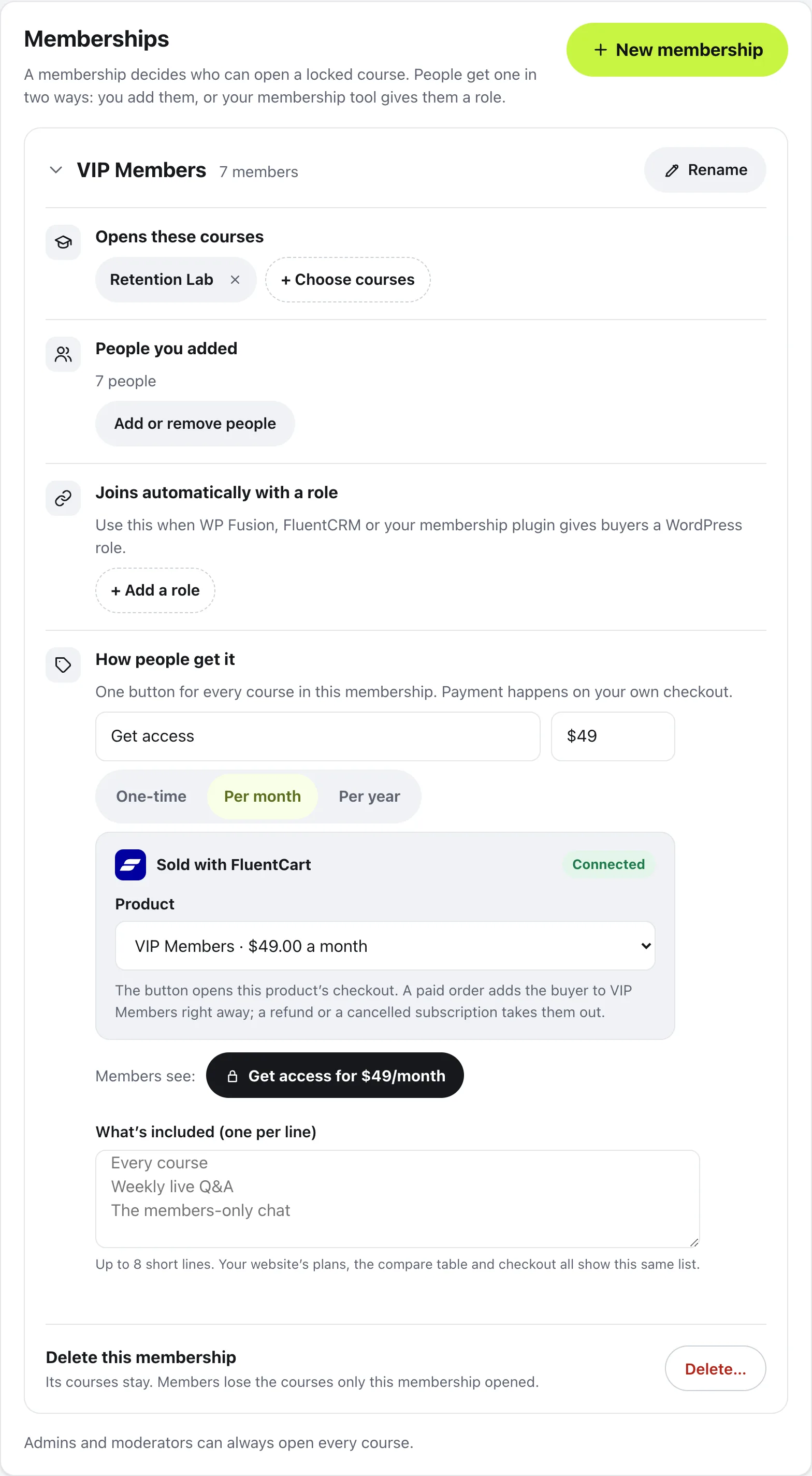
With the FluentCart plugin active, each membership gets a Sold with FluentCart box.
- 1
Make the product in FluentCart
Add a product in FluentCart with its price, one-time or per month or year, and publish it.
- 2
Add a Get access button
Under How people get it, press Add a Get access button. Without a button, a membership is invite only and members see “Ask an admin for access”.
- 3
Pick the product
In the Sold with FluentCart box, choose your product under Product. The button now opens that product’s checkout at its price.
- 4
Say what’s included
Write a short line per thing under What’s included (one per line). Your website’s plans, the compare table and the checkout all show this list.
Members see the button on the membership’s locked courses, like Get access for $49/month. You can change the button’s words in the box beside the price.
If your FluentCart checkout still asks for a billing address, a tip says so, with a link to Open FluentCart’s Checkout fields. A membership doesn’t need an address, and leaving it on can stop the order.
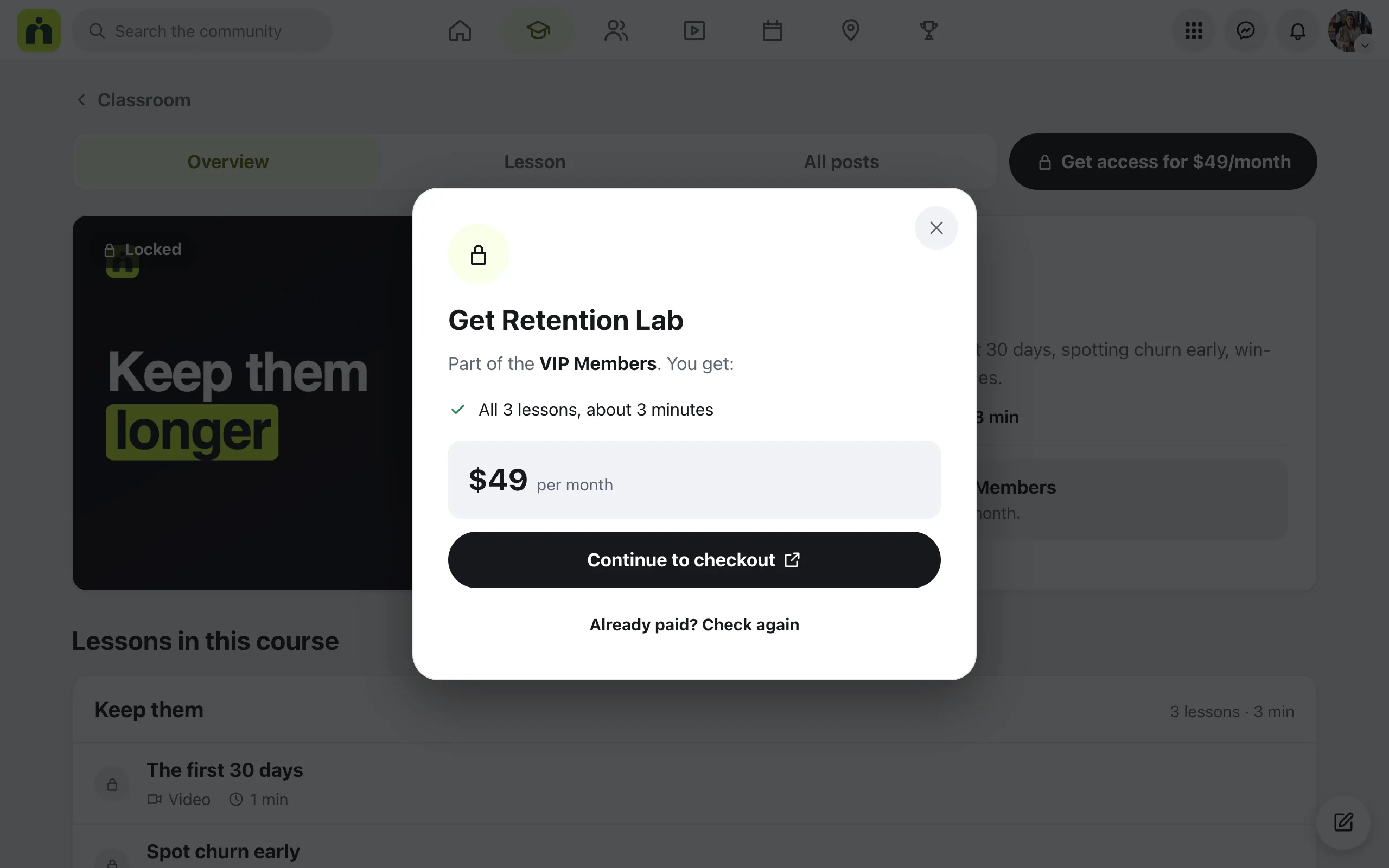
What buyers see
On a locked course, the button opens a box that says which membership it’s part of, what they get and the price, with Continue to checkout.
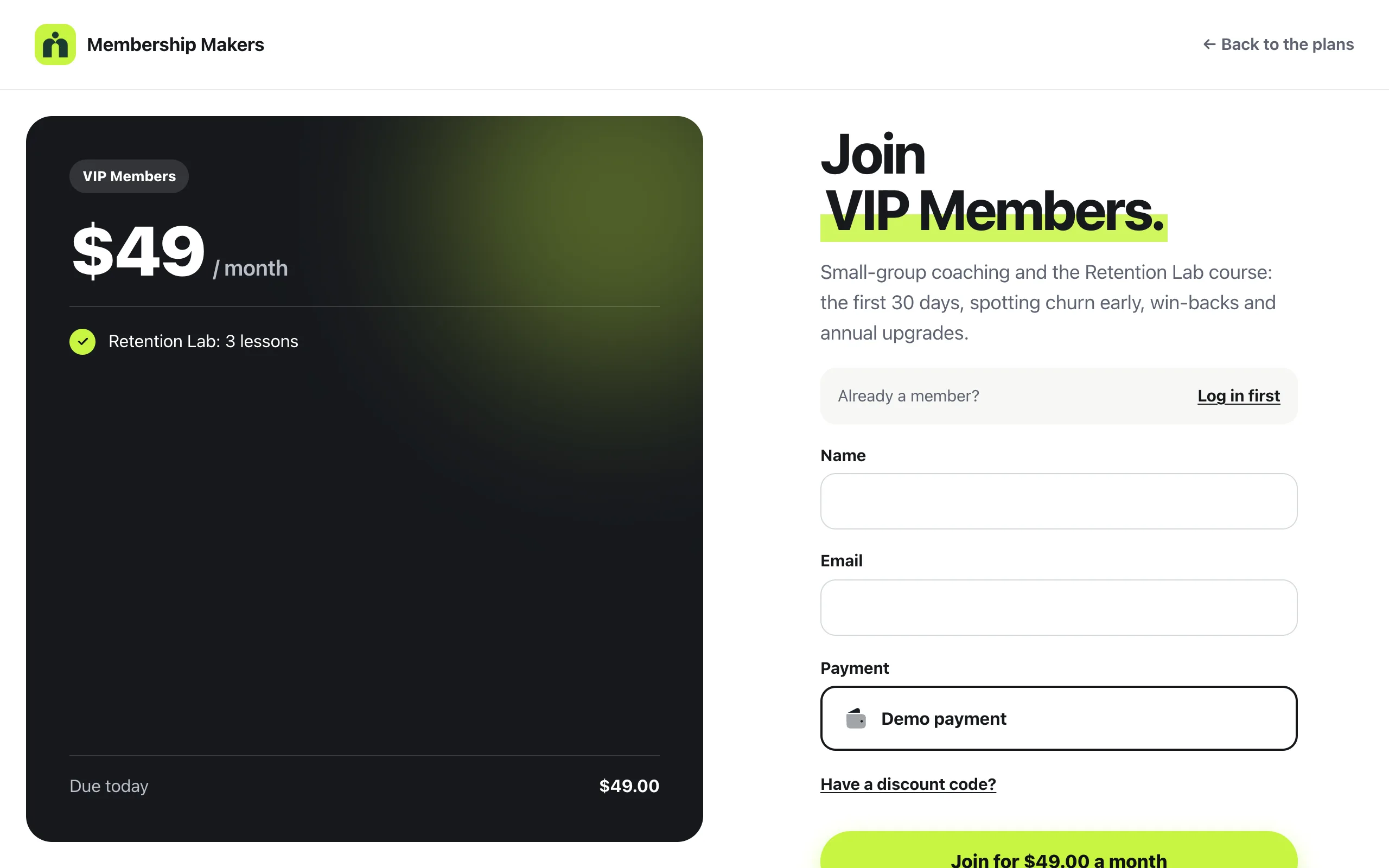
The checkout opens in a new tab, in your community’s look: your logo, the price and what’s included on the left, and FluentCart’s payment form on the right. Logged-in members pay as themselves. Someone new gets an account made with their email and a link to choose a password.
Once the order is paid, a You’re in. page has Open the community, and the courses are open. If the bank is still confirming, the page says Almost there. and the membership opens by itself in a minute.
Questions
Does MemBuild Community take payments itself?
No. FluentCart takes the payment, with the payment methods you set up in FluentCart. The community shows the checkout in its own look and adds or removes people from the membership.
What happens when someone cancels or asks for a refund?
A refund takes them out of the membership. A cancelled subscription keeps access until the end of what they paid for. A paused one closes it until it’s resumed. A failed payment keeps access while they update their card.
I added someone by hand. Will a refund remove them?
No. A refund or cancellation only takes back what that purchase gave. People you added by hand keep their place.
I don’t use FluentCart. Can I still sell?
Yes. Leave the product as Not sold here and paste any checkout link instead. Your shop or membership plugin then has to give buyers a WordPress role you link to the membership.
A member paid, but the course is still locked.
Payment can take a minute to confirm. They should check they’re logged in with the email they paid with, then press Already paid? Check again.
Stuck, or something not right? See Troubleshooting, or email us and we’ll help.