Events and placesAll docs
Add places to the map
Put meetup spots, partners with a member perk, and venues for your events on one map. Members get directions and see who else goes there.
Switch Places on
Places is off until you switch it on. Open Community settings, then Features, switch on Places, and press Save changes. A Places pin then shows in the menu.
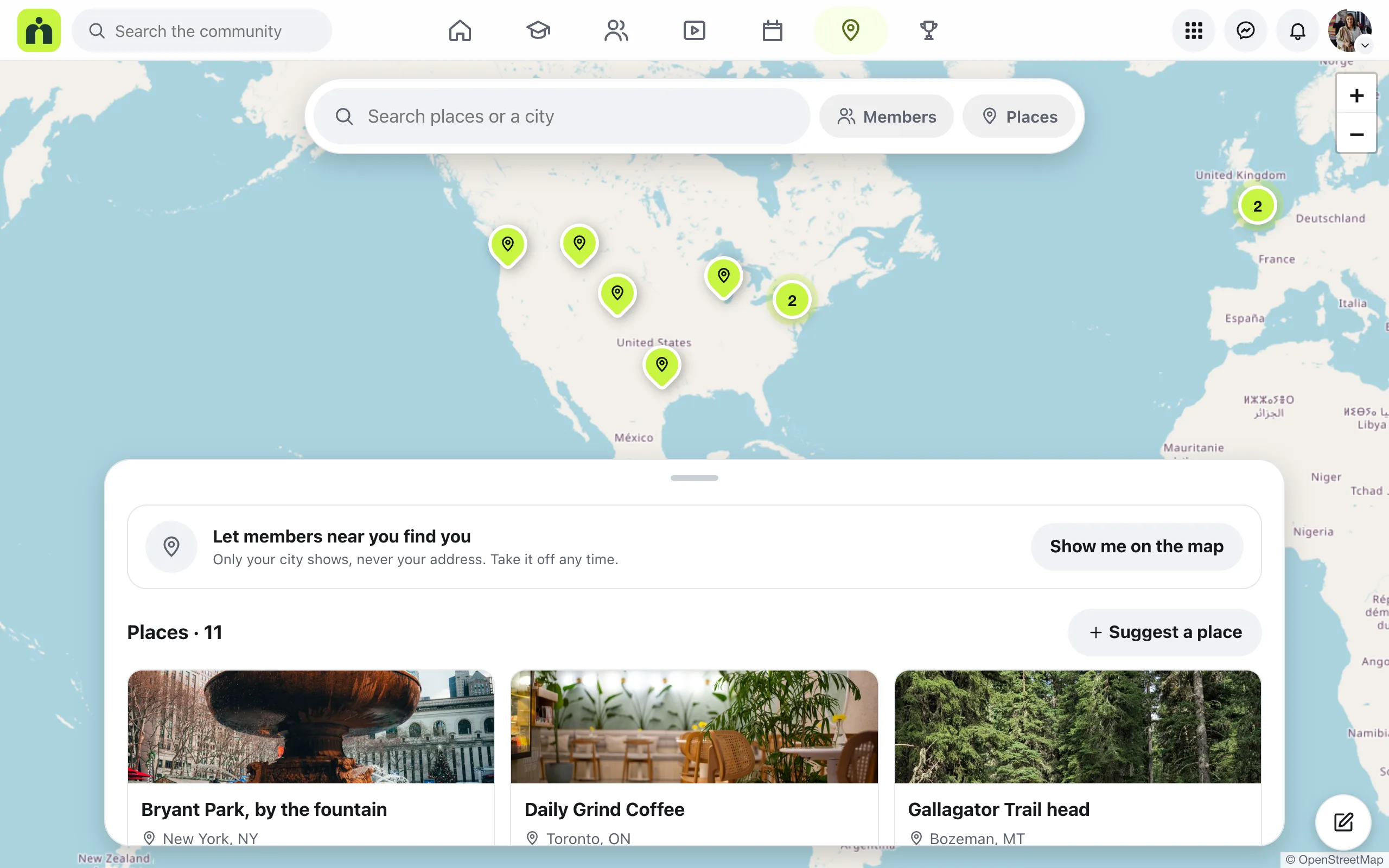
Pins close together join into a bubble with a number. Zoom in to split them up. The search box finds places, members and cities.
Add a place
Admins and moderators add places straight away.
- 1
Open Places
Open Places from the menu, then press Add a place under the map.
- 2
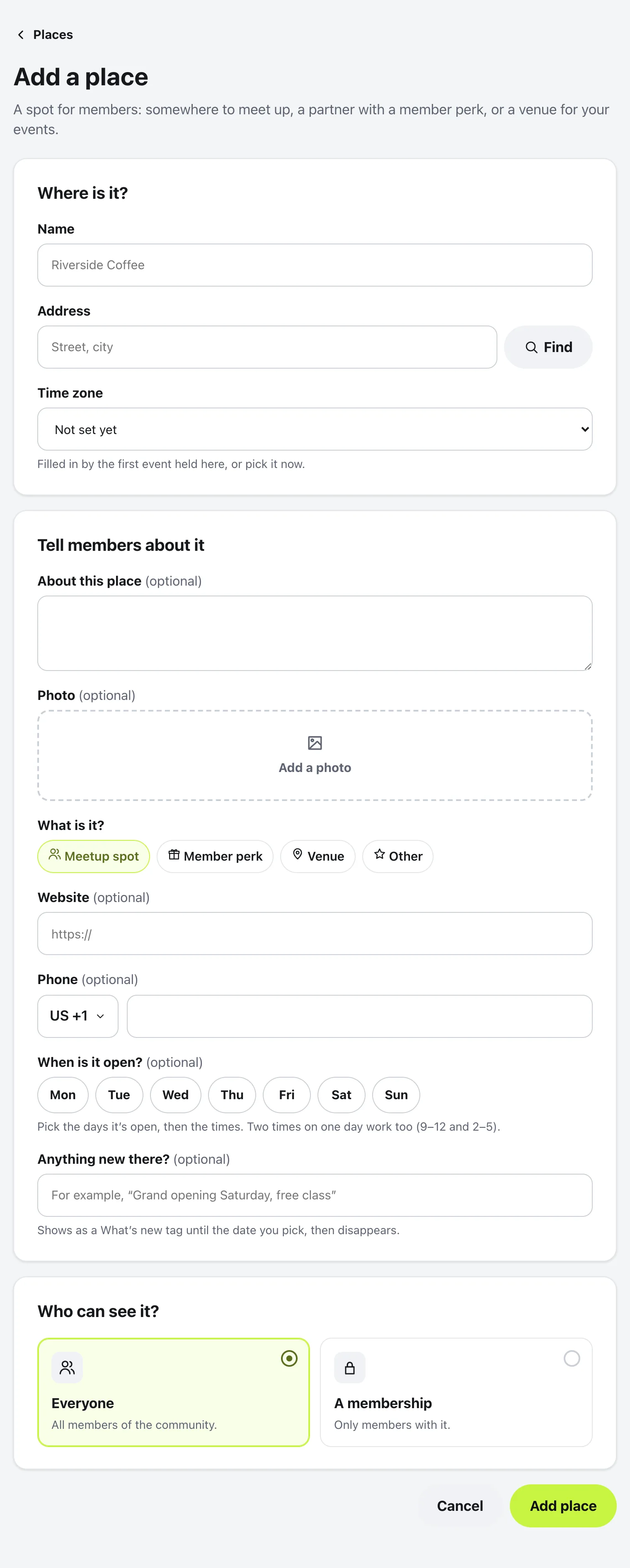
Where is it?
Type the Name and the Address, then press Find. If the pin isn’t quite right, drag it to the door. The Time zone is filled in by the first event held there, or you can pick it now.
- 3
Tell members about it
All optional: About this place, a Photo, what it is (Meetup spot, Member perk, Venue or Other), a Website, a Phone, the days it’s open, and Anything new there?, which shows as a What’s new tag until the date you pick. A Member perk also asks for the perk, like 10% off for members.
- 4
Who can see it?
Everyone, or A membership. Then press Add place.
To change or take down a place later, open it and press Edit or Remove….
What members do, and their suggestions
When members open a place, they can tap Directions to open it in their maps app, call or visit the website, and tap I go here so others see them under Members who go here. Events held at a place show under Coming up here.
Members see Suggest a place instead of Add a place. Their suggestions wait for you: choose Pending above the list to see them, oldest first, then press Approve or Not now. Turning one down doesn’t tell the member.
Members can also choose Show me on the map, so people nearby can find them. Only their city shows, never their address.
Questions
I can’t see Places. Where is it?
Places is off until you switch it on. Open Community settings, then Features, switch on Places, and press Save changes.
Can members add places?
Members can suggest a place. An admin or moderator checks it first, and nothing shows to members until it’s approved.
Does the map show where members live?
Only if they choose Show me on the map, and then only their city, never their address. They can take it off any time.
Can a place be for paying members only?
Yes. Under Who can see it?, choose A membership, so only members with it see the place.
Stuck, or something not right? See Troubleshooting, or email us and we’ll help.