Memberships and paymentsAll docs
Open courses from a WordPress role
If another plugin already sells your memberships, let it give access for you. Link the WordPress role it gives buyers to a membership, and the community opens the right courses.
How it works
Many shop, membership and CRM plugins give a buyer a WordPress role when they pay, and take it away when the membership ends. The Memberships screen names WP Fusion and FluentCRM as examples.
In MemBuild Community, a membership decides who can open a locked course. People get one in two ways: you add them, or a role puts them in. Nothing else needs connecting.
Link a role to a membership
- 1
Open Memberships
In Community settings, go to Memberships. Open a membership, or press New membership, name it, tick the courses it opens and press Create membership.
- 2
Press Add a role
Under Joins automatically with a role, press + Add a role and pick the role your other plugin gives buyers. It saves straight away.
- 3
Check the count
The number beside the membership’s name counts everyone in it, the people you added and the people with the role.
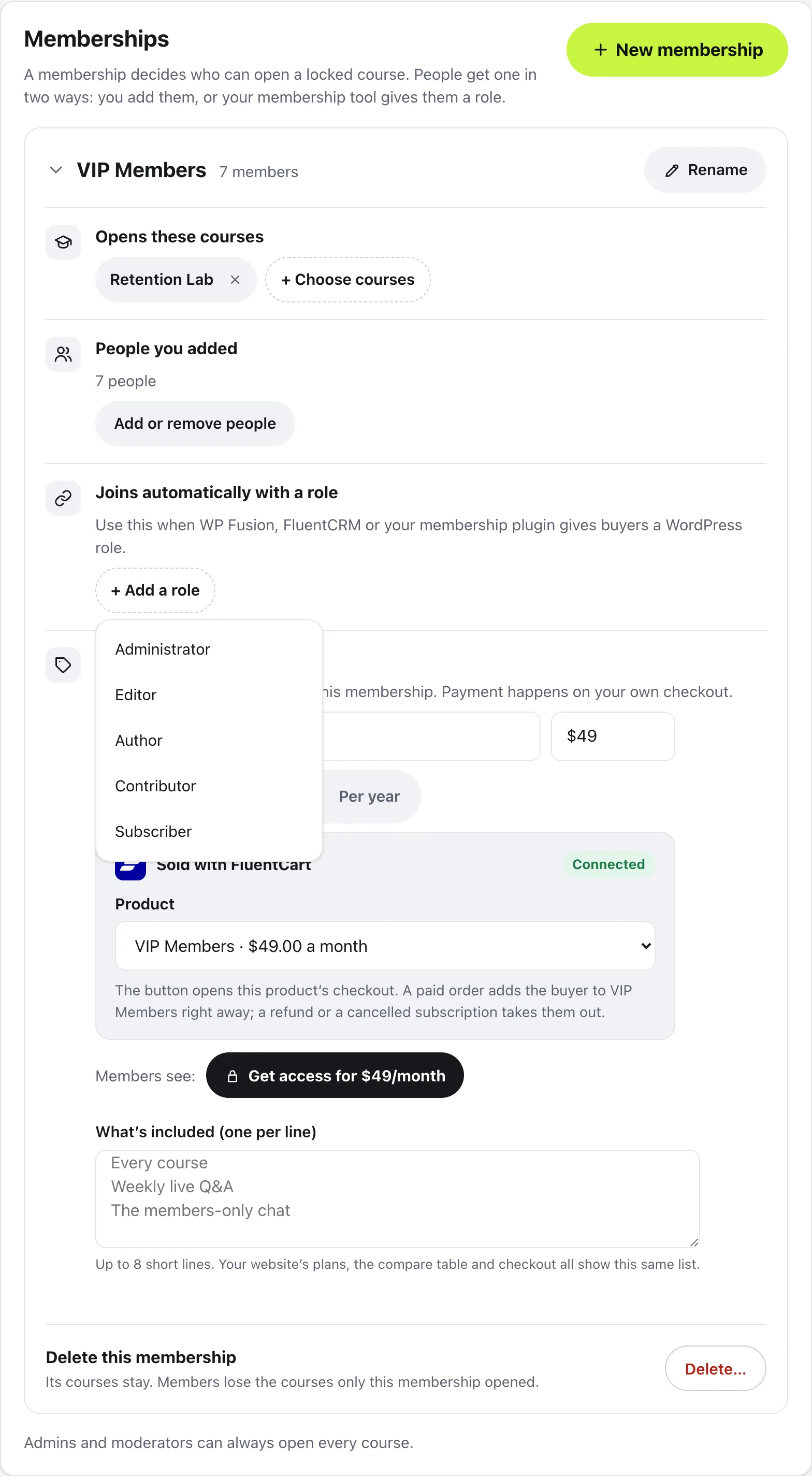
A membership can have more than one role, and you can still add people by hand next to them. To unlink a role, press the cross beside it.
Pick the membership on a course
Open the course in the course builder and go to its settings. Under Who can open it, choose Only some members, then + Add a membership. Under What do the others see?, choose the course with a lock, or nothing at all.
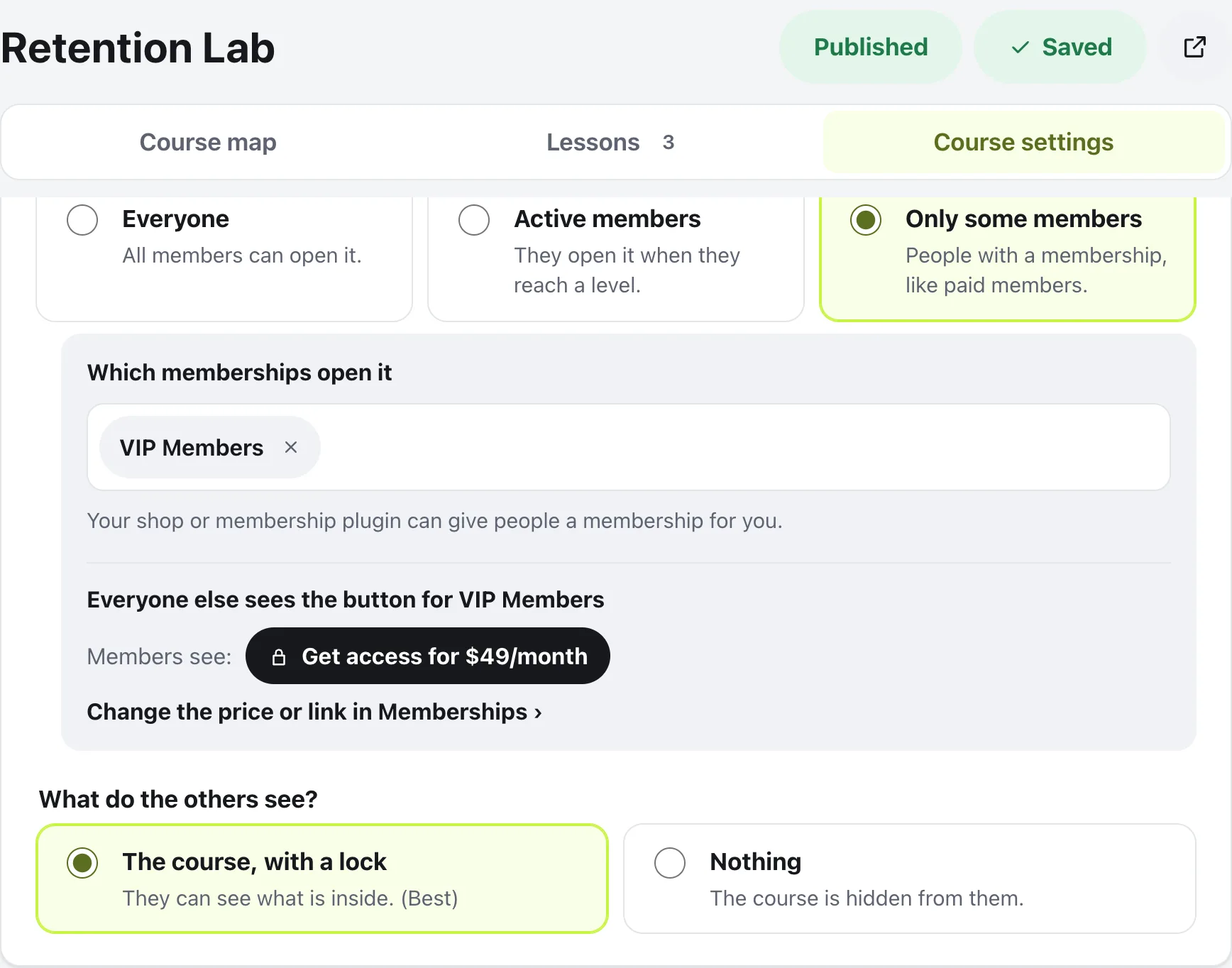
People without the membership see the lock, and Ask an admin for access unless the membership has a button. To send them to your shop, go back to the membership, press Add a Get access button and paste your checkout link. Admins and moderators can always open every course.
Questions
What happens when the role is taken away?
Access goes with it. The community checks the role each time, so when your membership plugin removes the role, the courses lock again. The member’s progress is kept, in case they come back.
Which roles can I pick?
Every role on your WordPress site, including ones your other plugins add. The list under Add a role shows them all.
Can I give one person access without a role?
Yes. Under People you added, press Add or remove people and search for them. On a member’s profile, Manage membership does the same, and says when someone is in through a role.
I’m a developer. Can my own code decide who is in?
Yes. The membuild_community/in_access_group filter lets your code say whether a member is in a membership, for example from your own membership records.
Stuck, or something not right? See Troubleshooting, or email us and we’ll help.