Get startedAll docs
Invite your first members
Copy your join link and a ready-made message, and send them from your own email.
Share your join link
- 1
Open Invite your members
On Home, in the Finish setting up card, press Invite your members. In wp-admin, the same step on Community › Overview has an Invite button.
- 2
Copy your join link
Press Copy link. Anyone with it can join, if your community lets people sign up.
- 3
Copy the message
Under A message you can paste, there’s a short invitation with your community’s name and link. Change it if you like, then press Copy message.
- 4
Send it your way
Paste it into your email, newsletter, group chat or anywhere your members are.
Once you’ve copied the link or the message, the step is ticked in your setup list. When the whole list is done, the card goes away. Your join link stays the same: yoursite.com/community/join, with your own address and community address.
Choose who can join
Open Community settings, then Joining & logging in. Under How people join, pick one.
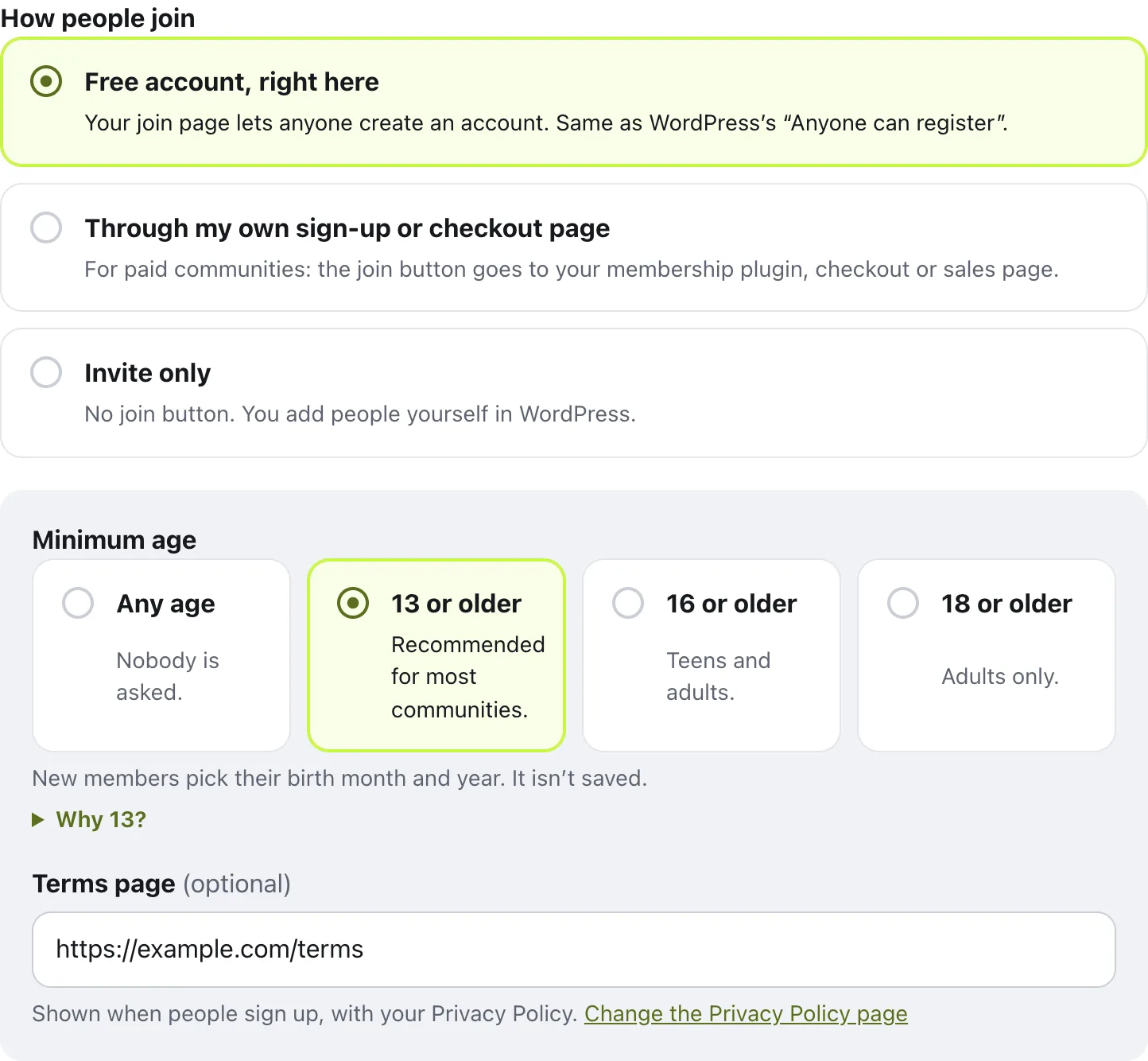
Free account, right here lets anyone create an account on your join page. Through my own sign-up or checkout page sends the join button to your membership plugin, checkout or sales page. Invite only has no join button: you add people yourself in WordPress, under Users.
The same section sets a Minimum age and an optional Terms page. Press Save changes when you’re done.
What new members see the first time
After they join, new members get:
- A welcome email, with a button to confirm their address and open the community
- A Welcome card on Home with a few good ways to start: Say hello, Start a course and Add a photo
- Activity emails start once they’ve confirmed their address
They can press Hide on the Welcome card any time. It goes away by itself once they’ve done everything on it.
Questions
Does the plugin send the invitations for me?
No, on purpose. Emails from a new website often land in spam, so you copy the link and the message and send them from your own email, newsletter or wherever your members already are.
My members already have accounts on my site. Do they need to join?
No. People who already have an account on your website log in with it, and they’re in.
Can I invite people to a paid community?
Yes. Under How people join, choose Through my own sign-up or checkout page, and paste the address of your membership plugin, checkout or sales page. The join button and your join link go there.
Why should I set up email first?
New members get a welcome email that asks them to confirm their address, and password emails go out the same way. Web host email often lands in spam, so set up Settings › Email before you invite anyone.
Stuck, or something not right? See Troubleshooting, or email us and we’ll help.