Feed, reels and storiesAll docs
Sort posts with topics
Make topics like Introductions, Wins or Questions. Members add one to a post, and filter Home by topic.
Make a topic
- 1
Open Community settings
It’s in the menu on the left of your community. Then open Topics.
- 2
Press New topic
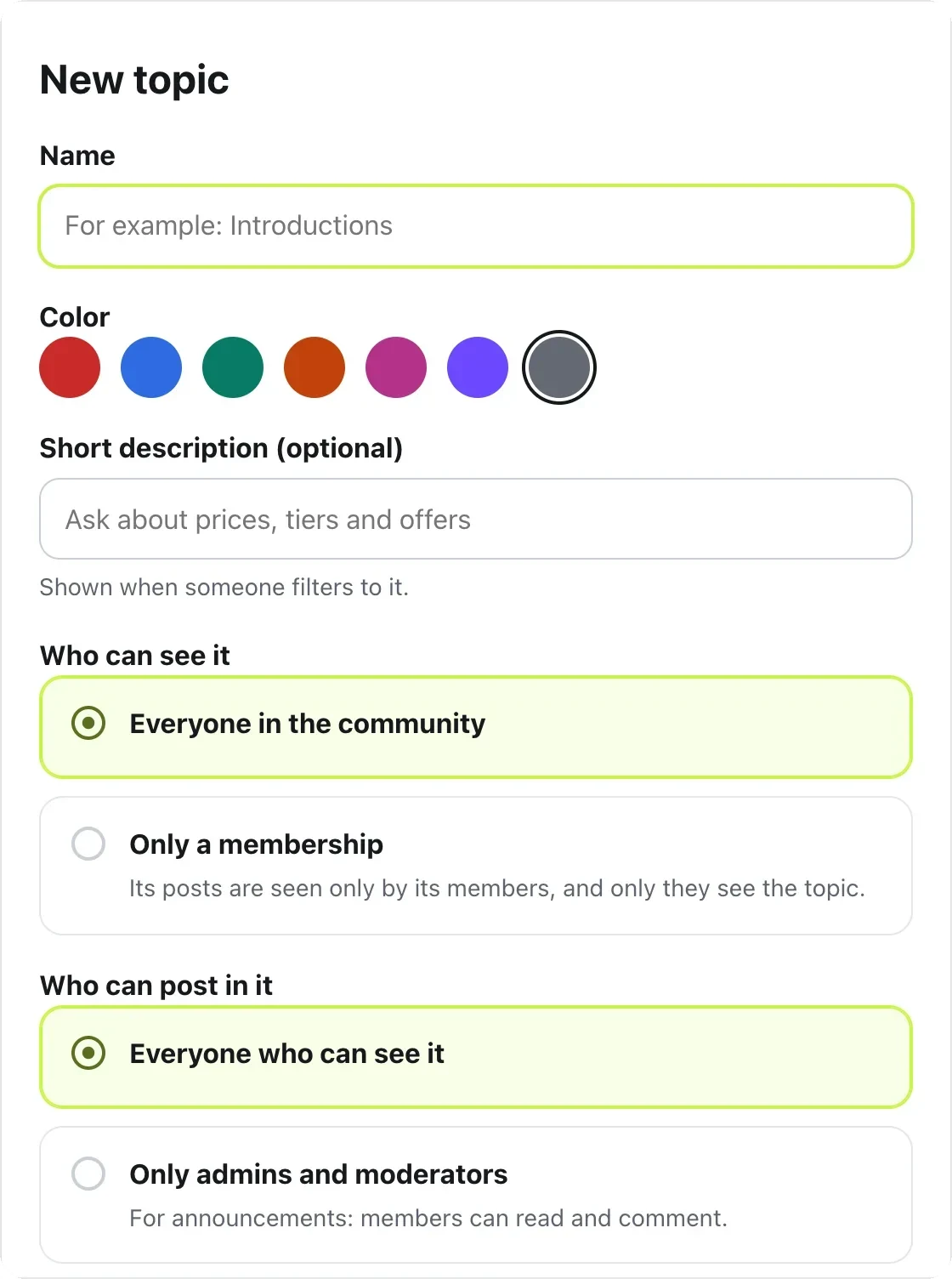
Give it a name, like Introductions, and pick a colour.
- 3
Add a short description, if you like
It shows when someone filters Home to this topic.
- 4
Choose who can see it
Everyone in the community, or Only a membership.
- 5
Choose who can post in it
Everyone who can see it, or Only admins and moderators. The second suits announcements: members can still read and comment.
- 6
Press Create topic
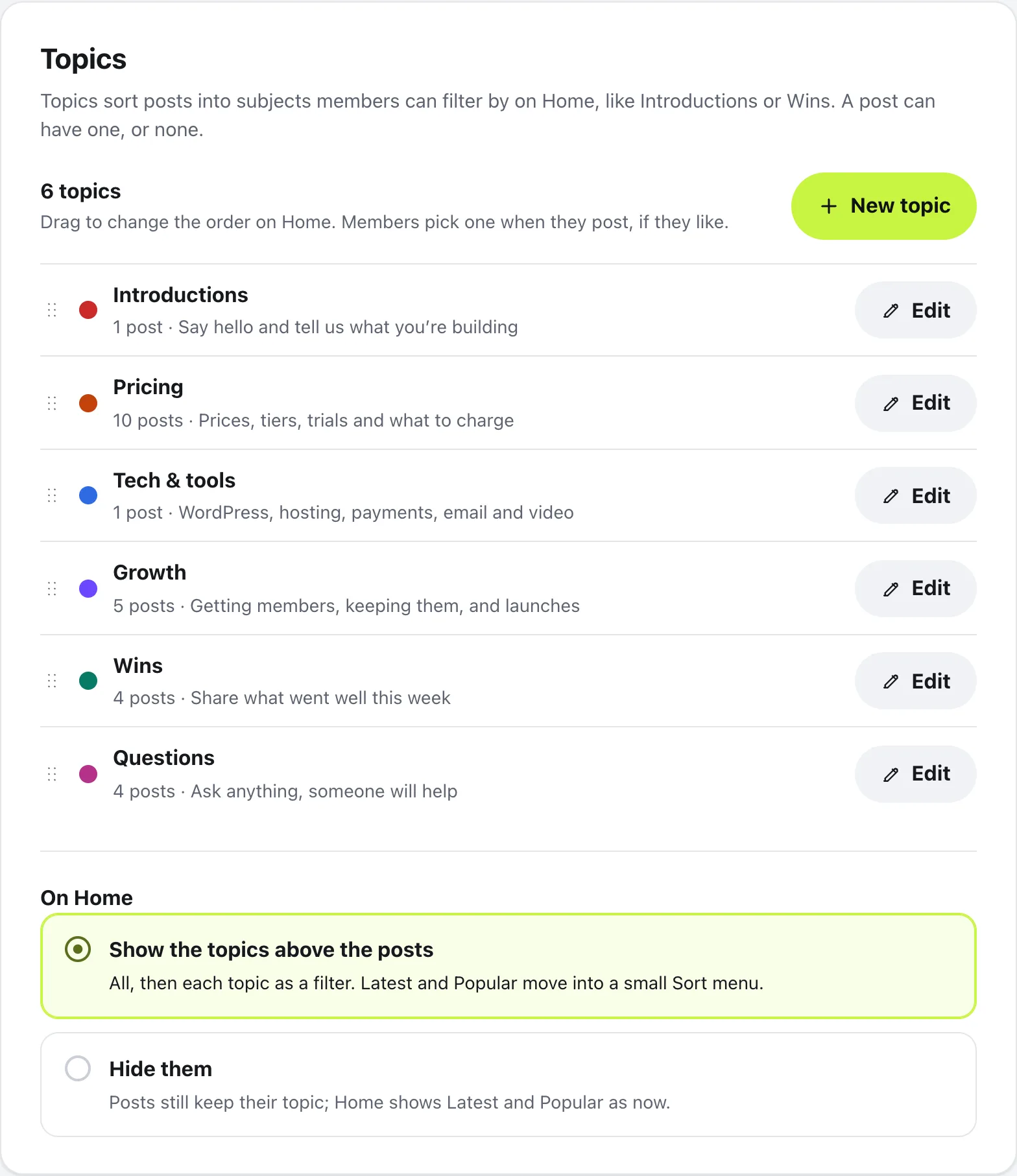
It’s added to the list. Drag the dots beside a topic to change the order on Home.
Topics on Home
Under On Home, choose Show the topics above the posts. Home then shows All, then a filter for each topic. Latest and Popular move into a small Sort menu beside them. Press Save changes to keep this choice.
When members write a post, they press Add a topic in Create post and pick one. They only see topics they’re allowed to post in.
Move a post to another topic
Admins and moderators can fix a post in the wrong place. Press ⋯ on the post, choose Change topic, pick a topic, and press Move post. The person who wrote it is told where it went.
To change or remove a topic itself, press Edit beside it in Community settings, under Topics.
Questions
Do members have to pick a topic?
No. Adding a topic to a post is always optional. Posts without one still show under All.
What happens to posts when I delete a topic?
Nothing is deleted. You choose to keep the posts without a topic, or move them to another topic. Nobody is told.
Can I make a topic only some members see?
Yes. Under Who can see it, choose Only a membership. Only people with that membership see the topic and its posts. Make the membership first, in Community settings, under Memberships.
Can I hide the topic filters but keep the topics?
Yes. Under On Home, choose Hide them and press Save changes. Posts keep their topic, and Home shows Latest and Popular as before.
Stuck, or something not right? See Troubleshooting, or email us and we’ll help.