Moving inAll docs
Import members from a spreadsheet
Add members from a CSV or Excel file. Import shows where each platform hides its download, matches the columns for you, and checks everything before anyone is added.
Get the file
In your community, open Settings, then Import. Beside A list of members (spreadsheet), press Choose a file.
Pick where your members are now: Kajabi, Mighty Networks, Circle, Skool or Facebook group. Each one shows the steps to download your members there, what comes along, and what stays behind.
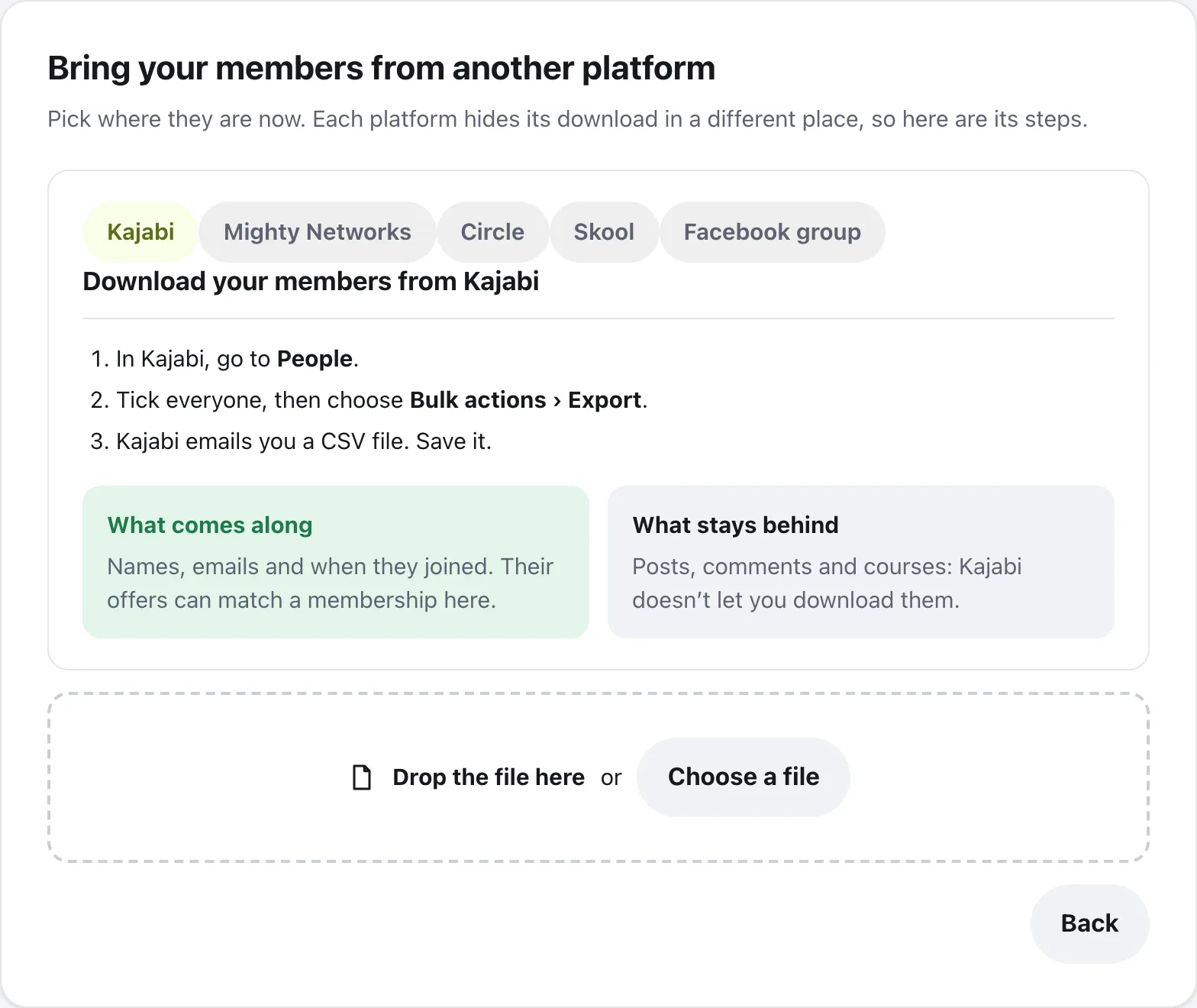
Then drop the file in the box, or press Choose a file. A CSV works, and so does an Excel .xlsx file, like the one Mighty Networks sends. Starting from scratch? When nothing else is found on your site, Import offers Download our sample.
Match the columns
Add members from a spreadsheet shows each column in your file, its first row, and what it becomes. Import guesses from the column names; change anything that’s wrong. A column can become:
- Email (needed)
- First name, Last name or Full name
- Joined date
- Membership, to match a plan to a membership here
- Bio, Location, and Photo (a web address)
- Don’t bring, for anything you want left out
When every guess looks right, it says Columns matched for you. Press Check first.
Check and add
Before anyone is added is a dry run: nothing has changed yet. It shows who’s new, who’s already here, emails that are in the file twice, and rows that can’t come. If you matched a membership column, choose a membership for each plan in your file, or No membership.
Under Letting them know, choose one:
Don’t email anyone yet
They can log in any time with Forgot password? on the login page. You can email everyone from Import later.
Send each new member a welcome email
From you, with a link to set their password. Sent slowly, about 200 an hour, so it doesn’t look like spam.
Then press Add members (the button shows how many). Members can use the community while it runs.
Questions
What if someone is already a member here?
They’re matched by email. Only their empty fields are filled in, and nothing is overwritten.
Can posts and courses come from Kajabi, Circle, Mighty Networks or Skool?
No. Those platforms let you download your members, not their posts. Each platform’s steps in Import say what comes along and what stays behind.
What about a Facebook group?
Facebook doesn’t share members’ emails with group admins, so there’s no file to bring. Instead, post in your group with a link to join your community, and pin it.
Some rows were left out. Can I fix them?
Yes. The check lists rows that can’t come, like ones with no email. Press Download the rows to get them as a CSV, fix them, and add that file later.
How big can the file be?
Up to 10 MB. A bigger file can be split in two and added one after the other.
Stuck, or something not right? See Troubleshooting, or email us and we’ll help.