Moving inAll docs
Undo an import
Every import is listed, and each one can be taken back on its own, without touching the others.
Find the import and undo it
- 1
Open Import
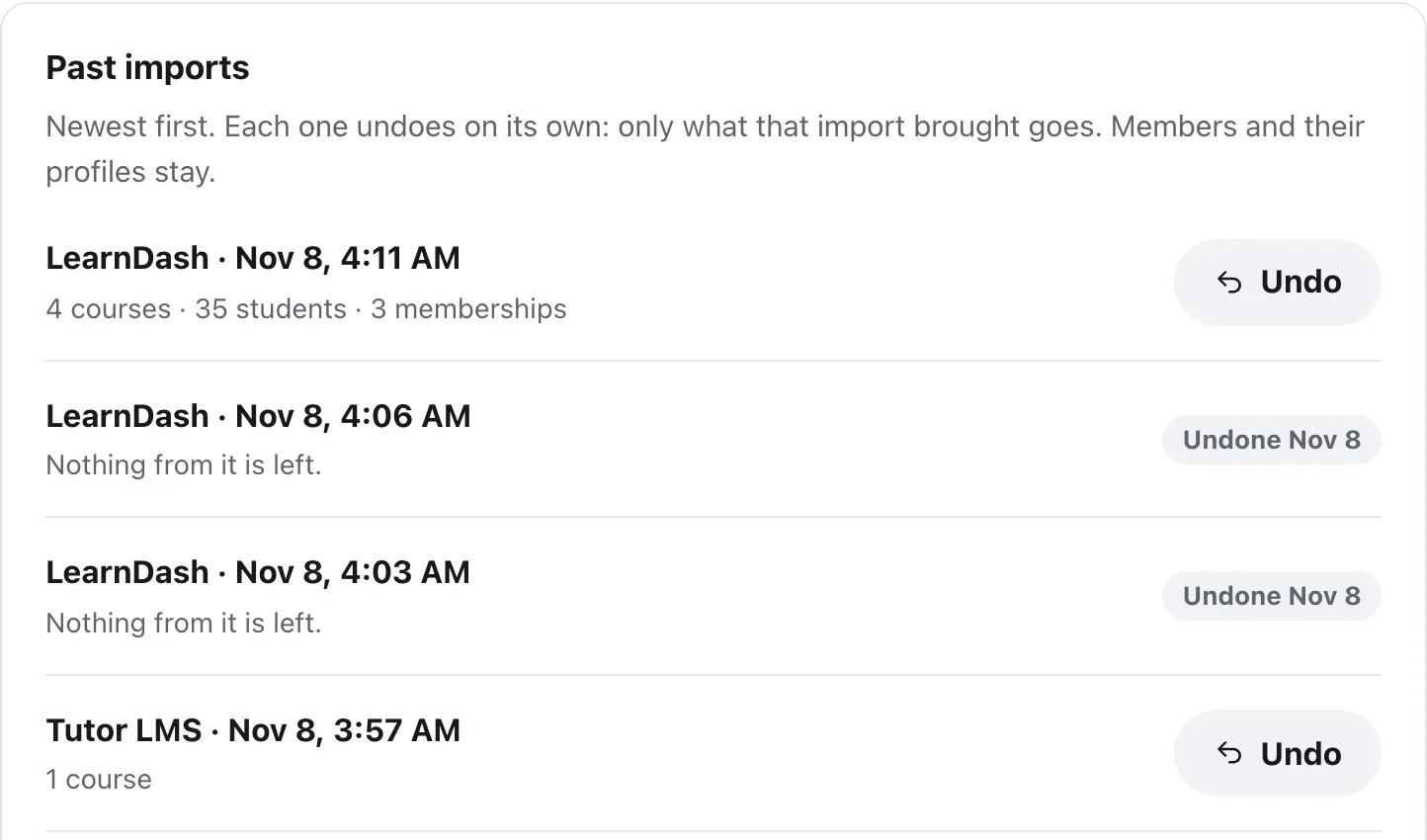
In your community, open Settings, then Import. Past imports lists every import, newest first, with where it came from, when, and what it brought.
- 2
Press Undo
Next to the import you want to take back. Each one undoes on its own: only what that import brought goes.
- 3
Read the box
It says exactly what will be removed, with numbers, and what members added to it since.
- 4
Press Undo the import
Or Cancel to leave it. When it’s done, you see The import was undone, and the import is marked Undone with the date.
Just finished an import? The Done screen has Undo this import too, with an Undo button. Undo waits while another import is running or paused.
What goes, and what stays
Undo removes exactly what that import brought. Nobody loses their account.
A community import
Its posts, comments, reactions, chats, topics and the memberships it made go. Members and their profiles stay.
A course import
Its courses, their lessons, students’ progress and points from them, and the memberships it made go. Students stay members.
A spreadsheet import
The memberships it gave go. The accounts it made stay, so nobody is locked out.
Nothing in the old plugin is touched, so you can import again any time.
Questions
Do members lose their accounts?
No. Undoing a community import keeps members and their profiles. Undoing a course import keeps students as members. Undoing a spreadsheet import keeps the accounts it made, so nobody is locked out.
What about comments members added after the import?
Comments, reactions and messages added since then to what the import brought go with it. The box tells you how many before you press Undo the import.
Why is there no Undo next to one of my imports?
An import that found everything already here brought nothing, so there’s nothing to undo. One that was already undone says Undone and the date.
Can I import again after undoing?
Yes, any time. The old plugin’s data is still in your database, and nothing in it was changed.
Stuck, or something not right? See Troubleshooting, or email us and we’ll help.