TroubleshootingAll docs
A video won’t upload
The progress stops, or a red line appears under the video. The words in that line tell you which of these it is.
How videos are uploaded
The community doesn’t send a video in one go. It cuts it into pieces of 1 to 8 MB, sends them one after another, and puts them back together on your site. That’s why big videos work even on hosts with a small upload limit.
Where the video ends up depends on Settings, then Video:
This site
Videos are stored with your other uploads. Each one can be up to 250 MB.
Bunny Stream
Videos go from the browser straight to your Bunny library, never through your host. Each one can be up to 2 GB.
What the message means
In a lesson, the message shows in red under the video’s name. Elsewhere, the same words show where you added the video.
Files must be under 250 MB.
The video is bigger than this site takes. Connect Bunny Stream, below, or make the video smaller, or use a YouTube or Vimeo link.
This file type is not supported.
Videos can be MP4, MOV (what iPhones record) or WebM. Export or save the video as MP4 and try again.
No answer from the server. Check your connection and try again.
The connection dropped or stalled. Each piece is retried by itself first, so this means it stayed down. Try again on a steadier connection.
The upload didn’t finish. Please try again.
Some pieces never arrived. Press Cancel, then choose the video again.
Something went wrong (error 413). Please try again.
Your server refused a piece as too big. See Your host’s limit, below.
You’ve uploaded a lot today. Please try again tomorrow.
Members can upload up to 2 GB a day, so one account can’t fill your server. You and your moderators have no daily limit.
That’s a lot of uploads. Please wait a few minutes.
Too many uploads in a short time. Wait a few minutes and try again.
Check your host’s upload limit
Each piece is one request to your server, so the server has to accept at least 1 MB at a time. Most do. To check yours, open Tools, then Site Health in WordPress admin, and look for Community uploads fit the server’s limits.
If it says the server only accepts uploads smaller than the pieces the community sends, ask your host to raise upload_max_filesize and post_max_size to at least 8 MB. Raising them further doesn’t raise the 250 MB limit for videos on your site.
When to use Bunny Stream
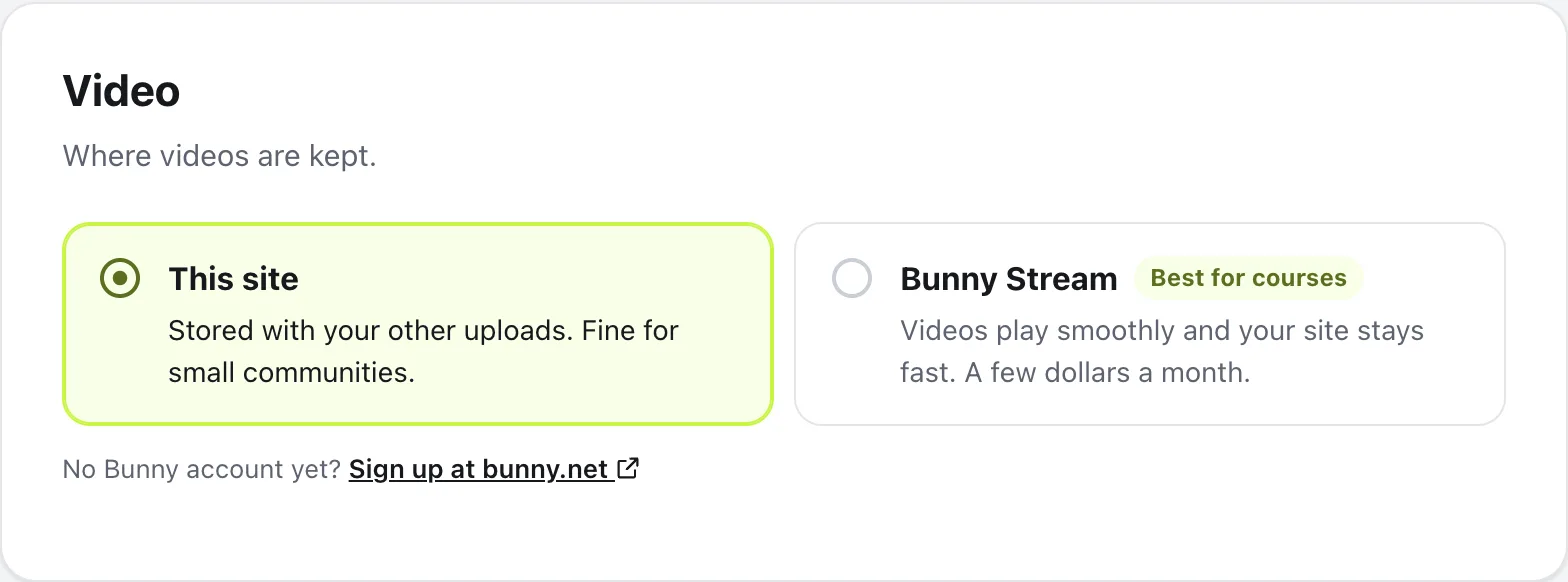
Choose Bunny Stream if your lesson videos are over 250 MB, or if you have many of them. Bunny costs a few dollars a month, videos play smoothly, and your site stays fast.
Fill in the library ID, CDN hostname and API key from Stream → your video library → API in Bunny, save, then press Test connection. If an upload then says Bunny refused the upload. Check the video settings., run Test connection again and fix what it reports. Stories always stay on your site.
Questions
Why was my video in a post cut short?
Videos in posts are made smaller in your browser and kept to their first 60 seconds, so they load fast in the feed. Lesson videos upload as they are, at full length.
Do I need to raise my host’s upload limit for big videos?
Usually not. Videos are sent in small pieces, so a host with a small upload limit can still take a large file. The limit only matters if it’s smaller than one piece.
Can I use a YouTube or Vimeo video instead?
Yes. In a lesson, press Paste a YouTube or Vimeo link. In a post, paste the link into the text and the video shows straight away.
Can I leave the lesson while a video uploads?
Keep the page open until it finishes. The lesson says Uploading with how far it got, and You can keep writing, so you can carry on with the text meanwhile.
Stuck, or something not right? Email us and we’ll help.