Feed, reels and storiesAll docs
Pin, save and sort posts
Keep important posts at the top, let members choose Latest or Popular, and save posts to read again.
Pin a post to the top
Admins and moderators can pin a post, like a welcome or the house rules. Press ⋯ on the post and choose Pin to top.
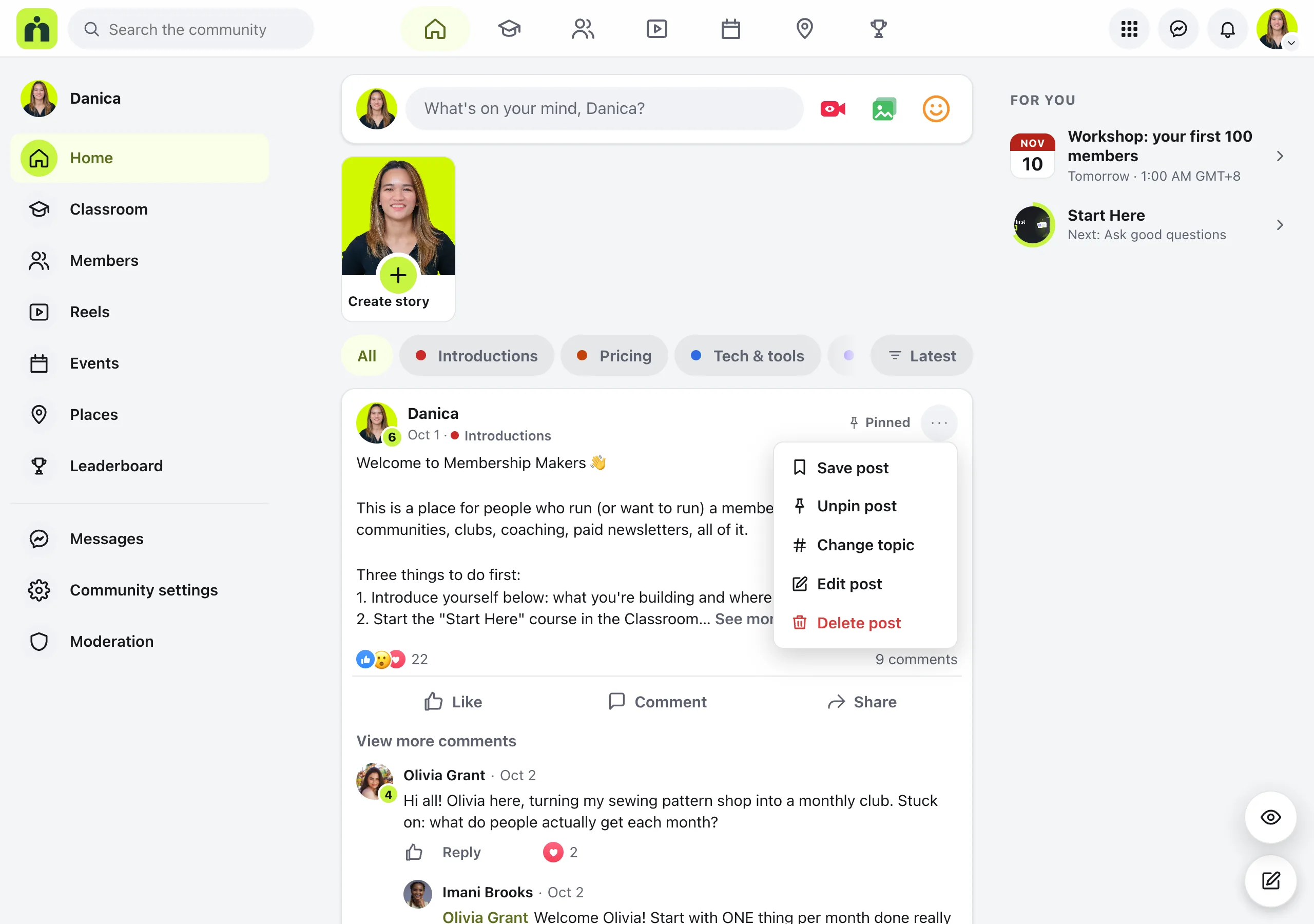
The post moves above the others on Home, marked Pinned. You can pin up to 3. To take one down, choose Unpin post in the same menu.
Latest or Popular
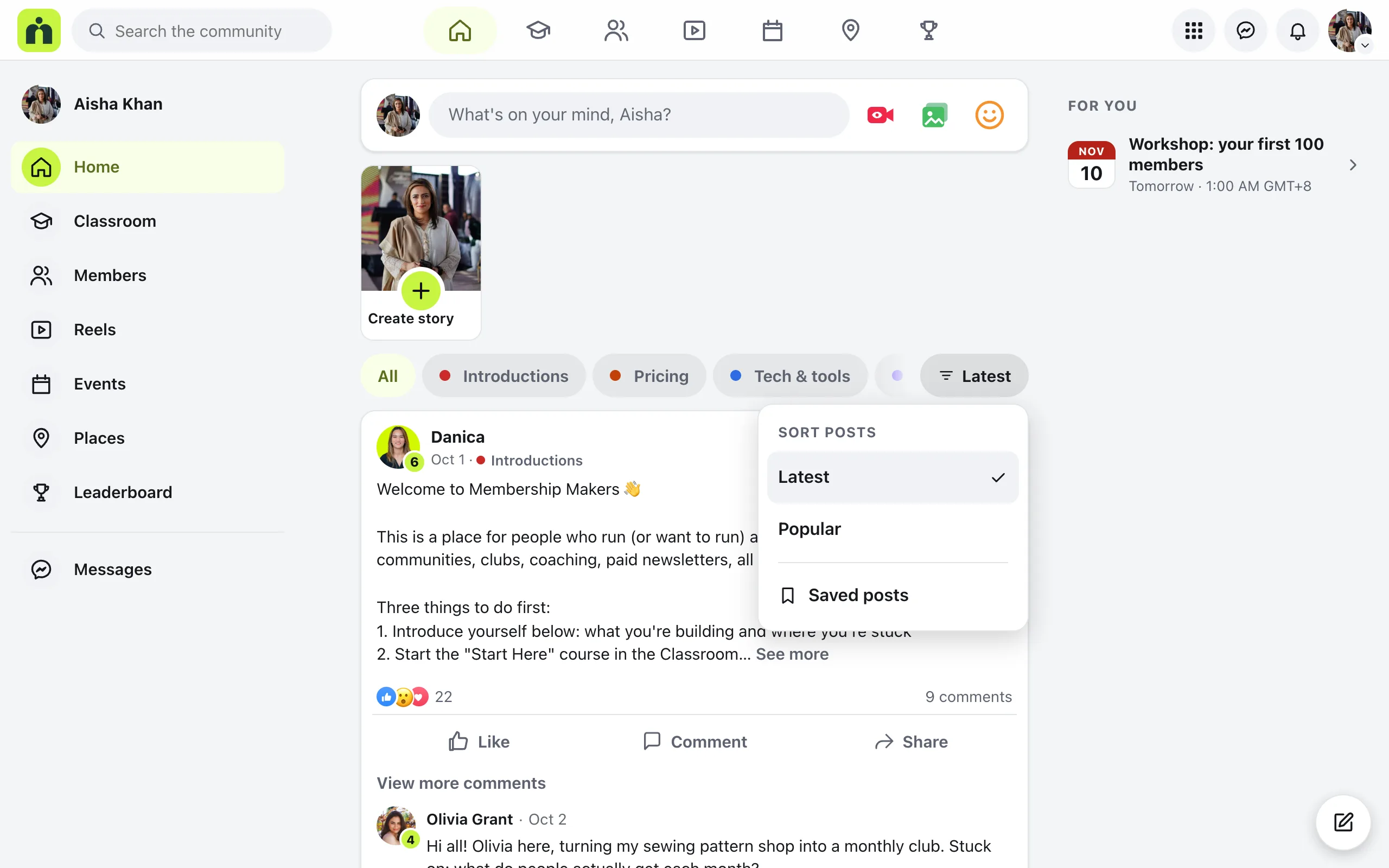
Everyone chooses how Home is sorted. Latest shows the newest posts first. Popular puts posts with the most reactions and comments first, with newer posts counting for more. Pinned posts stay on top either way.
Without topics, Latest and Popular sit above the posts. With topics showing on Home, they move into the Sort menu at the end of the topic filters.
Save a post for later
Any member can save a post to read again. Press ⋯ on the post and choose Save post. The post shows Saved at the top.
To find saved posts, open Saved posts from the Sort menu, or press Saved beside Latest and Popular. Only you can see your list. To take a post off it, choose Unsave in its ⋯ menu.
Questions
How many posts can I pin?
Up to 3 on Home. To pin another, unpin one first.
Who can see what I saved?
Only you. The Saved posts page says so at the top: Only you can see this list.
What does Popular go by?
Reactions and comments, with newer posts counting for more. So a lively post from today can come before a busier one from last month.
Can members pin posts?
No. Pinning is for admins and moderators. Every member can save posts and switch between Latest and Popular.
Stuck, or something not right? See Troubleshooting, or email us and we’ll help.