Your websiteAll docs
Collect emails with a Coming soon page
Before you open, visitors see one page with an email box, while you and your team see the whole site. On opening day, everyone on the list gets one email.
What visitors see
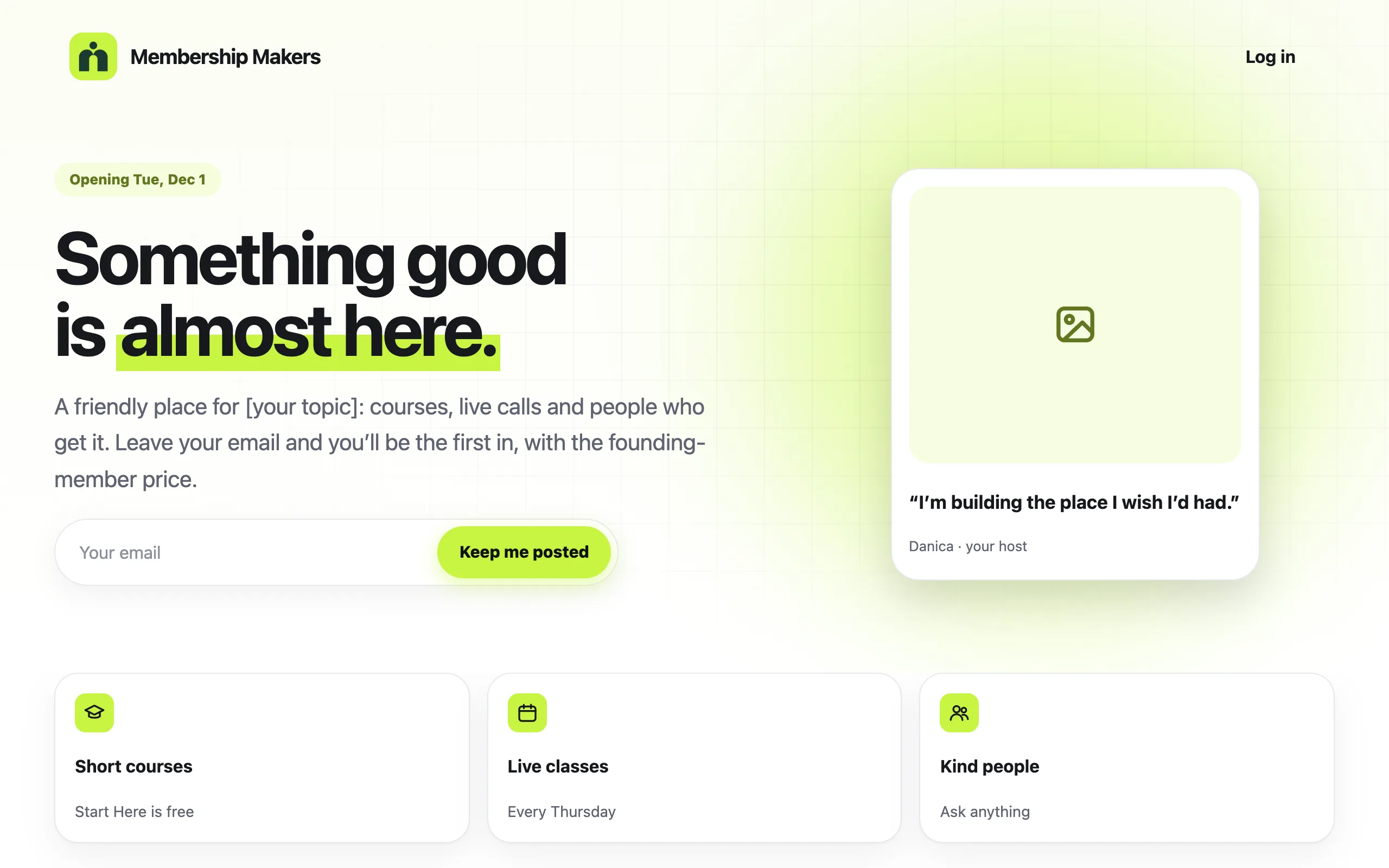
While it’s on, every page of your site takes visitors to the Coming soon page. It has your opening day, a line about your community, and a box for their email with Keep me posted. Only the email is asked.
Set it up
- 1
Make the Coming soon page
Coming soon is one of the starter website pages. In Settings, then Main website, make the starter pages with Coming soon ticked, or add it later under New pages you can add.
- 2
Pick an opening day
Under Coming soon, choose a date in Opening day (optional). The page shows it to visitors.
- 3
Choose what happens that day
Under On opening day, tick Email everyone “We’re open” with a Join link, and Turn Coming soon off by itself. Both are ticked to start with.
- 4
Switch it on
Switch on Show “Coming soon” to visitors. It saves straight away. Press Preview the page to see it.
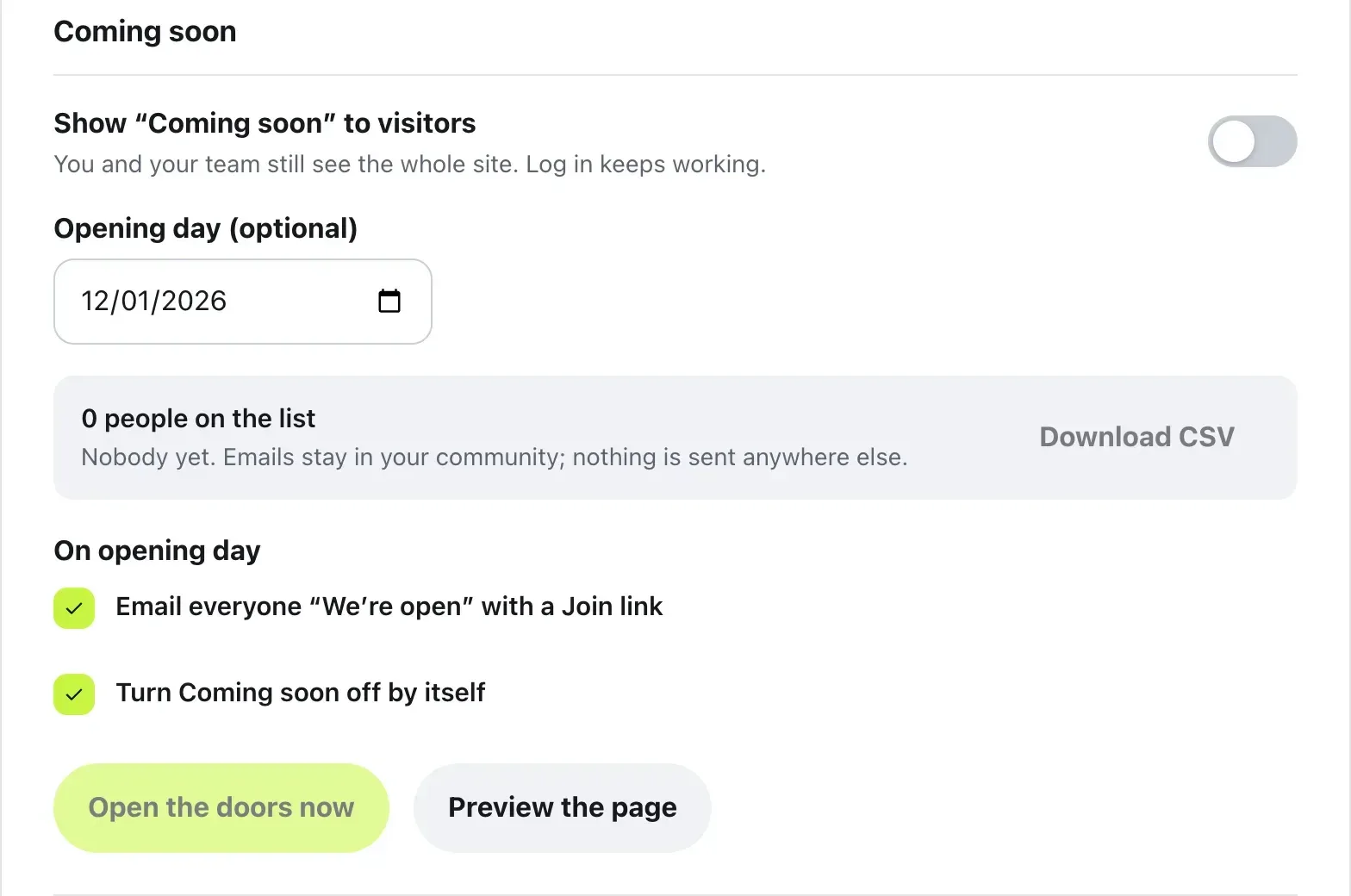
The list shows how many people are on it and the newest one. Press Download CSV to keep a copy.
Opening day
On the day you picked, everyone on the list gets one email that says We’re open!, with a Join now button. If you ticked Turn Coming soon off by itself, the whole site opens to everyone the same day.
Ready early? Press Open the doors now, then Open the doors. Coming soon goes off at once, and the people waiting get your email if you ticked it.
Questions
Can my team still use the site?
Yes. You and your team see the whole site while Coming soon is on. Log in keeps working, so anyone on the team can sign in from the Coming soon page.
Where do the emails go?
They stay in your community. Nothing is sent anywhere else. Download CSV gives you the list with the day each person joined it.
Can people take themselves off the list?
Yes. Every email has an Unsubscribe link, and anyone who uses it doesn’t get the opening email.
Do I need an opening day?
No, it’s optional. Without one, Coming soon stays on until you press Open the doors now.
Stuck, or something not right? See Troubleshooting, or email us and we’ll help.