Running your communityAll docs
Send emails reliably
Connect Resend or another email service, so sign-up and password emails arrive instead of landing in spam.
Why to set this up first
Open Community settings, then Email. Under How emails are sent there are three choices: Your web host, Resend and Another service.
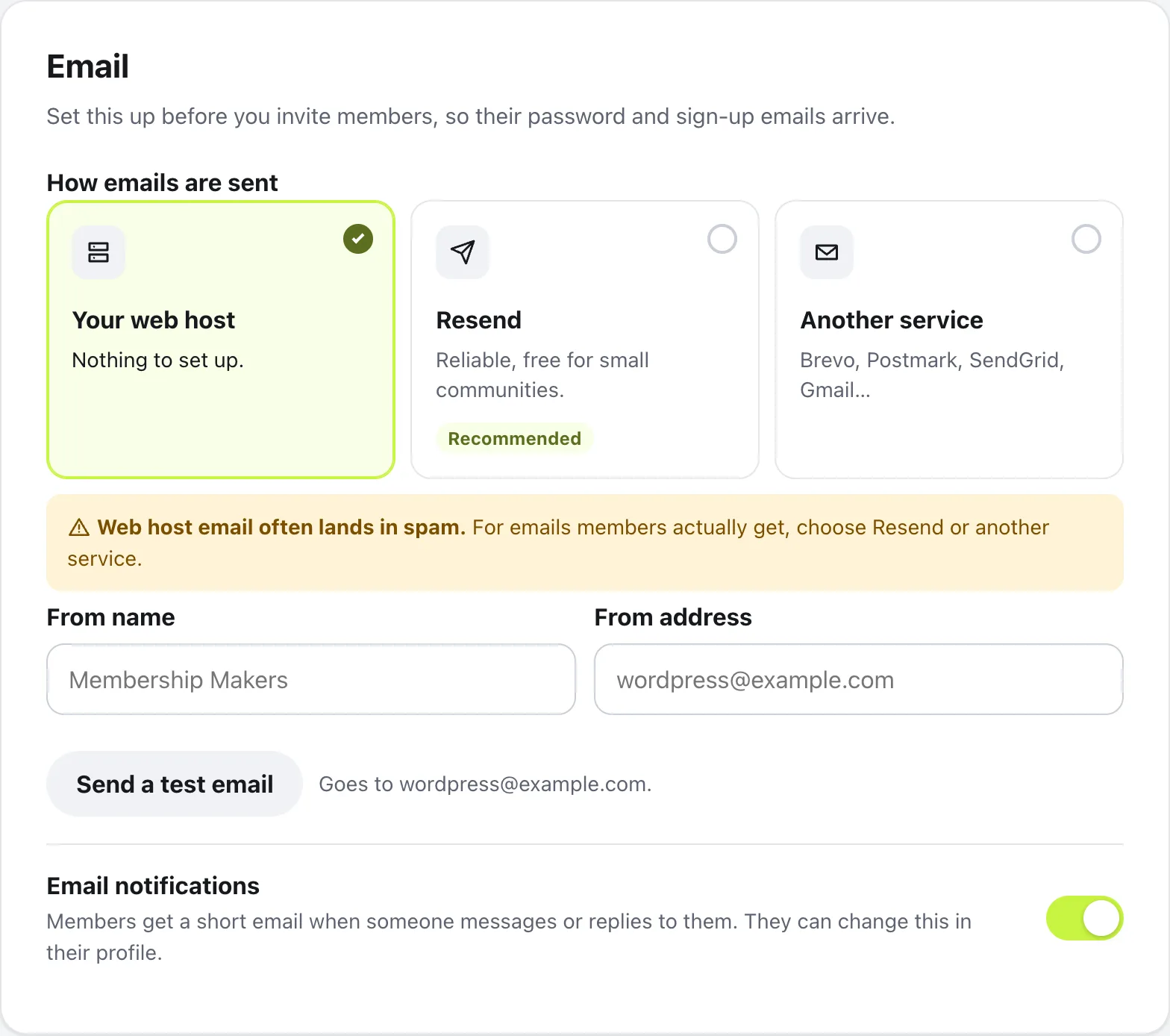
Your web host needs nothing set up, but web host email often lands in spam, and many hosts block email from websites. Set this up before you invite members, so their password and sign-up emails arrive.
Connect Resend
Resend is marked Recommended: it’s reliable and free for small communities.
- 1
Make a key
At resend.com/api-keys, create an API key with Sending access, and copy it.
- 2
Verify your domain in Resend
Resend only sends from a domain you’ve verified there, so do this first.
- 3
Paste it in Settings
In Settings › Email, choose Resend and paste the key into Resend API key.
- 4
Set who it’s from
Fill in From name and From address. The address must be on the domain you verified. Then press Save changes.
Use another service
For Brevo, Postmark, SendGrid, Gmail or your own email server, choose Another service and fill in what your service gives you:
- SMTP server, like smtp.example.com
- Port, and Encryption: TLS (usually port 587), SSL (usually port 465) or None
- Username and Password. The password is stored encrypted, and is never shown again
- From name and From address
Then press Save changes.
Send a test email
Press Send a test email. It goes to your own email address. If the button is greyed out, save your changes first.
When it works, you’ll see Sent to your address and the time, and an email called Your community emails are working, saying which way it came. If it isn’t in your inbox in a few minutes, look in spam.
If it didn’t send, the box says why, and Details for your host shows the exact error to pass on.
Questions
I already use an SMTP plugin. What should I pick?
Leave Your web host selected. If WP Mail SMTP, FluentSMTP or Post SMTP is installed, Settings says emails go through it, and delivery follows that plugin’s settings.
Which emails does the community send?
Sign-up and password emails, the welcome email that confirms a new member’s address, event reminders, and short emails when someone messages or replies to a member. Message text is never put into emails.
The test email didn’t send. What now?
The box under the button says what went wrong in plain words, like a key Resend didn’t accept or a server it couldn’t reach. Details for your host shows the exact error, with Copy, to send to your host or whoever runs your email.
Can members stop the emails?
Yes. Each member chooses in Emails you get, in their own menu. You can also turn off Email notifications for everyone at the bottom of Settings › Email.
Stuck, or something not right? See Troubleshooting, or email us and we’ll help.