Moving inAll docs
Import courses from LearnDash or Tutor LMS
Lessons, students, their progress and paid access come into the Classroom together, even with the course plugin switched off.
What comes over
Import works with LearnDash, and with Tutor LMS free and Pro. You choose from five things.
Courses
Into the Classroom, with sections, lessons, text, videos, files and cover pictures. From Tutor LMS, its topics become sections, in the same order. From LearnDash, drafts stay drafts.
Students and their progress
Who is in each course, what they finished and when, and who finished the whole course. Everyone keeps their own login. From Tutor LMS, unpaid and cancelled enrollments are left out.
Who can open each course
Open and free courses stay open to everyone. Paid courses, LearnDash groups and Tutor Pro plans each become a membership, with the same people in it.
Lesson timing
Lessons that open some days after a student starts keep doing that. From Tutor LMS, lessons that open on a date keep the date.
Points
Worked out from finished lessons, so long-time students start at the right level.
Import them
- 1
Open Import
In your community, open Settings, then Import. LearnDash or Tutor LMS shows up with its courses, lessons and students, switched on or off. Press Import.
- 2
Tick what to bring
Everything starts ticked. Students, access and timing need Courses, and Points need students, so unticking one unticks what depends on it.
- 3
LearnDash lessons with topics: choose where they go
The Classroom has one level less than LearnDash. Choose Lessons become sections, best when most lessons have topics, or Topics follow their lesson. You see one of your own courses each way.
- 4
Press Check first, then Start importing
Check is a dry run that changes nothing. Start importing runs it in the background, with Pause.
On a live site, try it on a staging copy first. Import’s How to make a copy link has the steps.
After the import
Your courses are here shows how many courses, lessons, students, finished lessons and memberships came over. Press Open the Classroom to look around.
Under Next, when you’re ready:
- Choose how people buy the new memberships, with Go to Memberships
- Switch the old course plugin off, with Go to Plugins. Its data stays in the database
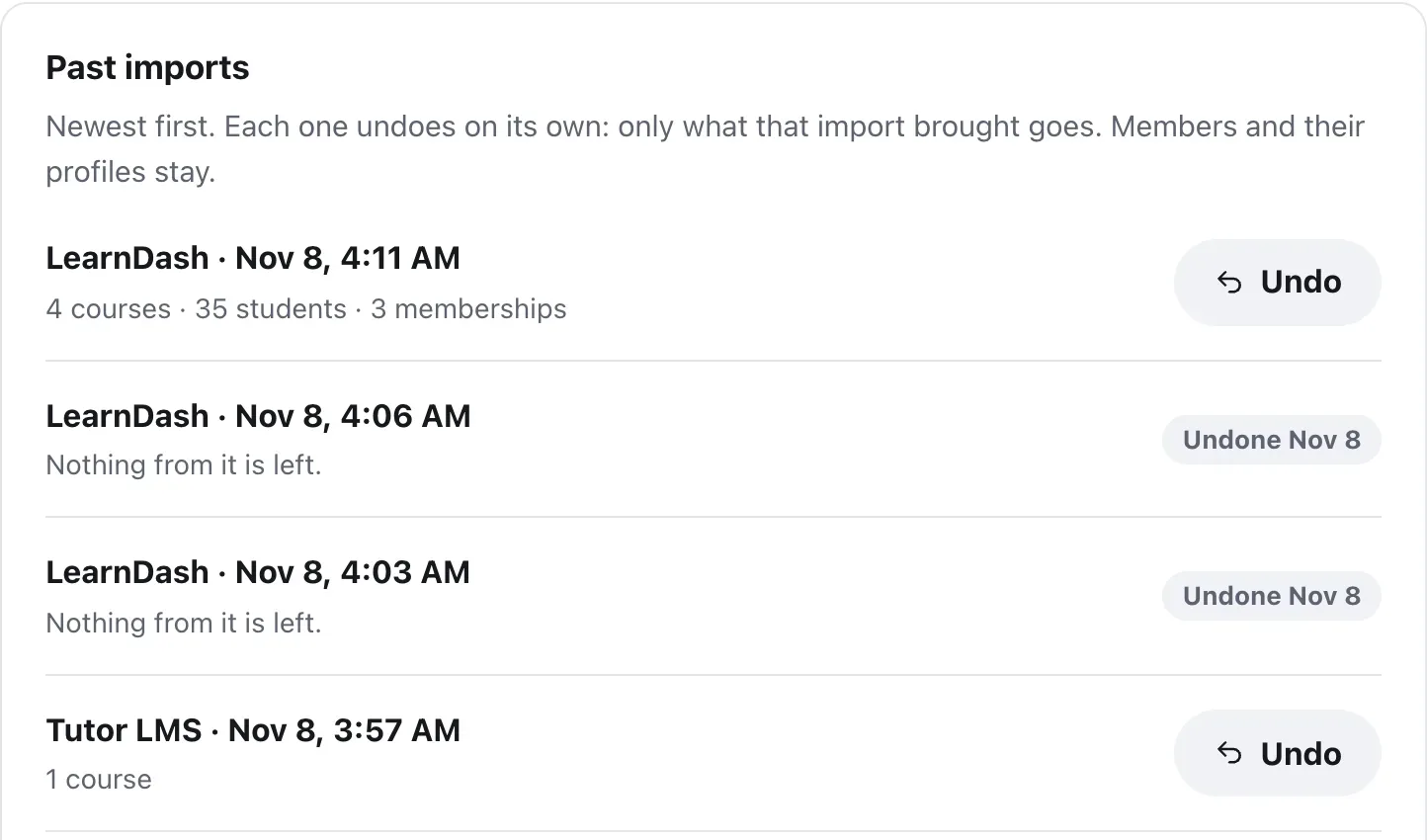
- Undo, if you want to take it back. Students stay members
Questions
Does LearnDash or Tutor LMS need to be switched on?
No. Import reads the courses straight from your database, so it works with the course plugin switched off. Keep its data where it is until the import is done.
Should I import my community first?
Yes, if you also have BuddyBoss, BuddyPress, PeepSo or FluentCommunity. Import lists the community plugin first, so students already have their profiles when their courses come over.
What happens to paid courses?
Each one becomes a membership with the same people in it, so students keep their access. Its course shows Get access with the old price and link until you choose how people buy it, under Memberships in Settings.
Can students use the community while it runs?
Yes. A course shows in the Classroom once all its lessons are in, never half-finished.
I added new courses. Can I import again?
Yes. Importing again only brings new courses. If there’s nothing new, Check says so.
Stuck, or something not right? See Troubleshooting, or email us and we’ll help.