Messages and alertsAll docs
Message members and start group chats
Members chat one-on-one or in small groups. On a computer, chats open in small windows docked at the bottom of the screen, so members can keep reading while they talk.
Start a chat
- 1
Open Messages
Press the Messenger button at the top of the community, or Messages in the menu on the left. You see your chats, with All, Unread and Groups to sort them and Search chats to find one.
- 2
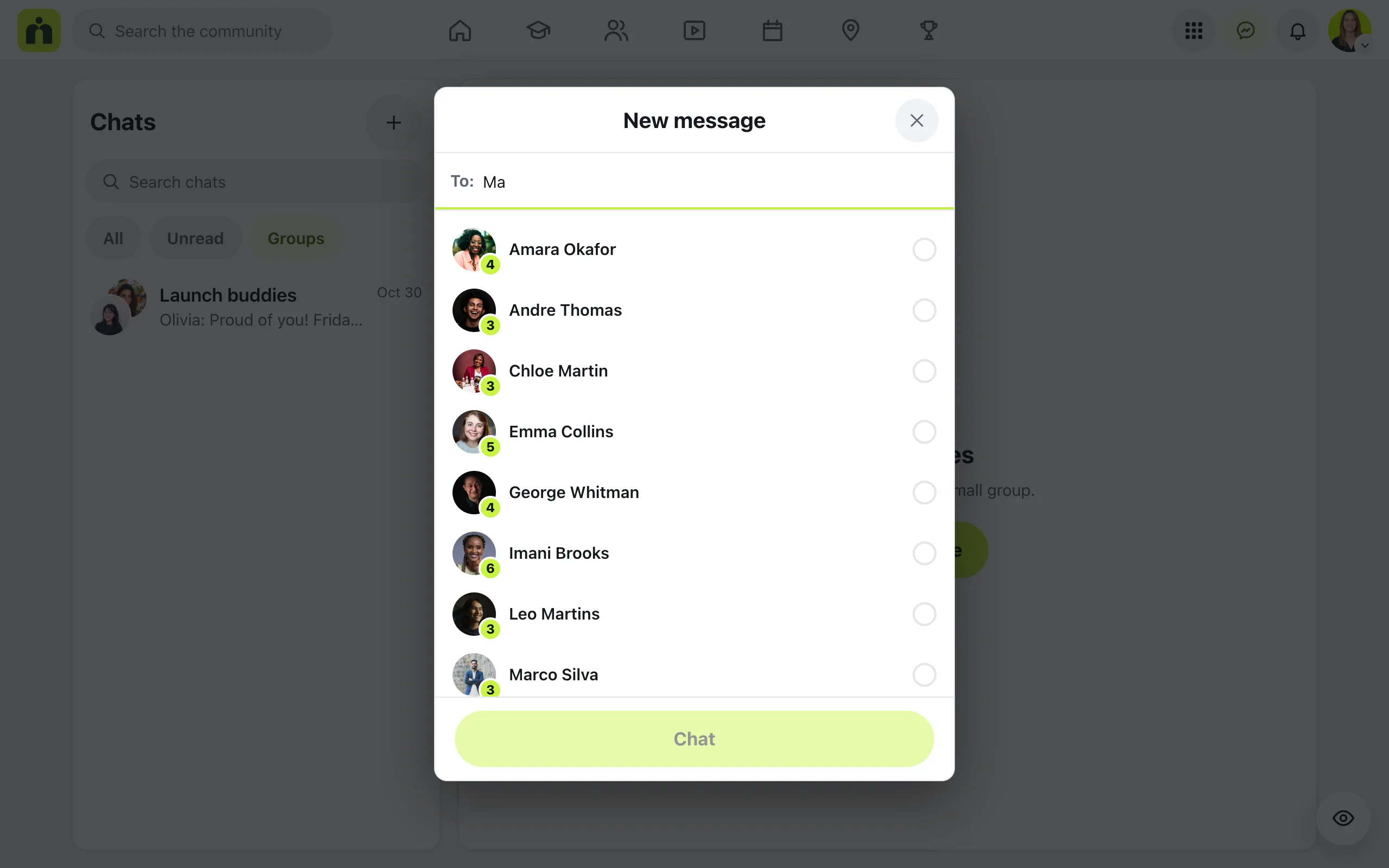
Press New message
Type a name after To: and tick the person. Press Chat. You can also press Message on anyone’s card in Members, or on their profile.
- 3
For a group, tick more people
Pick two or more people and a Group name (optional) box appears. Press Start group to open the chat.
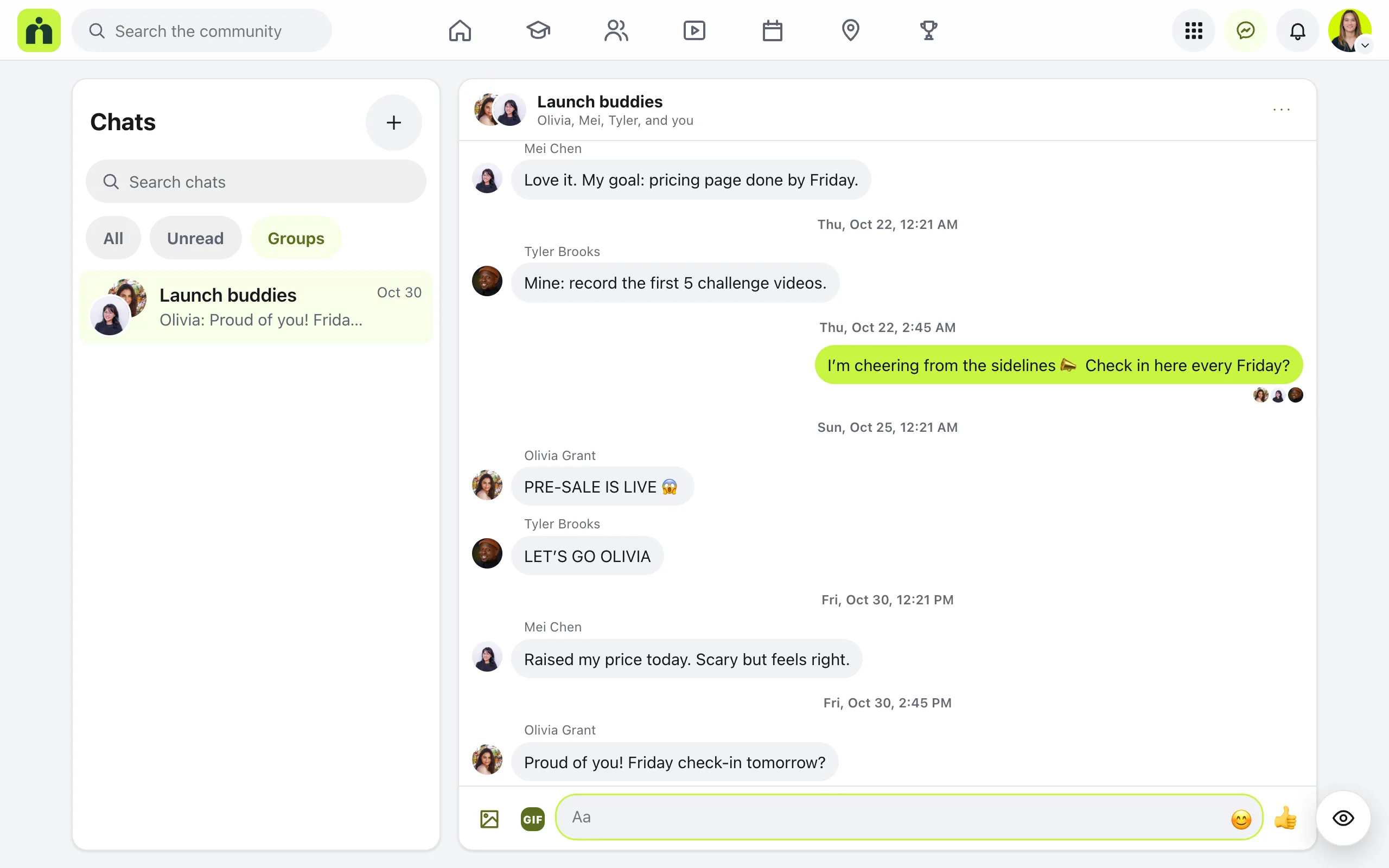
In a chat
Write in the Aa box and press Send. A chat can hold:
- Photos, up to 10 in one message, and GIFs when GIFs are turned on
- Emoji, reactions on any message, and Reply to answer one message in particular
- Seen under your last message, and a note while someone is typing
- Unsend, in a message’s menu, which removes it for everyone in the chat
The Chat options menu at the top of a chat has Mute this chat, which stops emails about it and leaves it out of the unread count. In a group you can also Rename group or Leave group.
If a message can’t go out, it says Not sent with Try again, and the words go back in the box. On a phone, a chat opens full screen.
Your settings as the owner
In Settings, under Who can do what, the question Who can members send messages to? has two answers: Anyone in the community, or Only admins and moderators. Admins and moderators can always message anyone. Press Save changes at the bottom.
Messages can be switched off in Settings, then Features. Turning it off deletes nothing.
Members get an email when someone messages them, unless they change that in Emails you get. The email says who wrote, never what they wrote.
Questions
Can I read my members’ private messages?
No. Message text is stored encrypted, and admins only ever see how many messages there are, never what they say. Messages are never copied into emails either.
How many people can be in a group chat?
Up to 50 people, including you. Anyone in the group can rename it, and anyone can leave it with Leave group.
Can I stop members messaging each other?
Yes. In Settings, under Who can do what, choose Only admins and moderators. Members can then only message your team. To turn chats off completely, switch off Messages in Settings, then Features.
What if someone keeps messaging a member who doesn’t want it?
The member can press Block in the chat’s menu, or on that person’s profile. Blocked people can’t message each other, and they aren’t told. Old messages stay readable, and a note replaces the message box.
Stuck, or something not right? See Troubleshooting, or email us and we’ll help.