Feed, reels and storiesAll docs
Ask a question with a poll
Add a poll to a post, and members vote with one tap. Nobody can see who voted how.
Make a poll
- 1
Open Create post
On Home, press the box that says What’s on your mind.
- 2
Press the Poll button
It’s the last button in the Add to your post row. A Poll box opens under the words.
- 3
Ask your question
Type it in the box that says Ask your question…
- 4
Fill in the choices
Type at least two. Press Add a choice for more, up to 6. The × beside a choice removes it.
- 5
Choose when it closes
Under Poll closes, pick In 1 day, In 3 days, In 1 week, In 1 month or No end date.
- 6
Press Post
The poll shows on Home, ready for votes.
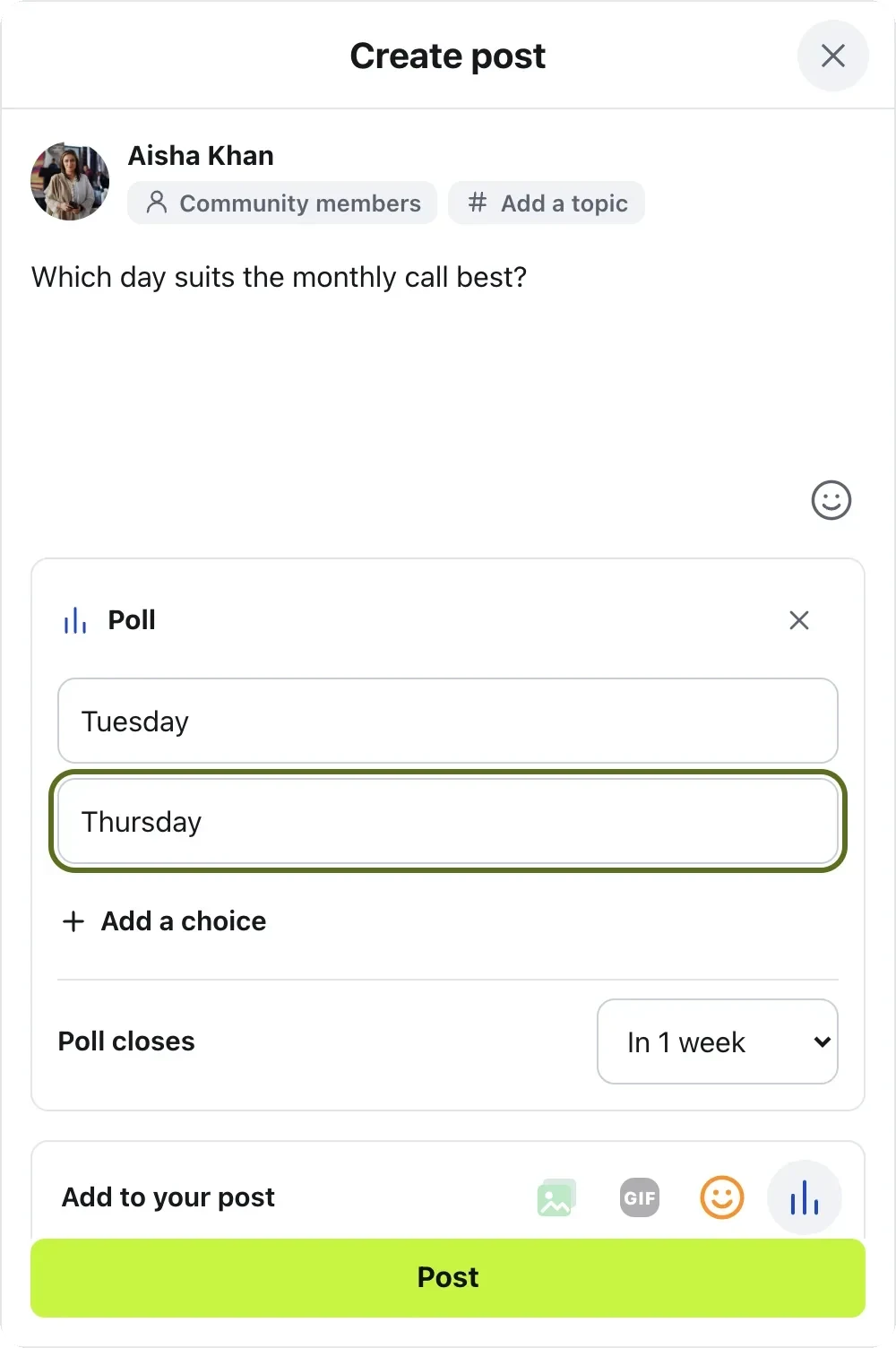
Two choices that say the same thing can’t be posted: the box asks you to change one. A poll can’t have photos, a video or a GIF.
How voting works
Members tap a choice to vote. Under the choices it says No one can see how you voted.
After voting, they see each choice’s share as a bar, with a tick on their own. Under the poll is the number of votes and, if it has an end date, how many days are left.
Changed their mind? Change my vote lets them pick again, until the poll closes.
Close a poll
A poll closes by itself at the time you chose. To close it sooner, press ⋯ on the post and choose Close poll. The person who asked can do this, and so can admins and moderators.
Once closed, nobody can vote. The results stay, marked Poll closed, and a closed poll can’t be opened again.
Questions
Can anyone see who voted for what?
No. Members see how many votes there are and the share each choice got, never who picked it. Not even admins can see it.
Can I change a poll after people vote?
No. The question and the choices can’t change after the first vote, so the results stay fair. You can still close the poll.
Can a poll have a photo?
No. A poll is words only: the question and its choices. To show a picture, post it separately.
How do I turn polls off?
In Community settings, open Features and switch off Polls. Turning it off deletes nothing.
Stuck, or something not right? See Troubleshooting, or email us and we’ll help.