ClassroomAll docs
Host lesson videos on Bunny Stream
Send videos to your own Bunny Stream library, so they play smoothly and your site stays fast. Protected links stop copied links from being passed around.
Connect your Bunny library
Bunny Stream is a video host you pay for yourself; the plugin calls it a few dollars a month. Once it’s connected, videos members and you upload go straight from the browser to your Bunny library.
- 1
Open Video settings
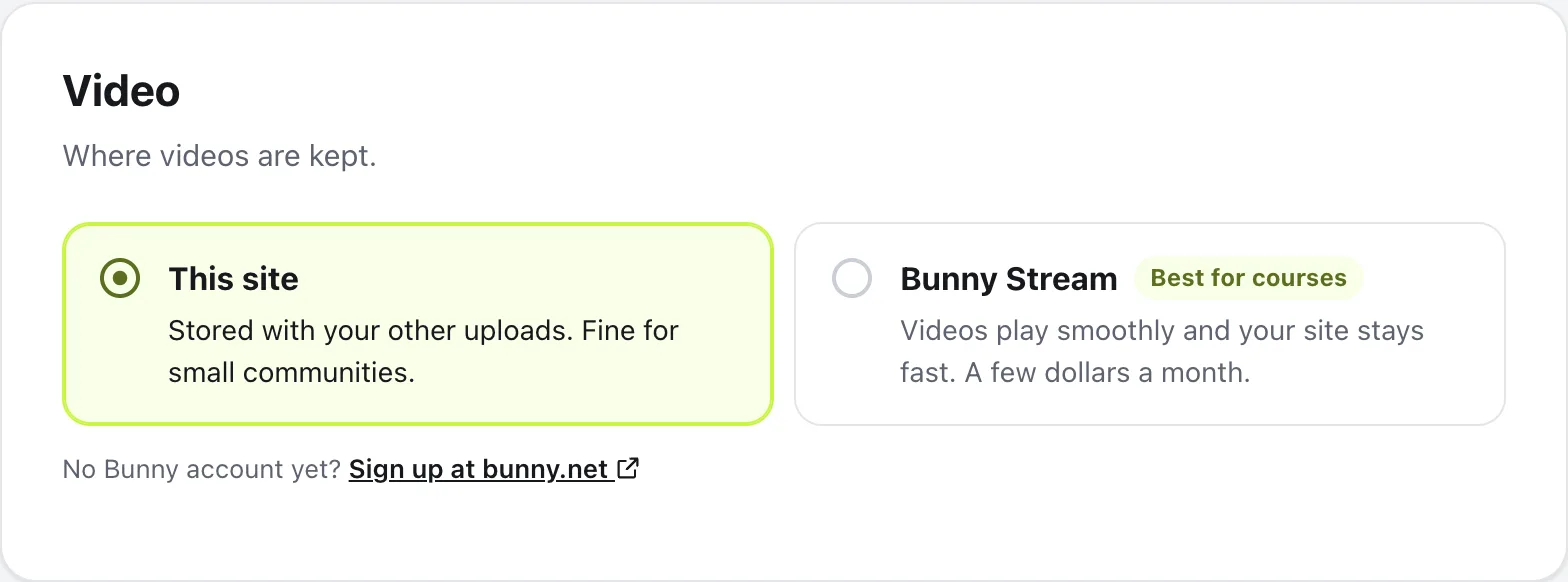
In your community, open Community settings, then Video. No Bunny account yet? Use Sign up at bunny.net under the choices.
- 2
Choose Bunny Stream
Next to This site, choose Bunny Stream. Three boxes appear.
- 3
Copy your library’s details
In Bunny, open Stream, then your video library, then API. Copy the Video library ID, the CDN hostname (it looks like vz-1234abcd-56.b-cdn.net) and the library’s API key into the matching boxes.
- 4
Save
Press Save changes at the bottom of Settings.
Protect video links (optional)
Good for paid courses. With protection on, a copied video link stops working after about 6 hours, so it can’t be passed around outside your community.
- In Bunny, open Stream, your video library, API, Pull Zone, Manage, Security, then Token authentication, and turn it on.
- Paste its key into Protect video links, and save.
When it’s on, the box says so. To stop, press Turn off beside it, and turn off token authentication in Bunny too, or videos will stop playing.
Add the webhook, then test
Under Webhook URL (optional, recommended), press Copy and paste it into your Bunny library’s Webhook URL setting. New videos then show up the moment Bunny finishes getting them ready.
Last, press Test connection. It works once your changes are saved. When it’s connected, it says how many videos your library has, and whether links are protected. If something’s wrong, it says what to check, like the API key or the library ID.
Questions
Do I need Bunny Stream?
No. By default, videos are kept on your own site, which is fine for small communities. Bunny Stream helps once you have big courses or lots of video.
What happens to my videos if I switch back to This site?
New videos are stored on your site again. Videos already on Bunny keep playing from Bunny.
Are stories stored on Bunny too?
No. Stories always stay on your site.
How big can a video be?
Up to 2 GB per video on Bunny Stream. A bigger one is removed and the plugin says so.
Bunny didn’t accept my API key. What now?
Use the video library’s Stream API key, from Stream, your video library, then API. Your Bunny account key won’t work here.
Stuck, or something not right? See Troubleshooting, or email us and we’ll help.