Events and placesAll docs
Stream live and keep the replay
A YouTube, Vimeo or Twitch live stream plays right on the event page, so members watch inside your community. Afterwards, add the recording as the replay.
Stream on the event page
Any event can be a live stream. It’s set up the same way as a call, with a stream link in place of a meeting link.
- 1
Create the event
In Events, press New event. Under Where is it?, choose Online, or Both if people also meet in person.
- 2
Paste the stream link
In Link, paste the address of your YouTube, Vimeo or Twitch live stream.
- 3
Publish it
Press Publish event. The event page now says Online, on YouTube (or Vimeo, or Twitch).
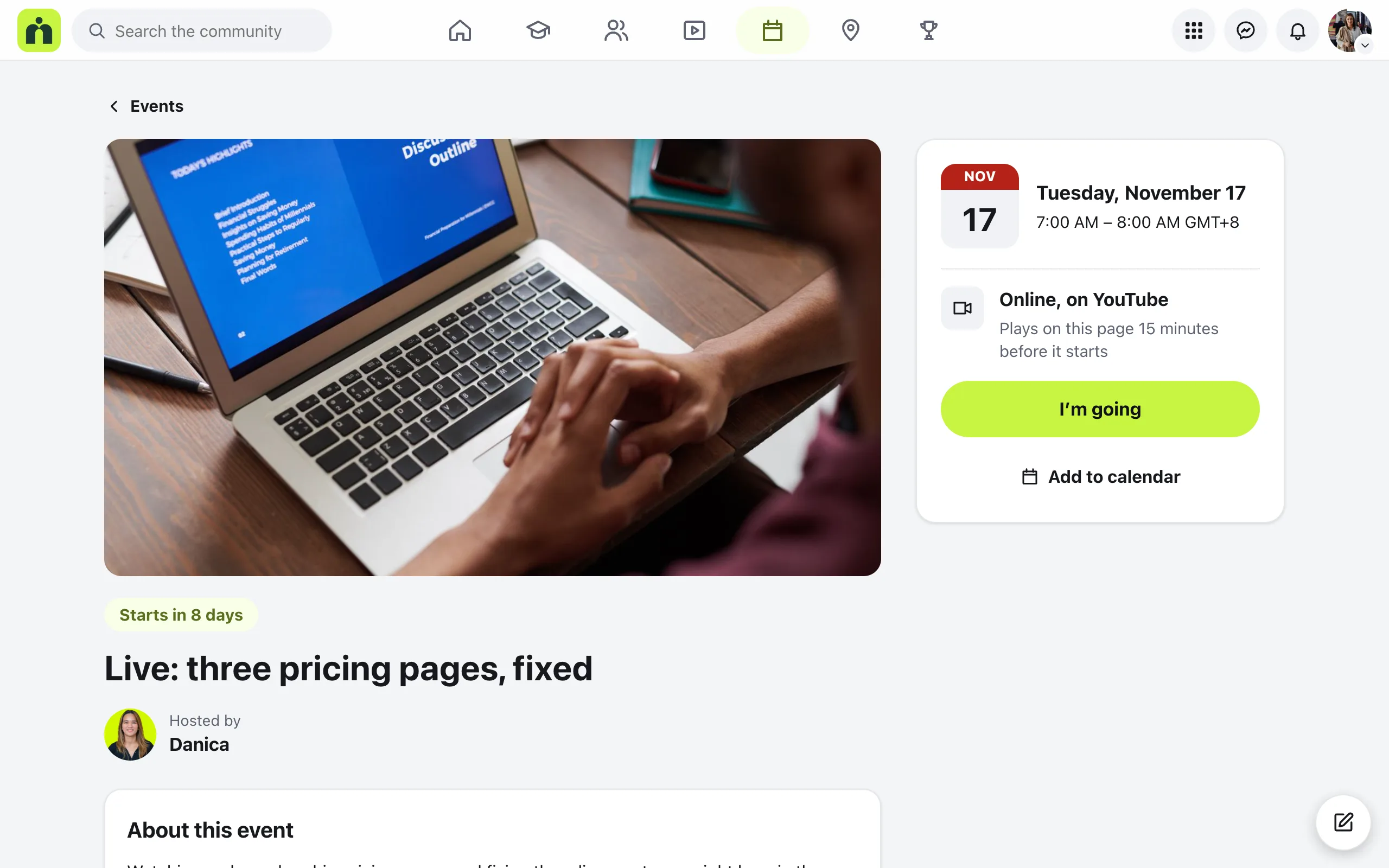
From 15 minutes before the start, the stream plays in place of the cover photo, and the page says Playing on this page. Members press play to watch, and can talk about it in the event’s Comments.
Members who said they’re going still get their reminders the day before and an hour before, as for any event.
Add the replay
The live link doesn’t turn into a replay on its own. When the event is over:
- Open the event’s page. As the host, you’ll see Add the replay.
- Paste the video link (YouTube, Vimeo or another link) and press Save the replay.
You can also add or change it later with Edit event, under Replay link.
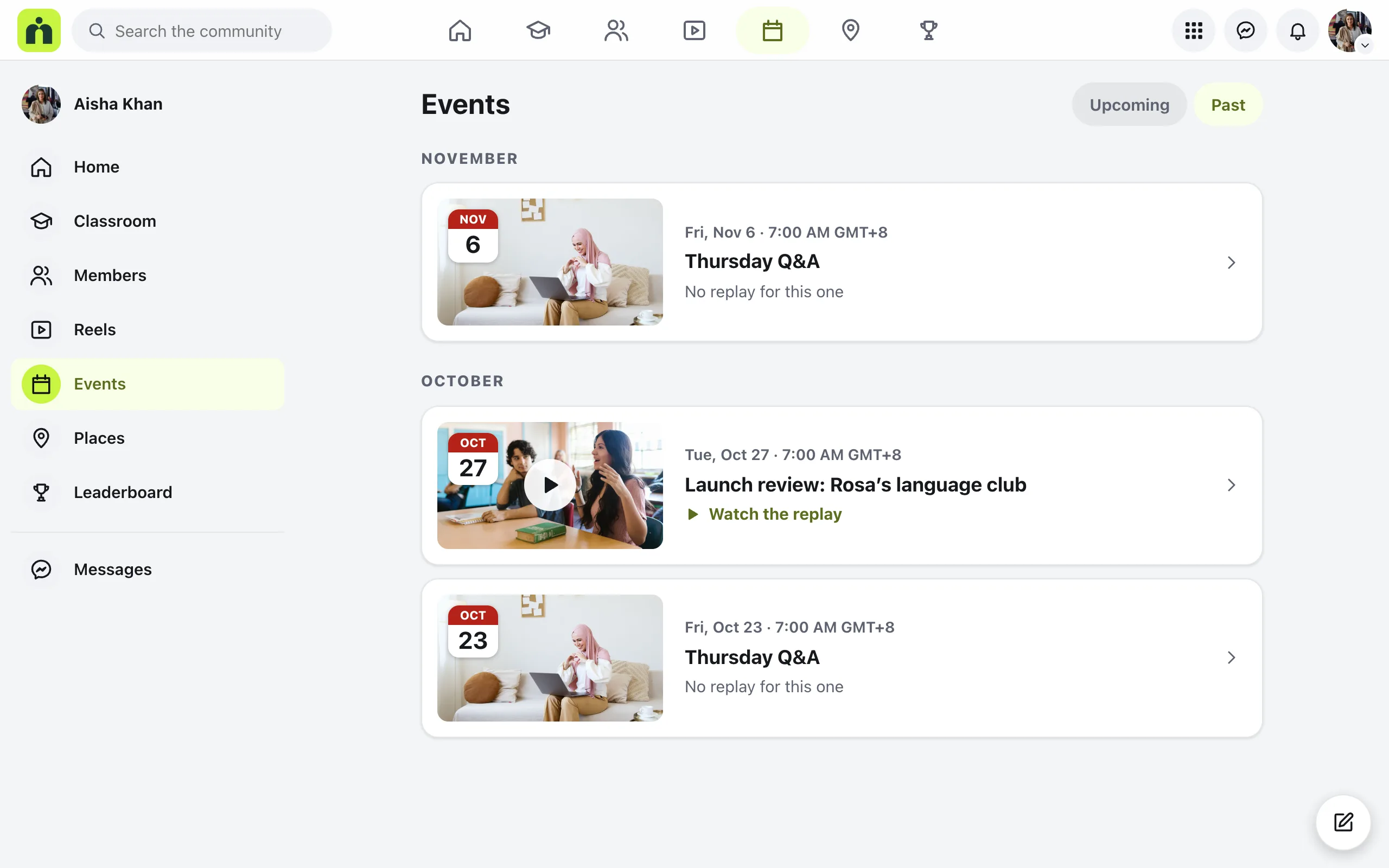
The replay shows on the event page and under Past in Events, marked Watch the replay. YouTube and Vimeo replays play right on the page. A past event without one says No replay for this one.
Questions
Which streams play inside the community?
YouTube, Vimeo and Twitch links. Zoom, Google Meet and other links show a Join button that opens the call instead.
When does the stream start playing?
From 15 minutes before the start until the event ends. Before that, the event page says Plays on this page 15 minutes before it starts.
Does the replay appear by itself?
No. Once the event is over, paste the recording’s link under Add the replay on the event page. Until you do, members see No replay for this one.
Can a replay be from somewhere other than YouTube or Vimeo?
Yes. YouTube and Vimeo replays play right on the page. Any other link opens when members press Watch the replay.
Stuck, or something not right? See Troubleshooting, or email us and we’ll help.