ClassroomAll docs
Choose when lessons open
Open the whole course at once, drip lessons out from when each member starts, or move everyone through together from a start date.
Choose how the course opens
Open the course builder (press Edit on the course in the Classroom), then Course settings. Under How it works, answer How does this course open?
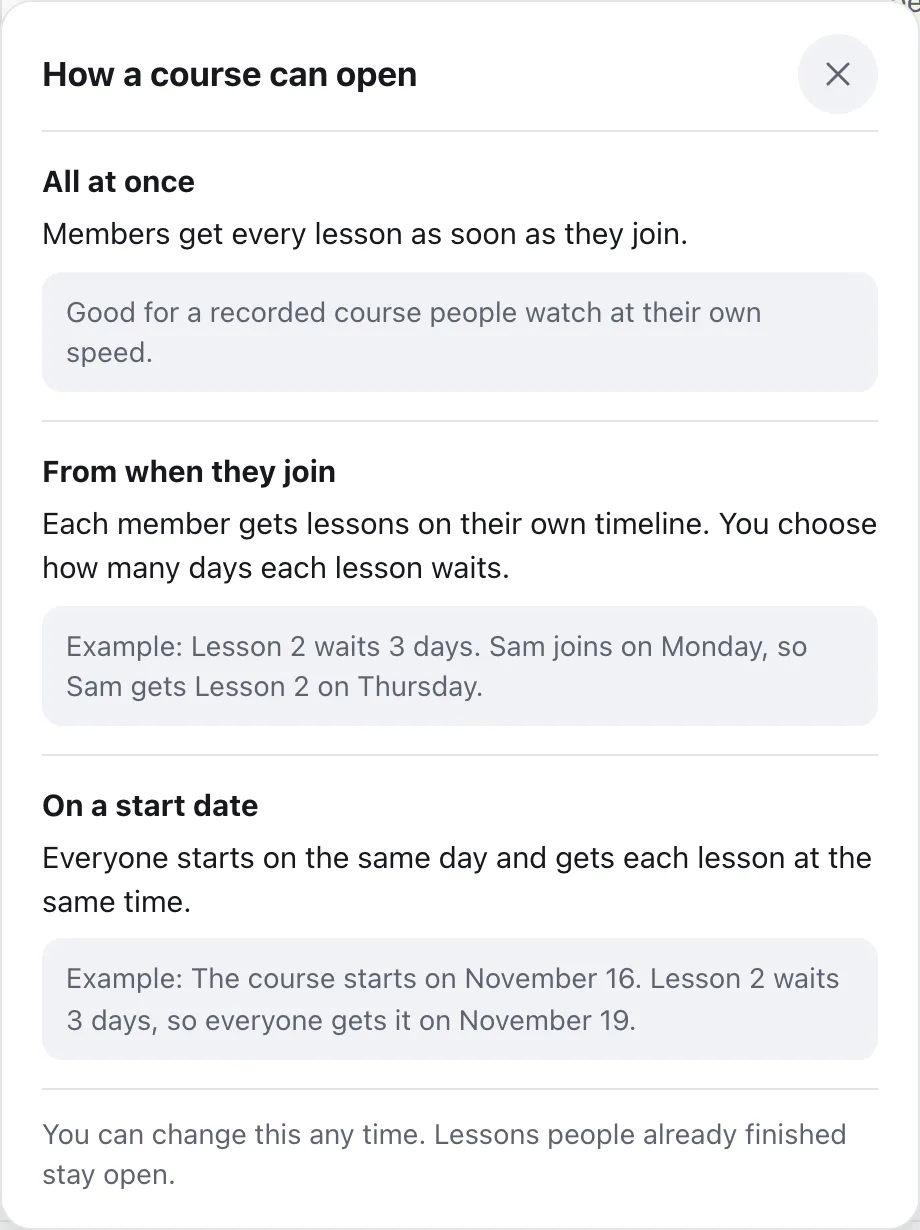
All at once
Members get every lesson as soon as they join. Good for a recorded course people watch at their own speed.
From when they join
Each member gets lessons on their own timeline, counted from the day they start the course. You choose how many days each lesson waits.
On a start date
Everyone starts on the same day and gets each lesson at the same time. Pick the day under Start date. Members who join late find the lessons so far already open.
Not sure? Press What’s the difference? beside the question. It explains each answer with an example. Everything saves by itself.
The next question, Can members skip ahead?, works alongside this. With No, one at a time, members finish one lesson to open the next, so a lesson with no wait of its own opens after the one before.
Set each lesson’s wait
With All at once, every lesson is open from the start and there’s nothing to set. With the other two, each lesson has its own timing.
- 1
Open the lesson
On the Lessons tab, press Edit beside the lesson.
- 2
Find When does this lesson open?
It’s near the end of the lesson, under the files.
- 3
Pick one
Right away; Some days after they start the course, then type the number of days; or On a date you pick, good for a live launch. On a start-date course the choices are On the start day, Some days after the start, or On a date you pick.
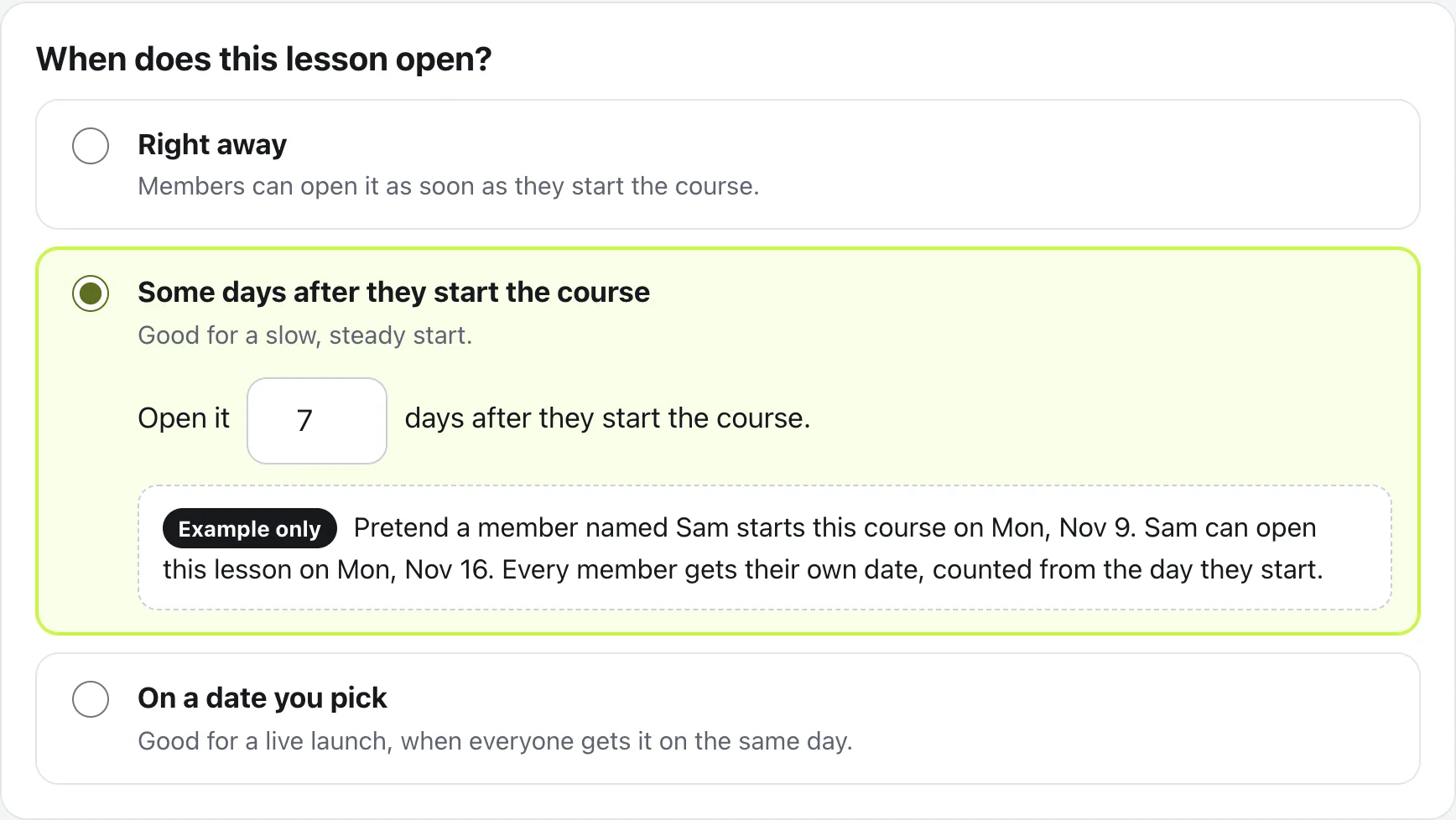
If a lesson would open before the one above it, the builder says so and offers to give it the same wait. The Lessons tab shows each lesson’s timing, like After 7 days, and the Course map tab shows the whole course on one page.
What members see
A lesson that hasn’t opened yet shows a lock and its opening day in the outline. Inside, it says when it opens, and that they’ll get a notification when it’s ready. When it opens, they get that alert.
Before a start-date course begins, members see the day it starts, like Starts Nov 16, on the course card in the Classroom and on the main button.
Questions
Does “From when they join” count from when they joined the community?
No. It counts from the day each member starts this course. Two members who start on different days get each lesson on different days.
What do members see before a lesson opens?
The lesson shows in the outline with a lock and its opening day. Inside, it says when it opens and that they’ll get a notification when it’s ready.
Can I change how a course opens after people have started?
Yes, any time. Lessons people already finished stay open. Moving a start date earlier, or switching to All at once, tells waiting members right away.
Can I always open every lesson myself?
Yes. You and your moderators can always open every lesson, whatever you chose for members.
Stuck, or something not right? See Troubleshooting, or email us and we’ll help.