Get startedAll docs
Install the plugin and open your community
Download one zip, upload it to WordPress, and your community is live at yoursite.com/community.
Download the plugin
MemBuild Community is free. Download the newest version here:
Download membuild-community.zip
The file comes from the plugin’s GitHub page. You don’t need a GitHub account.
Install it in WordPress
- 1
Open Plugins › Add New
In wp-admin, go to Plugins, then Add New Plugin, and press Upload Plugin at the top.
- 2
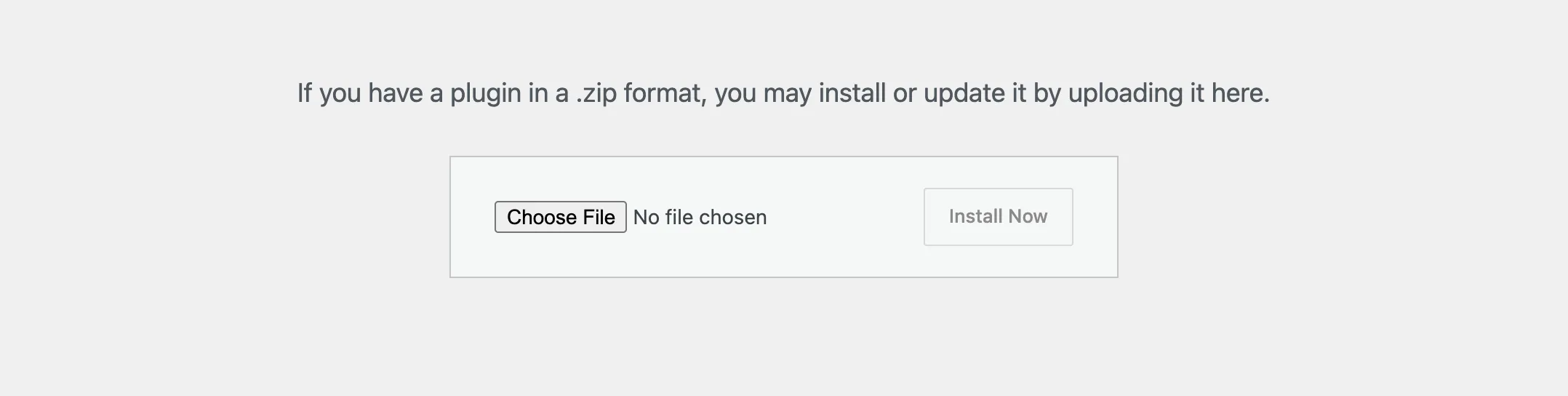
Choose the zip
Press Choose File, pick membuild-community.zip, then press Install Now. Leave the zip as it is: WordPress wants the zip itself, not a folder.
- 3
Activate it
When WordPress says the plugin is installed, press Activate Plugin. A new Community menu appears at the bottom of the wp-admin sidebar.
Open your community
Visit yoursite.com/community. That’s your community, already live. You’re logged in as the admin, so you see everything, including Community settings in the left column and in your avatar menu.
Members log in with the WordPress account they already have. If the address shows a “page not found”, open Settings, then Permalinks in wp-admin, and pick anything but Plain.
In wp-admin, Community, then Overview, shows a short setup guide: Welcome! Let’s get your community ready. It has six steps and takes about ten minutes. Finish setting up walks through them.
Keep it up to date
You only upload the zip once. After that, new versions arrive like any other plugin update, in Dashboard › Updates and on the Plugins screen. The top of every Community page in wp-admin shows your version, and says when a newer one is out.
Updates come only from the plugin’s own GitHub releases, and the check sends nothing about your site.
Questions
What does my site need?
WordPress 6.4 or newer and PHP 8.1 or newer. Permalinks must be set to anything but Plain, or the community’s address won’t open. The community works with any theme, because it runs as its own app.
Do my existing users need a new account?
No. Everyone with an account on your site is a community member and logs in with the account they already have.
How do updates arrive?
Twice a day, WordPress checks the plugin’s GitHub releases. When there’s a newer version, it shows in Dashboard › Updates and on the Plugins screen like any other update, and you press update as usual.
What happens if I deactivate or delete the plugin?
Your community stays in the database, so installing it again brings everything back. It’s only deleted if you chose Delete everything under When the plugin is removed, in Community settings.
Stuck, or something not right? See Troubleshooting, or email us and we’ll help.