Messages and alertsAll docs
Set up notifications and email summaries
The bell tells members what happened while they were away. Emails bring them back, as it happens or once a day, and each member chooses.
The bell
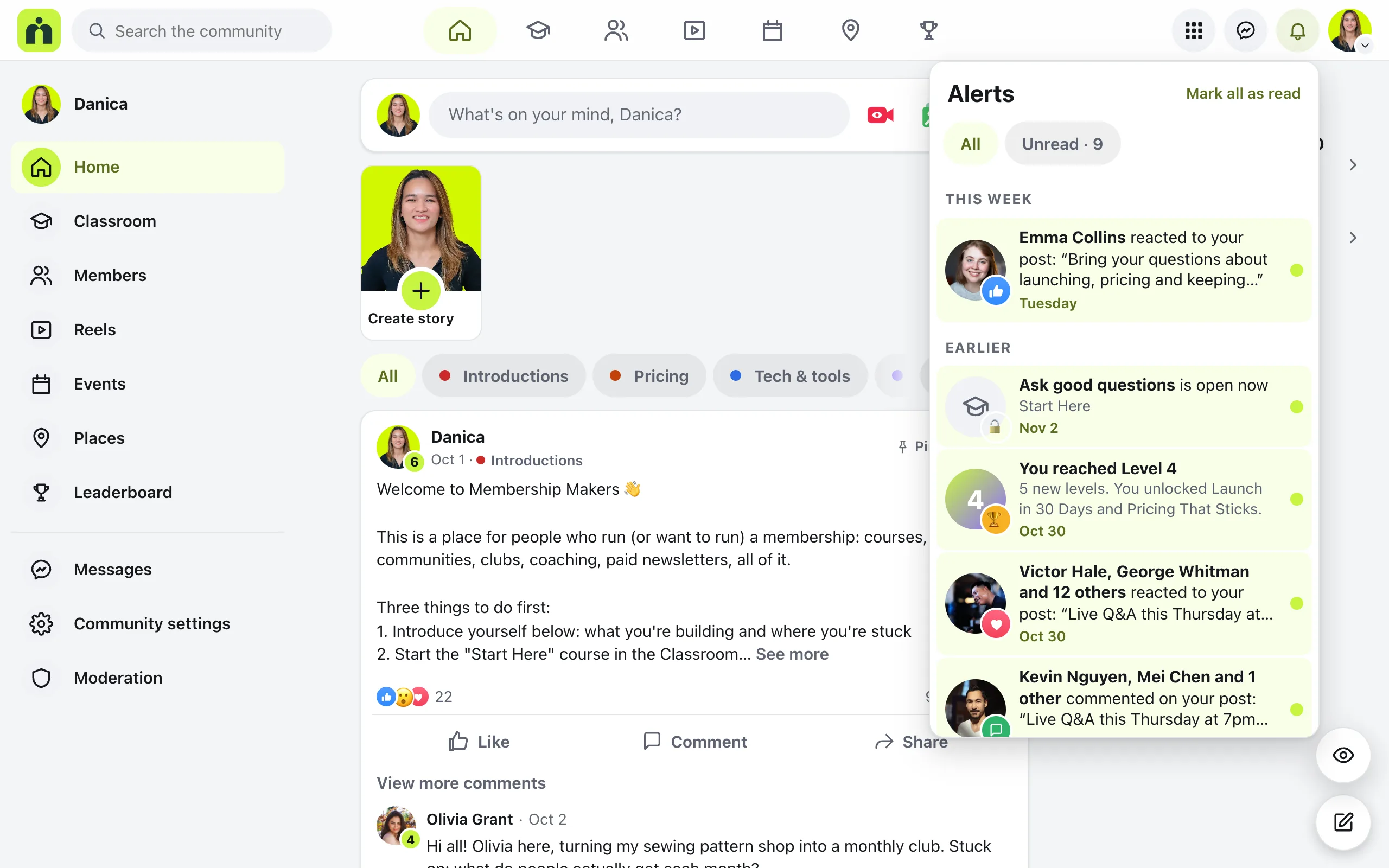
The bell at the top of the community shows a live count. Press it to open Alerts. On a phone, Alerts is one of the tabs at the bottom. Members hear about:
- Reactions to your post, comment or story
- Comments on your post, and replies to your comment
- New events, and when an event’s time changes or it’s cancelled
- A lesson that’s open now, and reaching a new level
Alerts are grouped into Today, This week and Earlier. Unread shows only new ones, and Mark all as read clears the count.
Emails members get
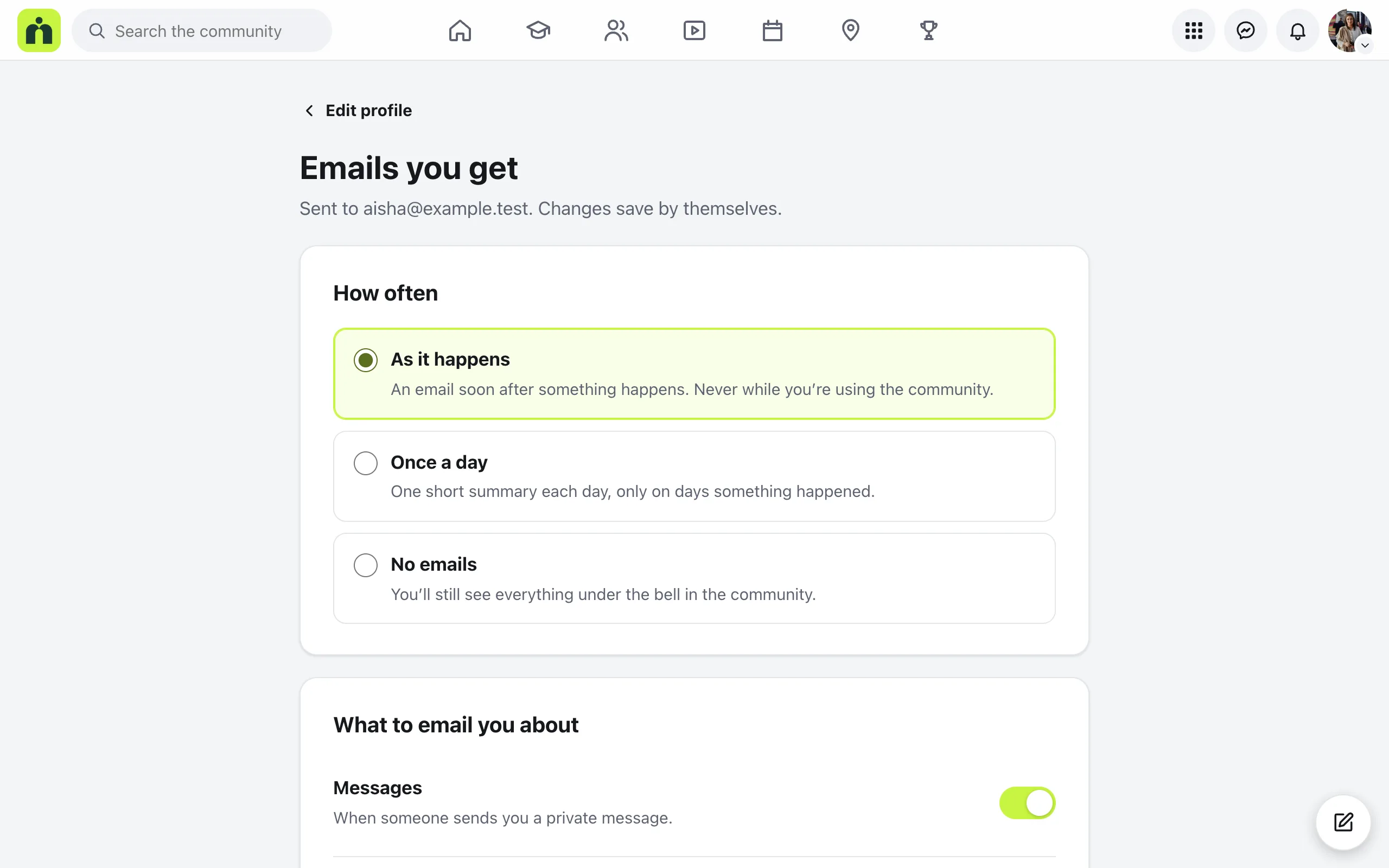
Each member picks how often in the menu under their photo, then Emails you get. Changes save by themselves.
As it happens
An email soon after something happens. The plugin checks every 15 minutes, and never emails someone while they’re using the community.
Once a day
One short summary each day, only on days something happened.
No emails
Everything still shows under the bell in the community.
Under What to email you about, they can switch Messages, Comments and replies and Event reminders on or off. Every email has a link at the bottom to change this, and password and sign-in emails always arrive.
Your settings as the owner
In Settings, then Email, the Email notifications switch turns these emails on or off for the whole community. It’s on to start with. Press Save changes after you change it.
The same page sets How emails are sent: Your web host, Resend, or Another service. Set this up before you invite members, then press Send a test email to check it arrives. Send emails reliably walks through it.
Questions
Will members get an email about something they already saw?
No. Emails skip anyone who was using the community in the last few minutes, so nobody gets an email about a reply they just read.
Do emails show what a private message says?
No. A message email says who wrote to you, never the message itself, because email isn’t private.
A new member isn’t getting any emails. Why?
Someone who joins gets a welcome email with a button to confirm their address. Until they press it, no activity emails go to them. Password resets always arrive.
Emails land in spam. What can I do?
Your web host’s own email often lands in spam. In Settings, then Email, choose Resend or Another service, then press Send a test email.
Stuck, or something not right? See Troubleshooting, or email us and we’ll help.