Running your communityAll docs
Moderate posts and members
Members report what worries them. You, or a moderator you trust, decide what stays up.
How reports reach you
Members can report a post, a reel, a comment or a profile from its menu. They choose a reason, like Spam, Harassment or bullying or Something else, and can add a note.
The report waits on the Moderation page, for you and your moderators, and a count shows beside Moderation in your menu. Open it from your avatar menu, or the left column on a computer. A post reported by 3 members hides by itself until you decide.
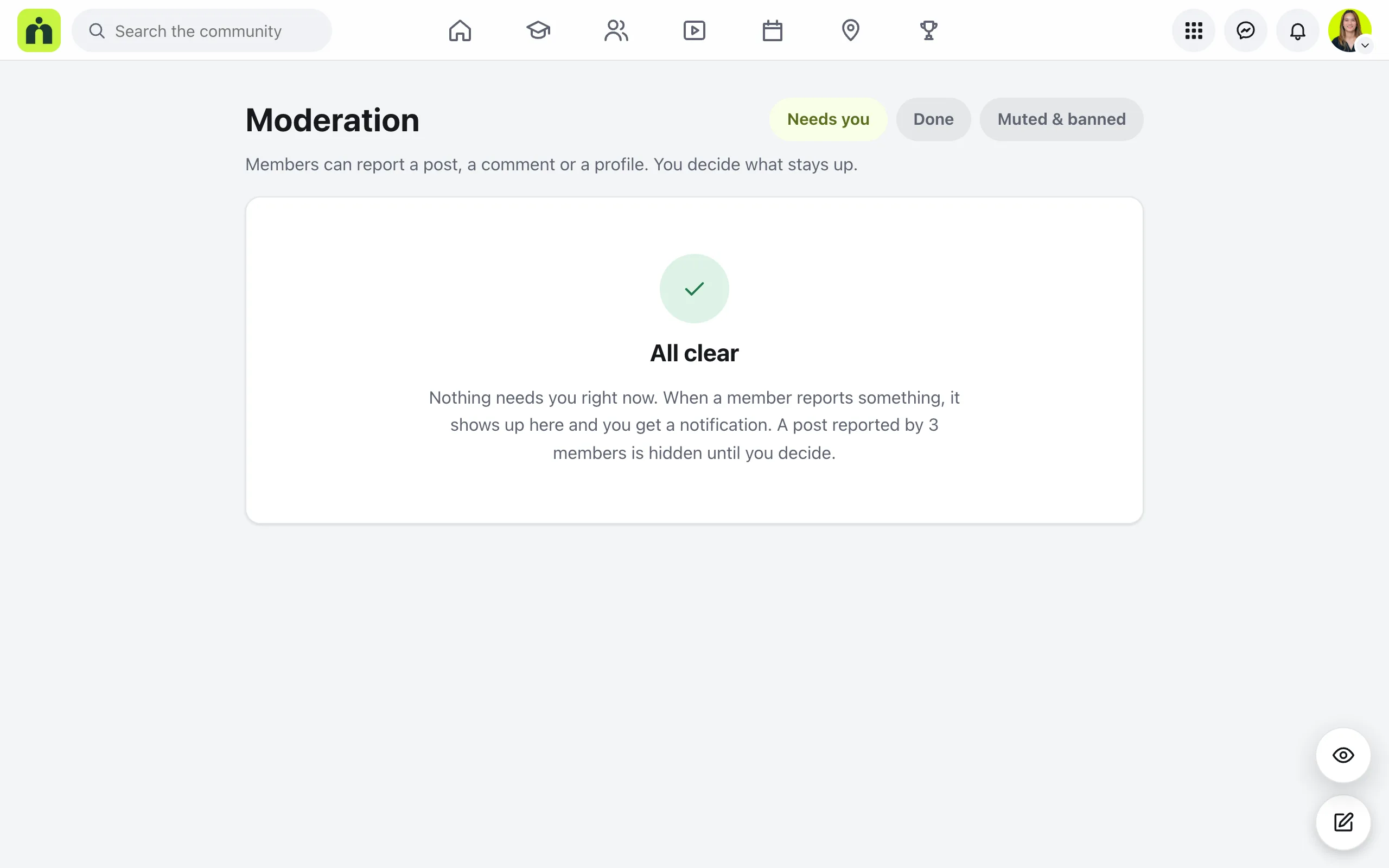
Needs you lists open reports. Each one says who reported it, why, and what members said. Done keeps your decisions for your records, and Muted & banned lists everyone who’s muted or banned.
Decide on a report
- 1
Take it down
It disappears for everyone. The author isn’t told who reported it. You’re then asked: Also stop them from posting? Choose Take it down and mute, Take it down and ban, or No, just take it down.
- 2
Leave it up
It stays, and the report moves to Done. A post hidden by three reports shows again.
- 3
A reported profile
Choose It’s fine, or Mute or ban.
Mute or ban a member
Mute for 1 day, Mute for 7 days, or Mute until I unmute
They can read and react, but can’t post, comment or send messages. Timed mutes end by themselves on the date shown.
Ban from the community
They can’t open the community at all until you unban them.
To undo either one, open Muted & banned and press Unmute or Unban.
Add moderators
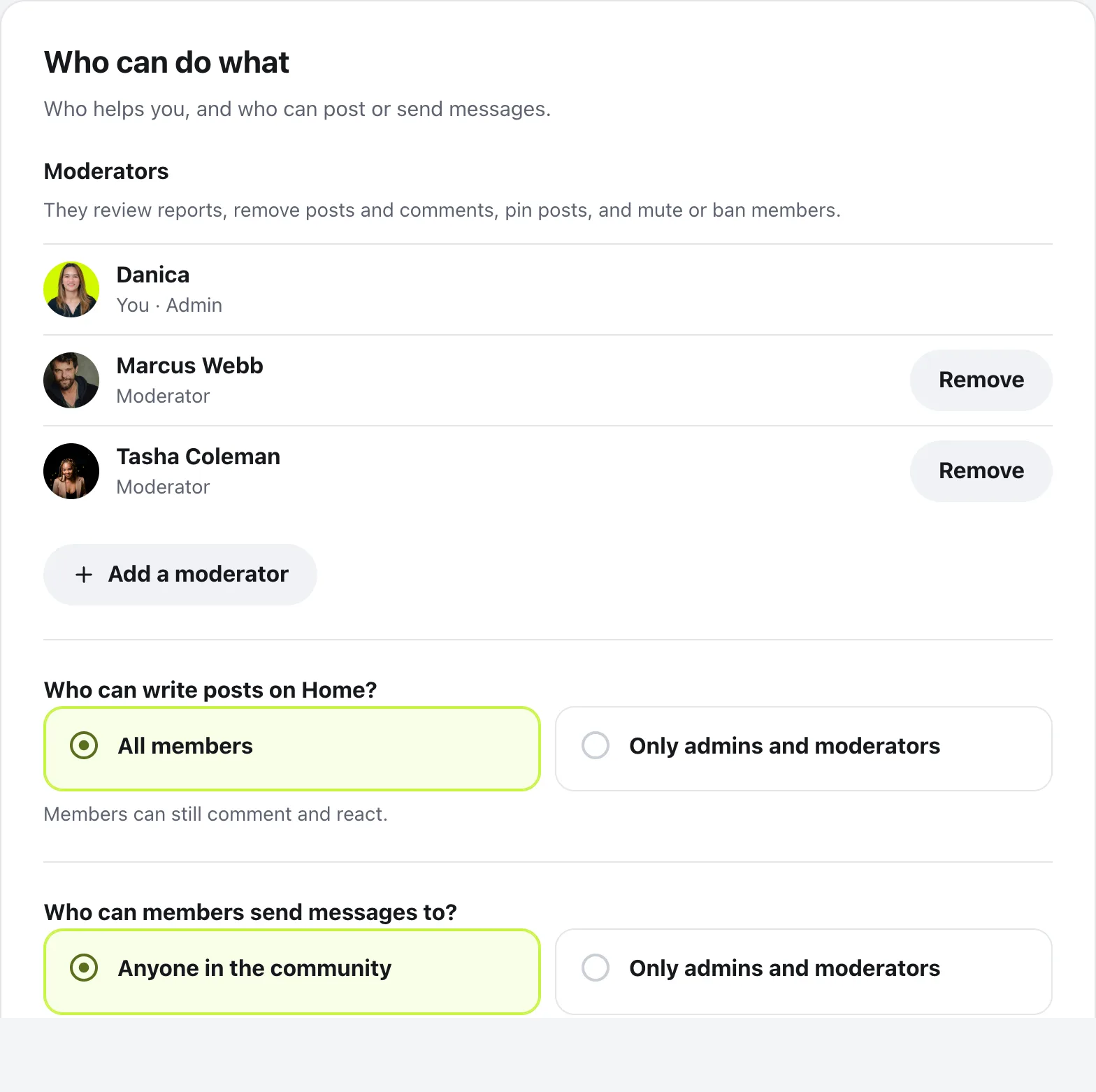
Moderators review reports, remove posts and comments, pin posts, and mute or ban members. Pick someone you trust.
Open Community settings, then Who can do what. Press Add a moderator, type a name, then press Make them a moderator. To stop, press Remove beside their name. They stay a member and keep everything they’ve posted.
Questions
Is the person reported told who reported them?
No. Only admins and moderators see reports, and the person reported is never told who reported them.
Can I mute or ban an admin or moderator?
No. Admins and moderators can’t be muted or banned. Remove someone as a moderator first, in Who can do what.
Does muting or banning delete what they posted?
No. Nothing they’ve already posted is removed. To take something down, use Take it down on the report, or Hide or Delete in wp-admin, under Community, then Posts.
Can I moderate from wp-admin?
Yes. In Community, then Members, each member has Mute 7 days and Ban, and Lift to undo. Posts and Comments have Hide, Show again and Delete. Reports themselves are handled on the Moderation page in the community.
Stuck, or something not right? See Troubleshooting, or email us and we’ll help.